Guide on edit the File Name Before Scanning
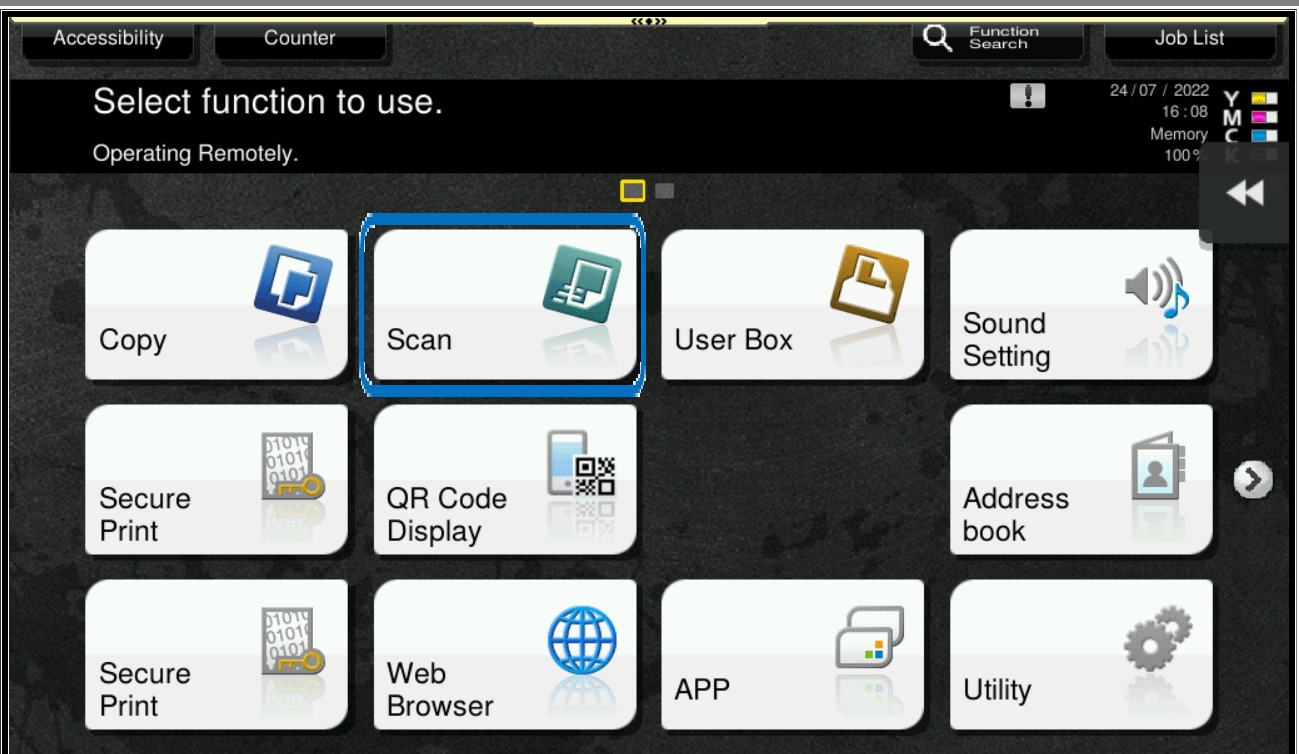
STEP 1 – On the Main Menu Screen, select [Scan].
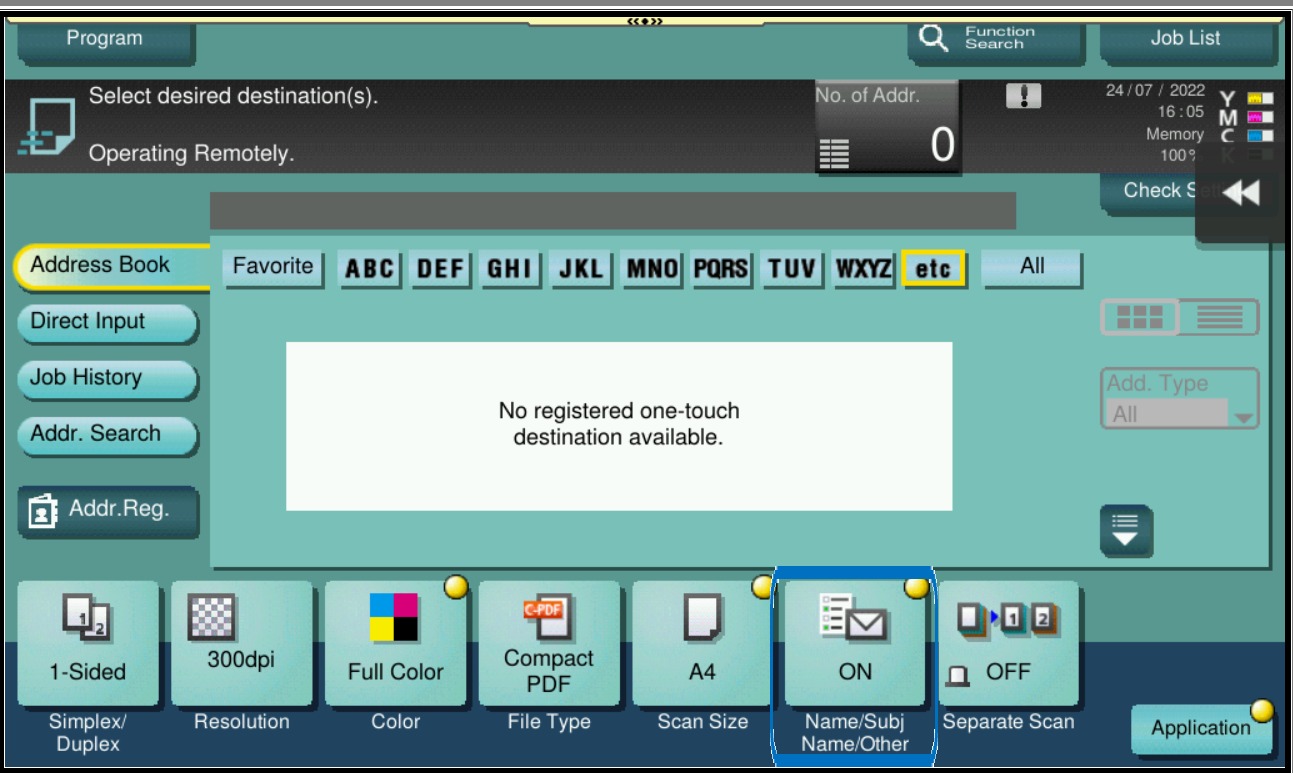
STEP 2 – Select [Name/Subj Name/Other].
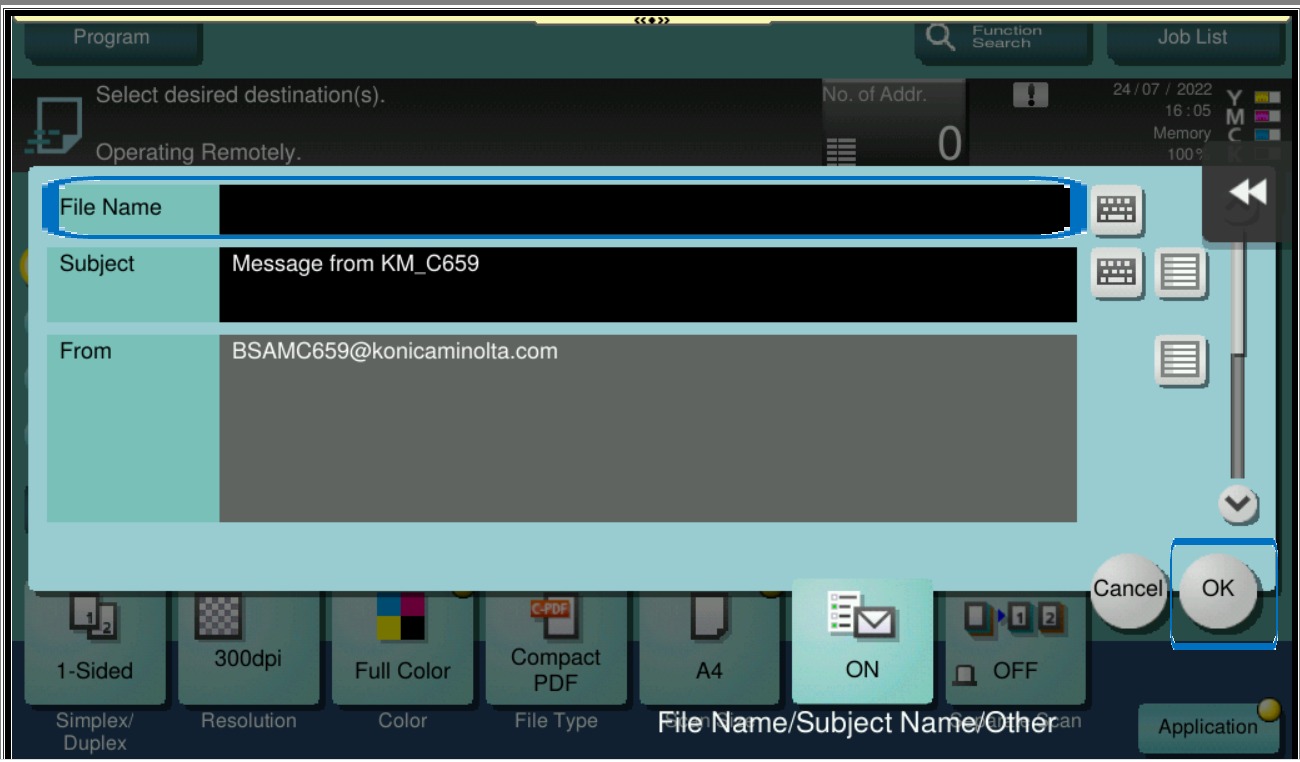
STEP 3 – Change the scan file name accordingly, then select [OK] and start scan.

Guide on edit the File Name Before Scanning
STEP 1 – On the Main Menu Screen, select [Scan].
STEP 2 – Select [Name/Subj Name/Other].
STEP 3 – Change the scan file name accordingly, then select [OK] and start scan.