
Guide on disable the Beep Sound for Incomplete Fax Transmission
For The Older Machine Series / Non I-Series Machine
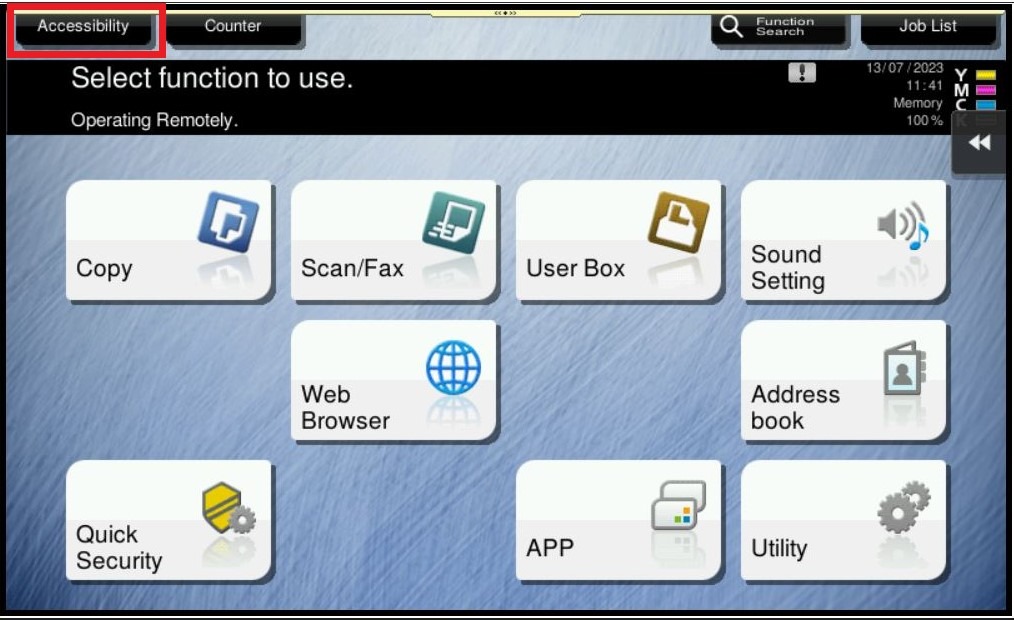
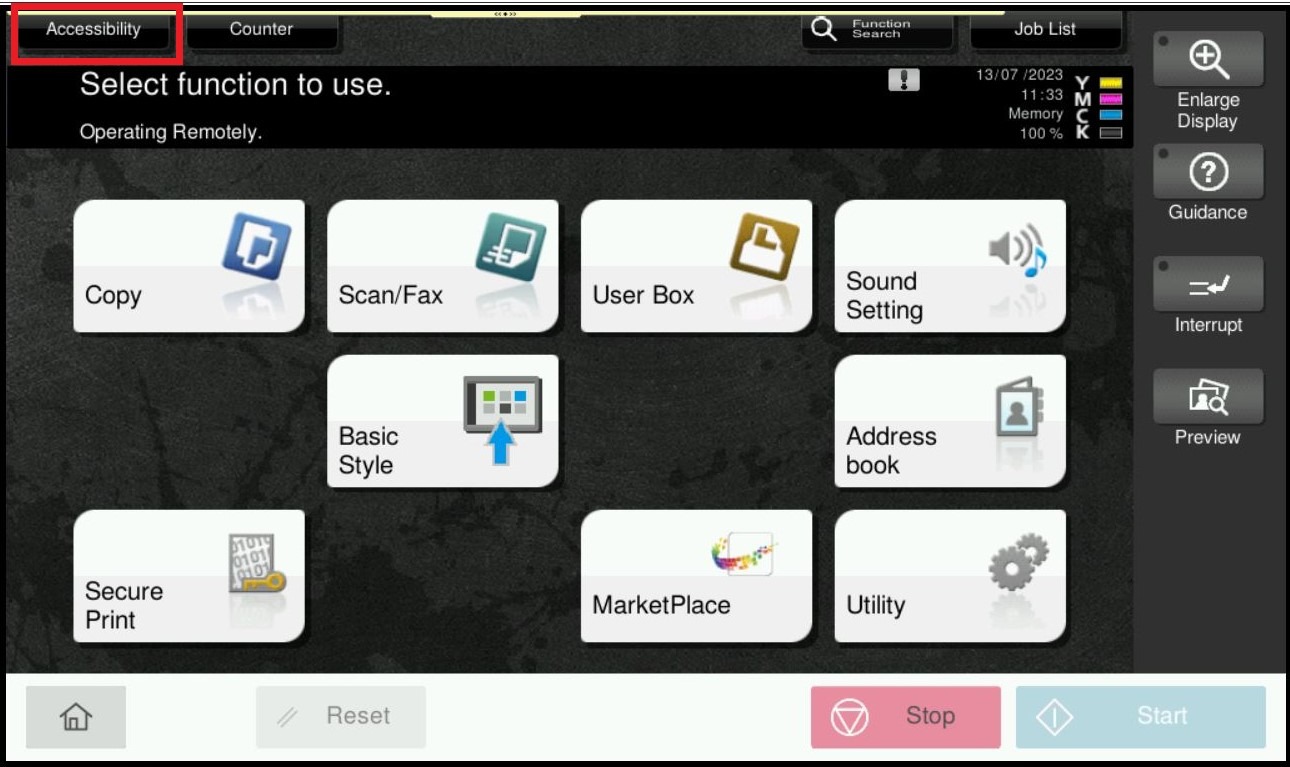
STEP 1 – On the Main Menu, select [Accessibility].
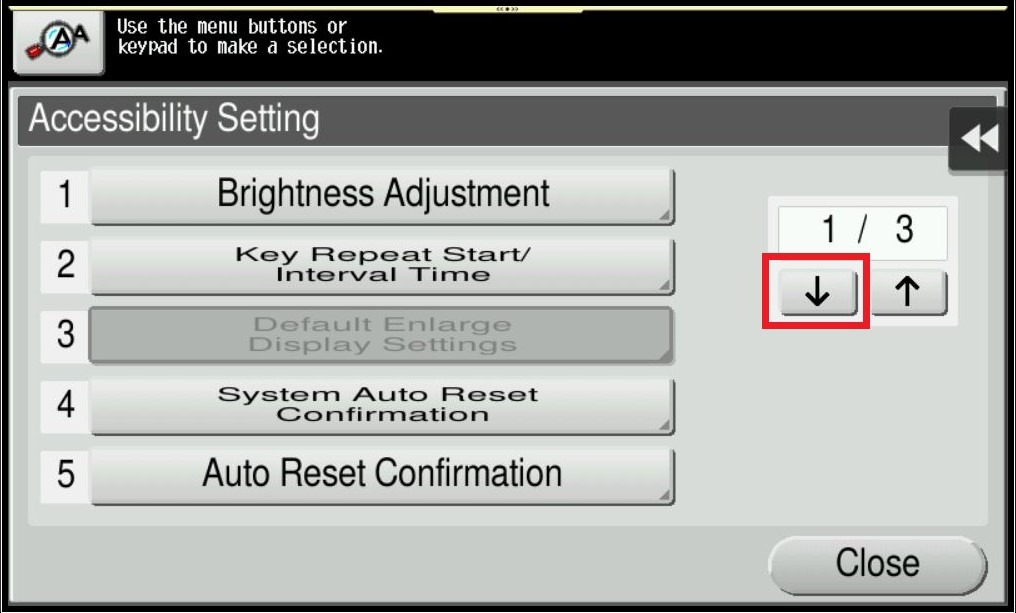
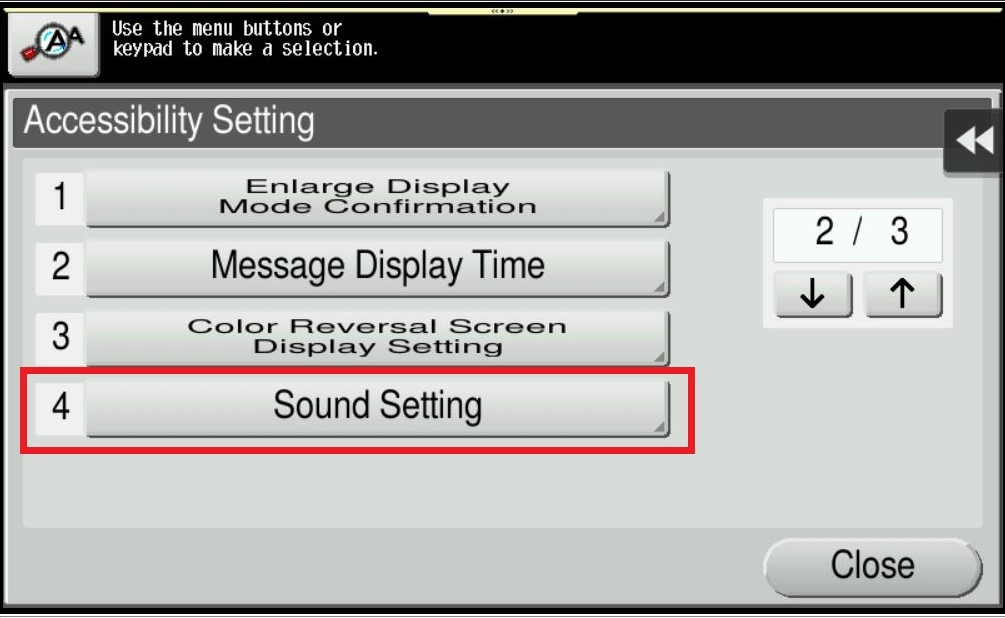
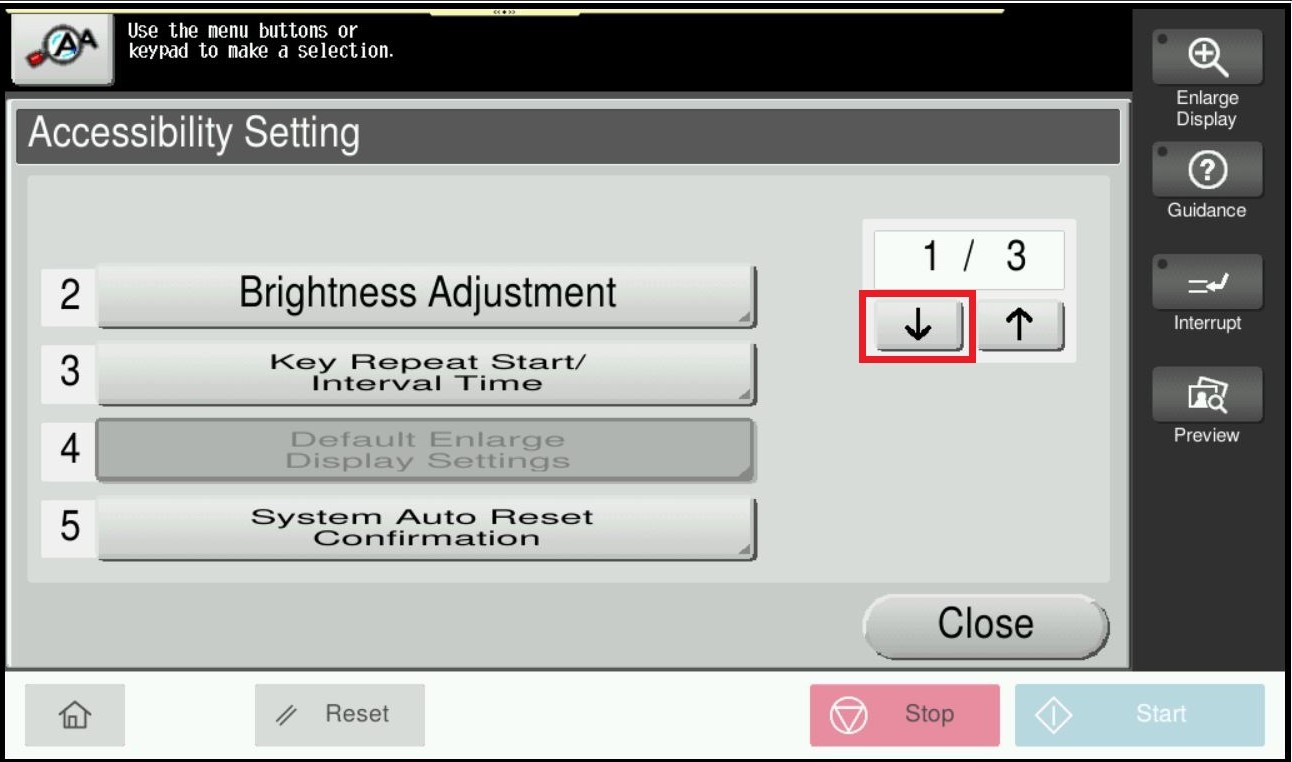
STEP 2 – Click on next page and select [Sound Setting].
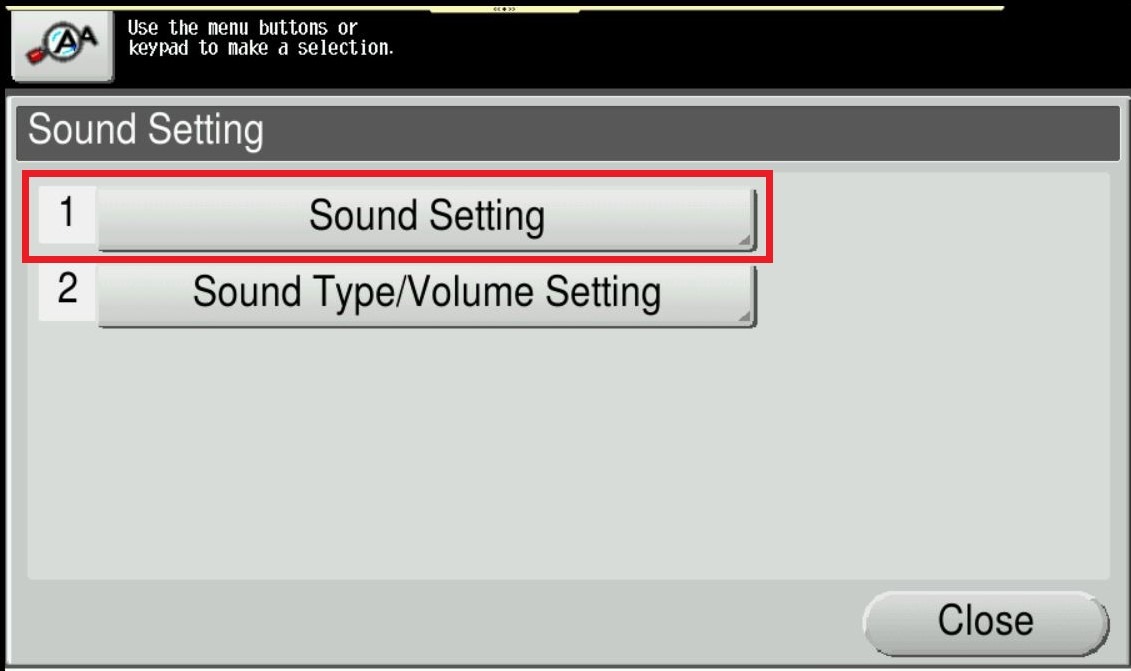
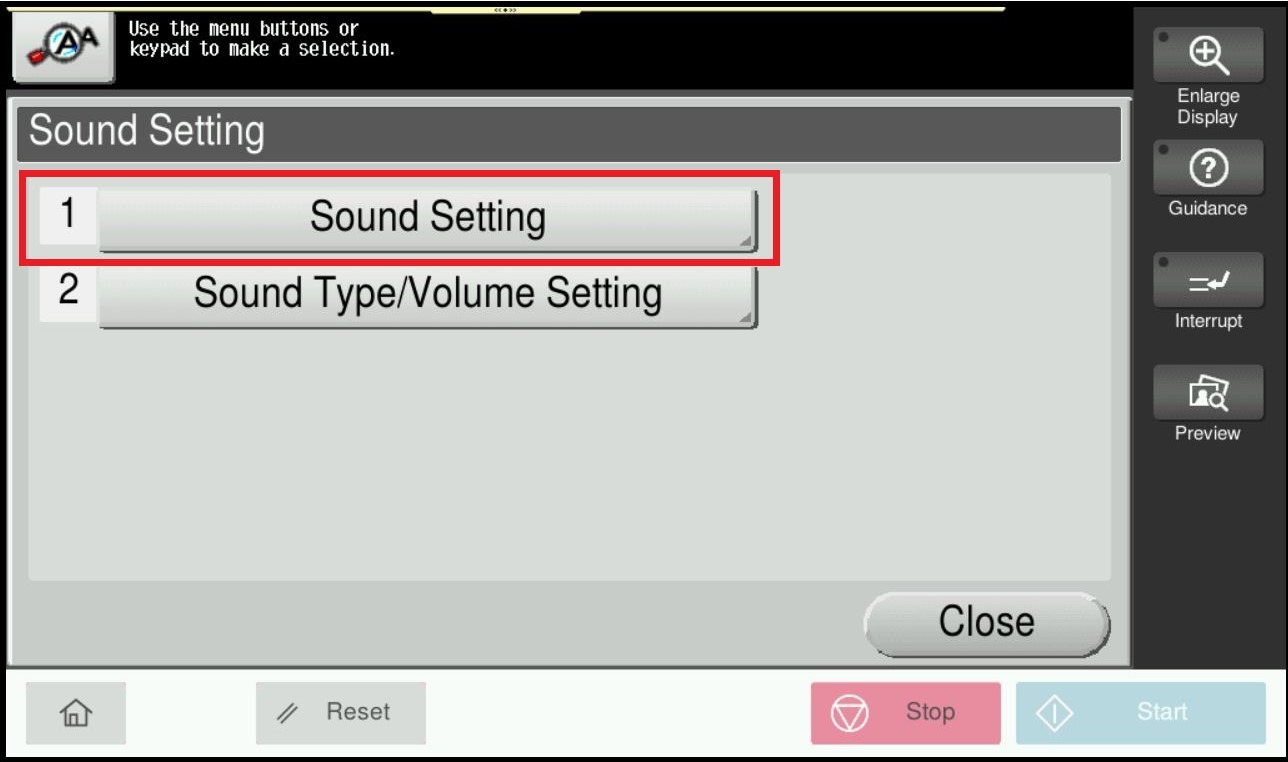
STEP 3 – Select [Sound Setting].
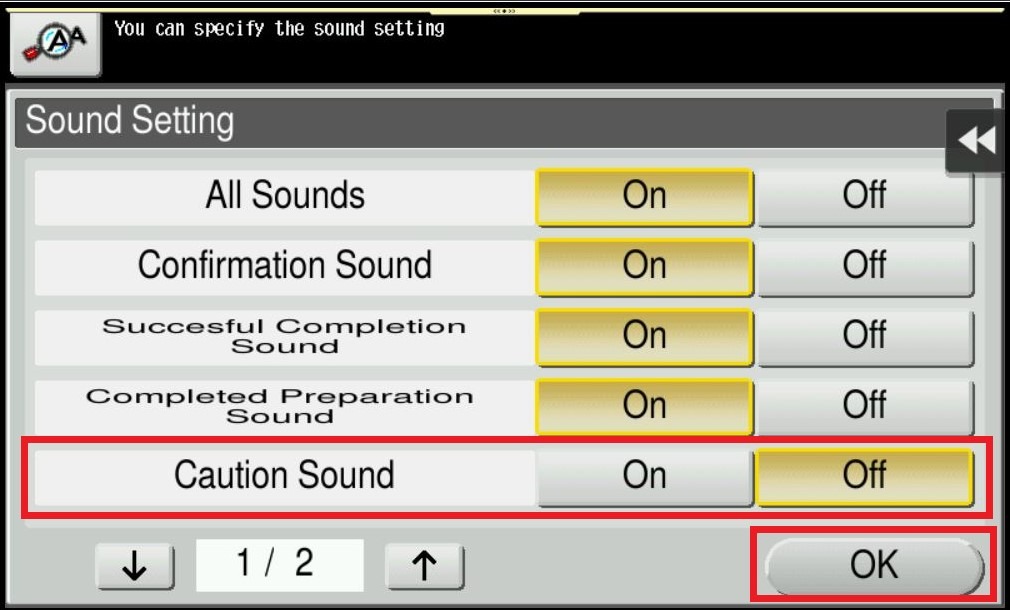
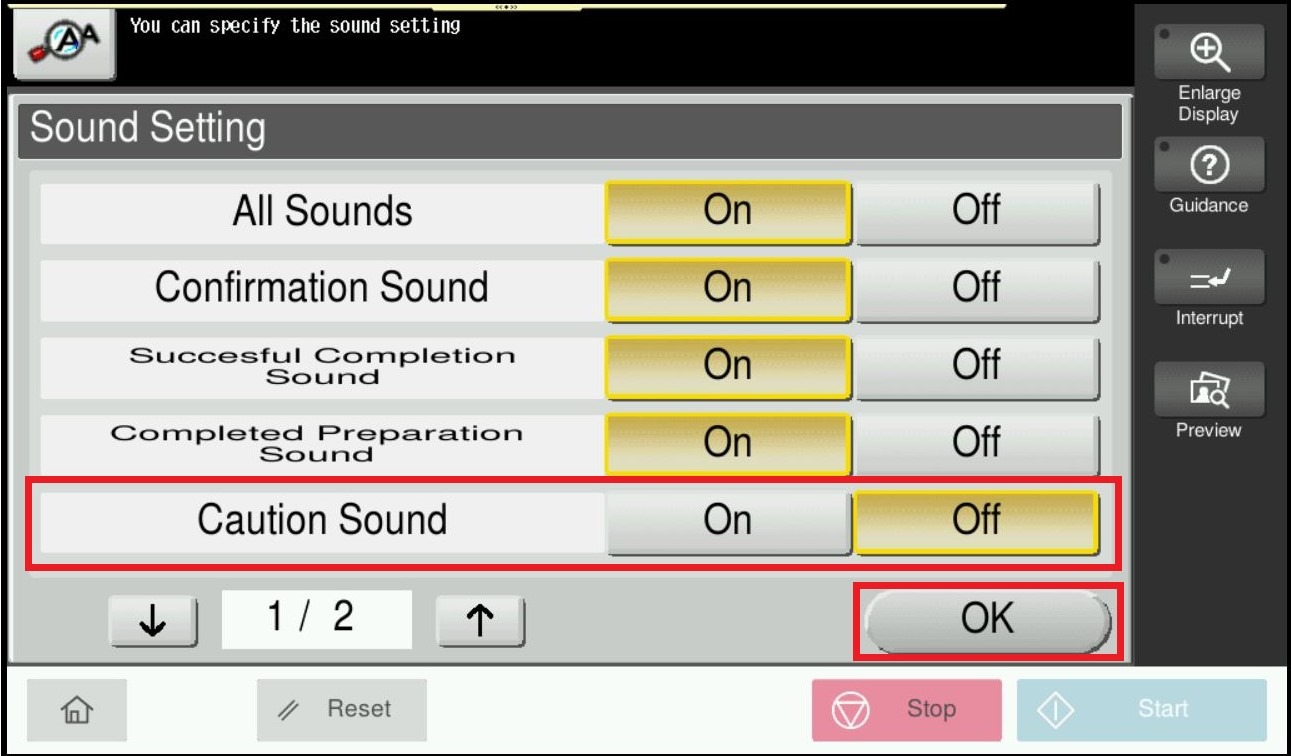
STEP 4 – Select [Caution Sound], Set to [Off], and press [OK].
STEP 5 – Press [Close] twice to return to Home screen.
For The Newer Machine Series / I-Series Machine
STEP 1 – On the Main Menu, select [Accessibility].
STEP 2 – Click on next page and select [Sound Setting].
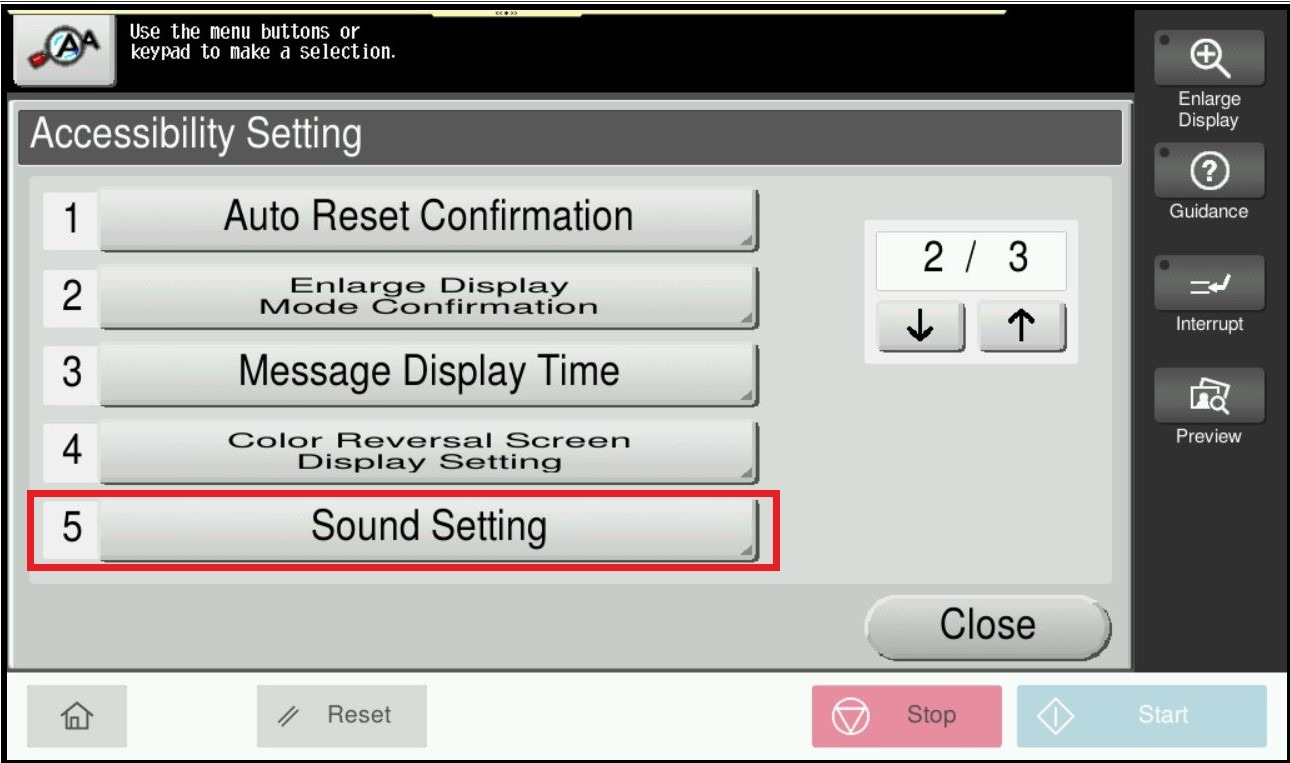
STEP 3 – Select [Sound Setting].
STEP 4 – Select [Caution Sound], Set to [Off], and press [OK].
STEP 5 – Press [Close] twice to return to Home screen.