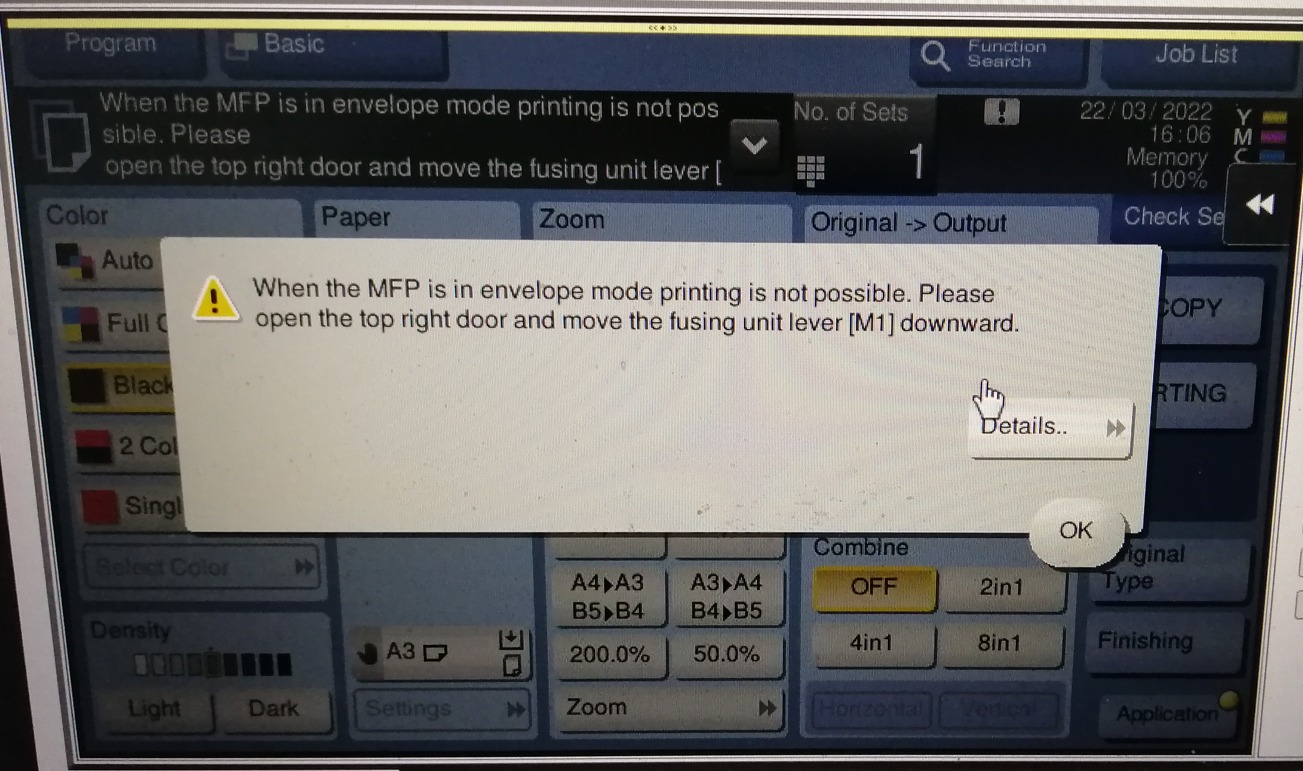
Guide on fix Printing Unavailable When the Printer Is in Envelope Mode on Printer
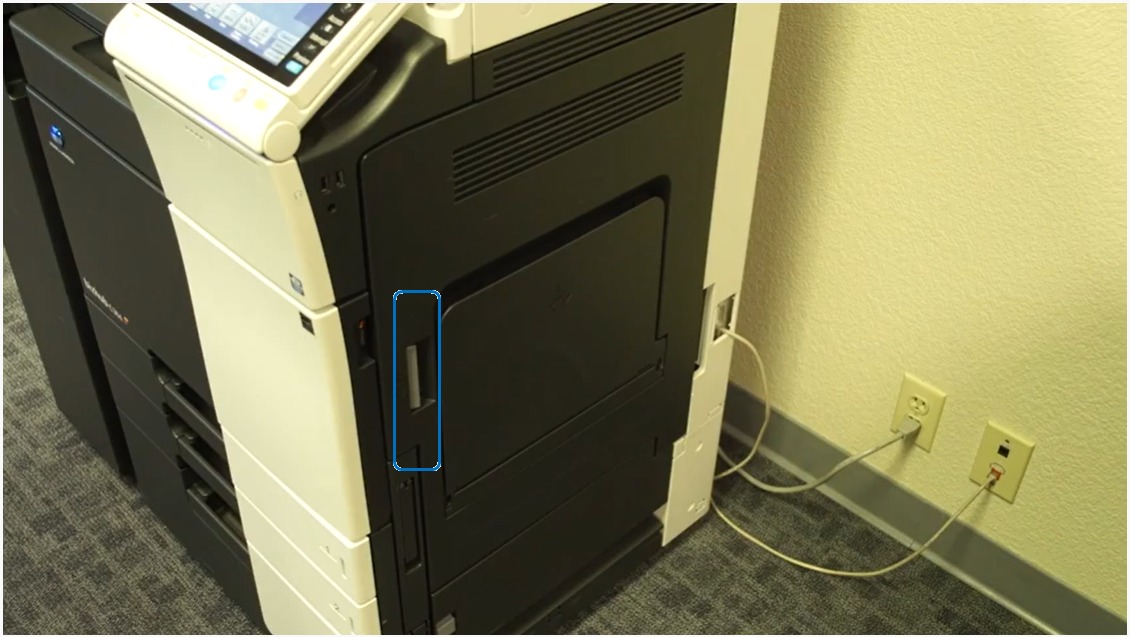
STEP 1 – Open the right side panel of the machine by pressing on the grey handle (see picture below).
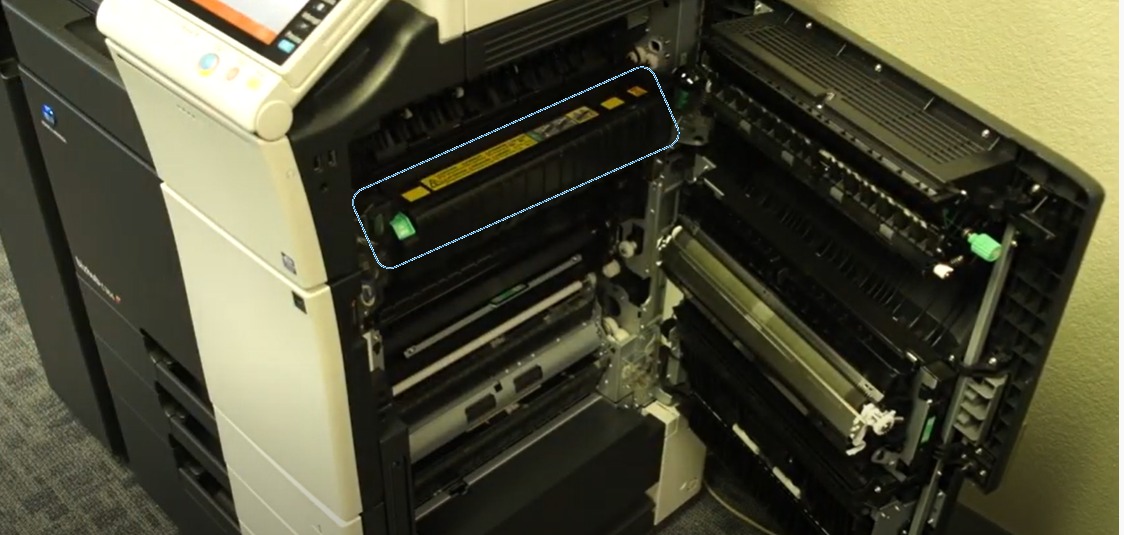
STEP 2 – Once the panel is open, locate the following part shown on the picture below (Fusing area with warnings and green lever on the side). Important Note: Please don’t touch the area with the warning sign as the area surface of this hardware usually is HOT.
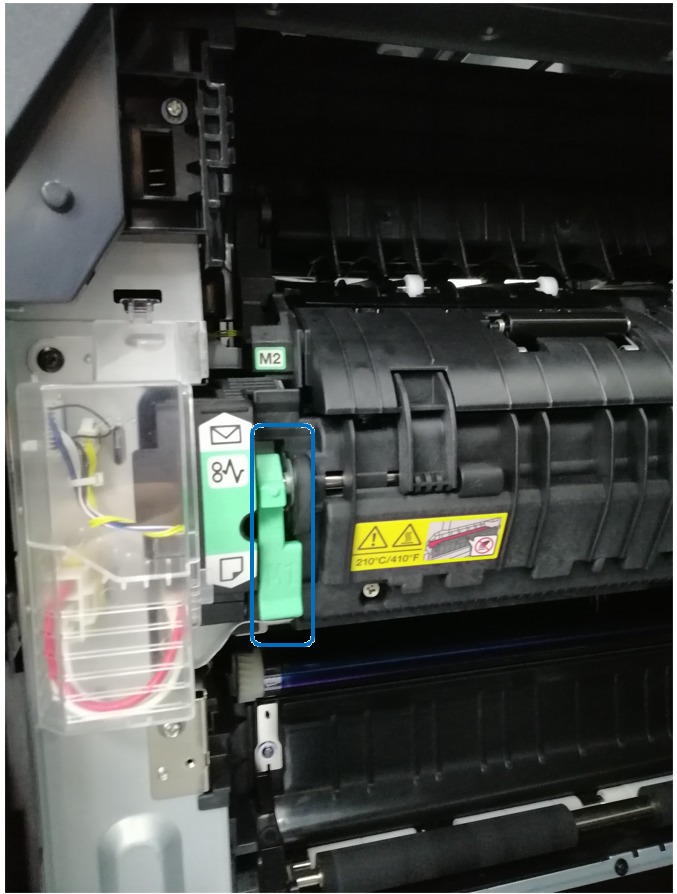
STEP 3 3 – The green lever must be lower DOWN instead of UP as it will turn the machine into envelope only. Make sure that the green lever (M1) is set downwards for the machine to print using normal paper size.