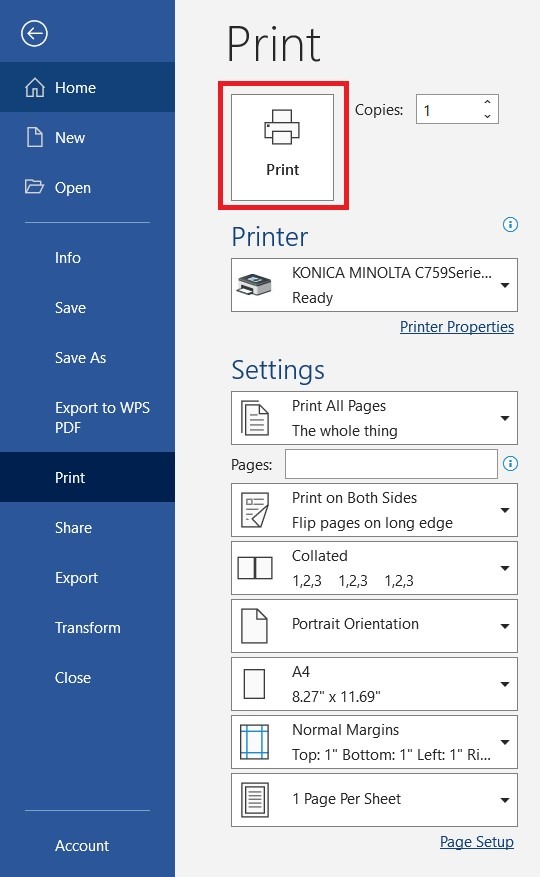
Suggestion on how to print booklet from pc. This will make the output printing in booklet.
For booklet printing, it has 2 printing procedures setting can be make.
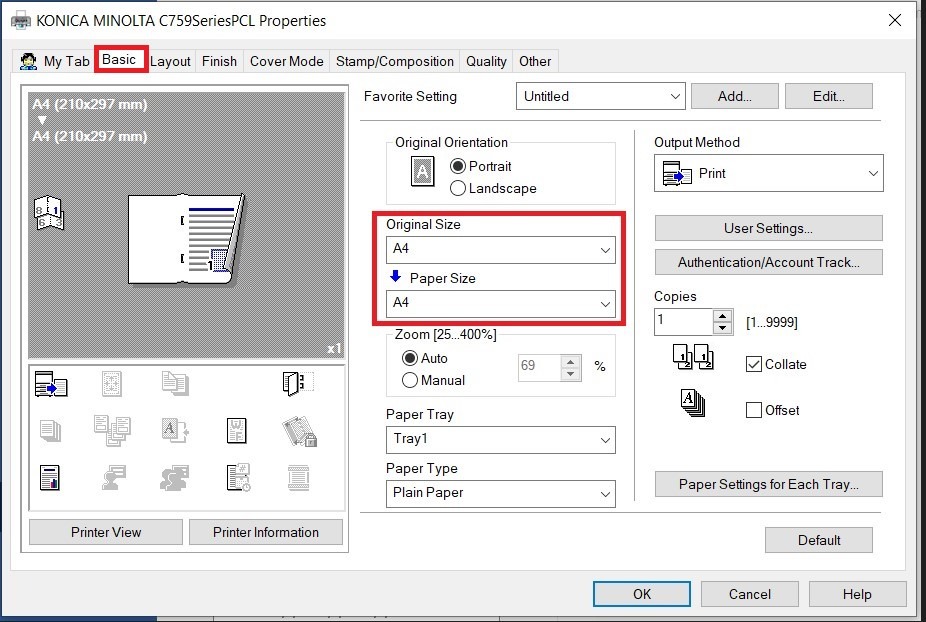
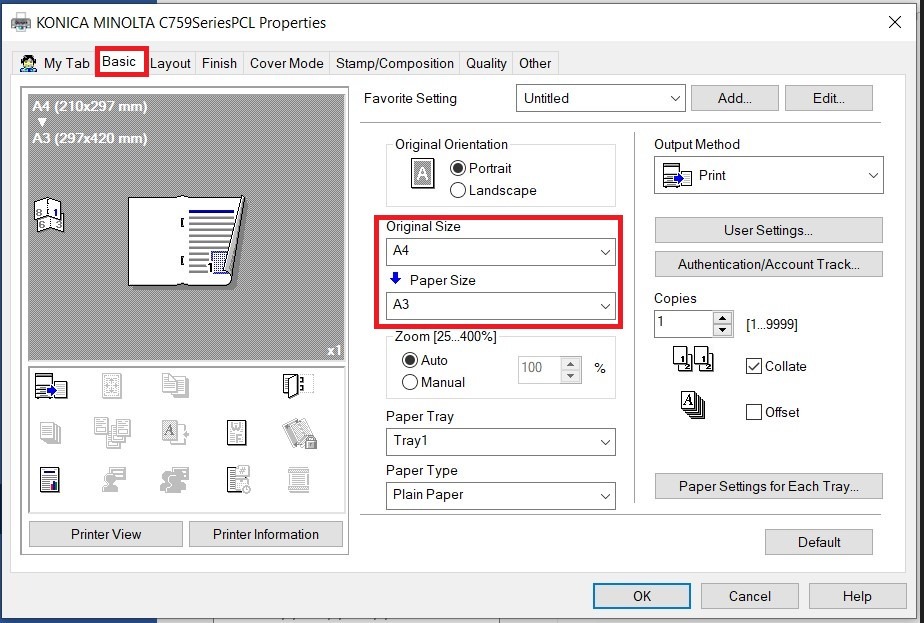
- Print at full size onto paper that is twice the size of the original. (Original Size – A4 / Paper Size – A3)
- Print at a reduced size onto paper that is same size of the original. (Original Size – A4 / Paper Size – A4)
Kindly follow below step on how to print booklet from pc
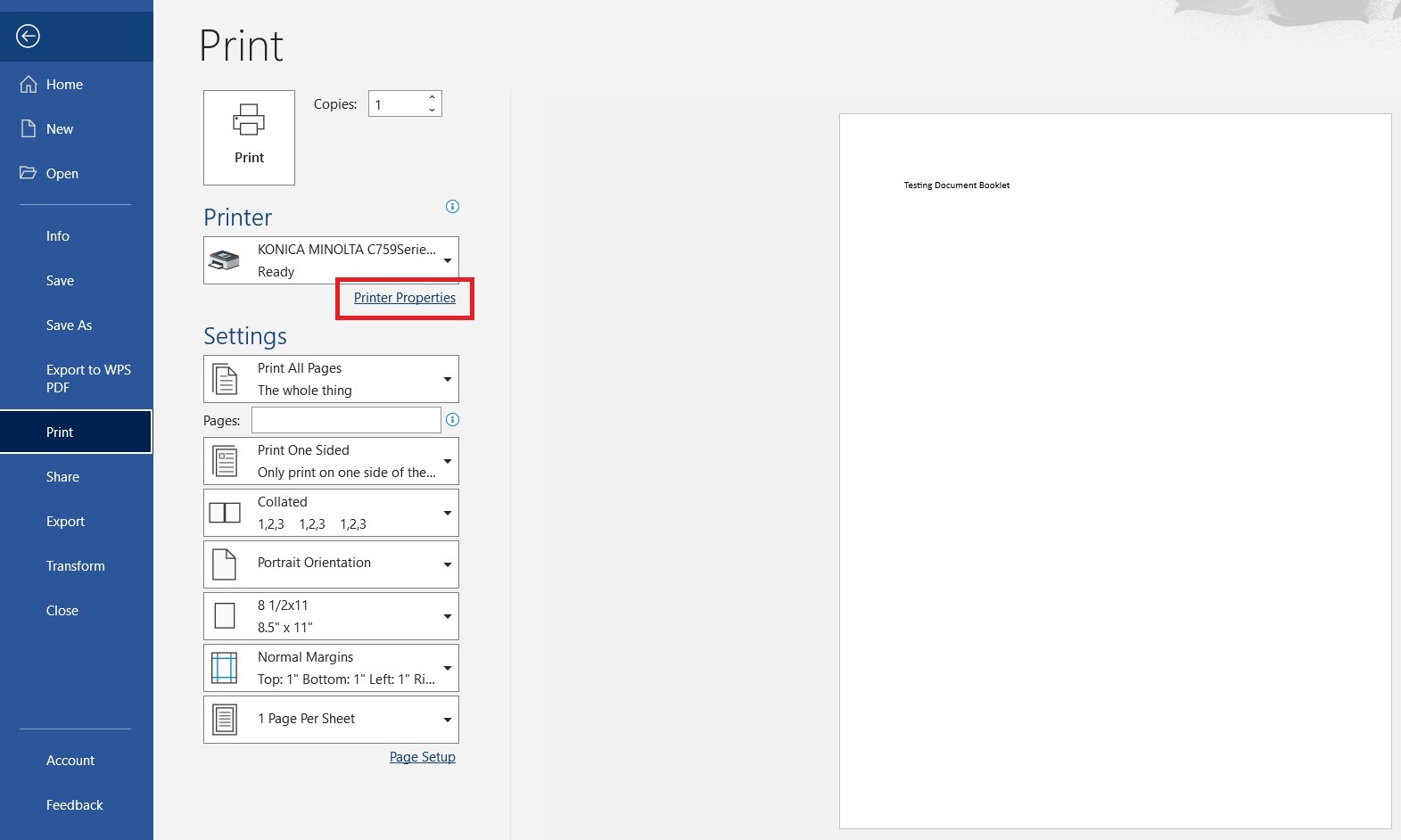
Step 1 – Open a document and click [Printer Properties] before printing.
Step 2 – Click [Basic] Tab – Select the [Original Size] and [Paper Size] to setup booklet printing.
- Print at full size onto paper that is twice the size of the original. (Select Original Size – A4 & Paper Size – A3)
- Print at a reduced size onto paper that is same size of the original. (Select Original Size – A4 & Paper Size – A4)
- Click [Layout] Tab – Select [Booklet] for booklet printing.
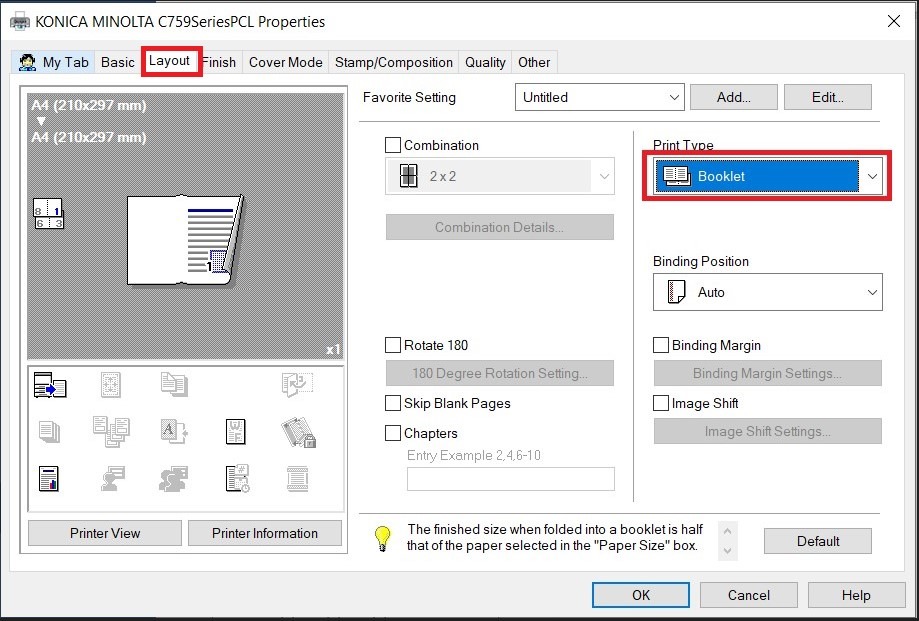
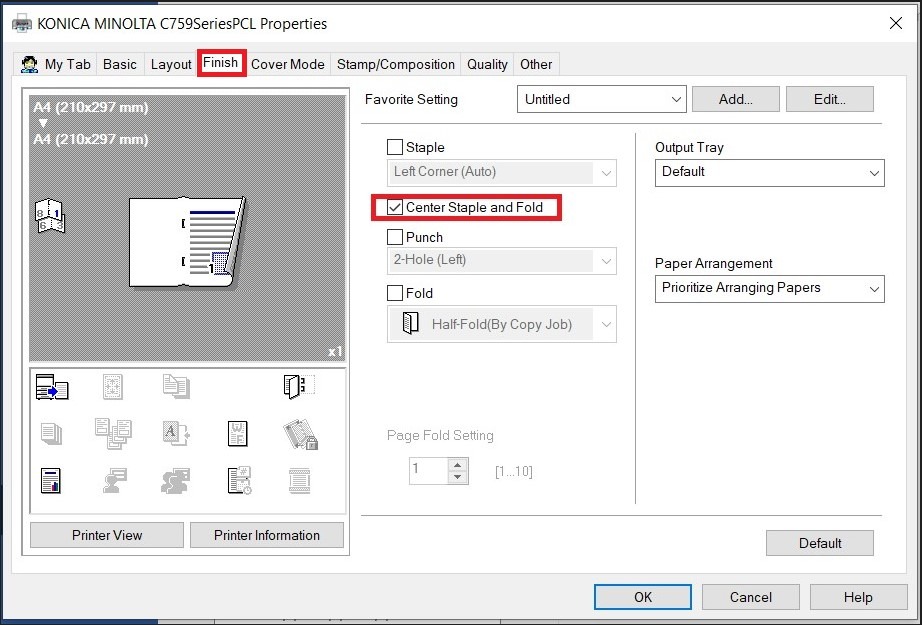
- Click [Finish] Tab – Tick [Center Staple and Fold] if want to fold and staple the booklet after printing. After that click on [OK] button.
Step 3 – Click [Print] to print the document as a booklet.