Guide on how to resolve the user authentication option grey out in the printer driver due to simple authentication function being enabled.
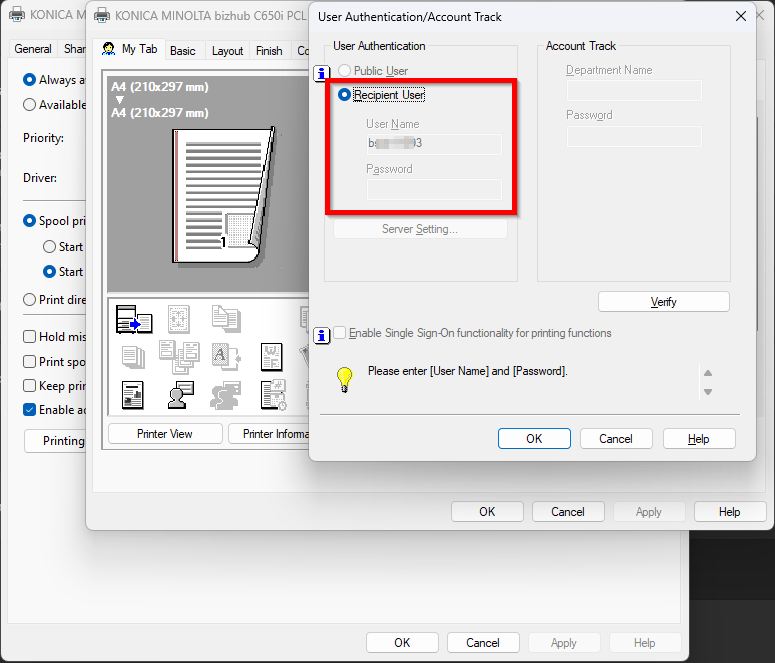
When installing or configuring the printer driver the User Authentication option is greyed out and cannot be selected. This happens when the Simple Authentication function is enabled on the photocopier.
The attachment below shows an example where the User Authentication option is greyed out and cannot be selected.
For The Older Machine Series / Non I-Series Machine
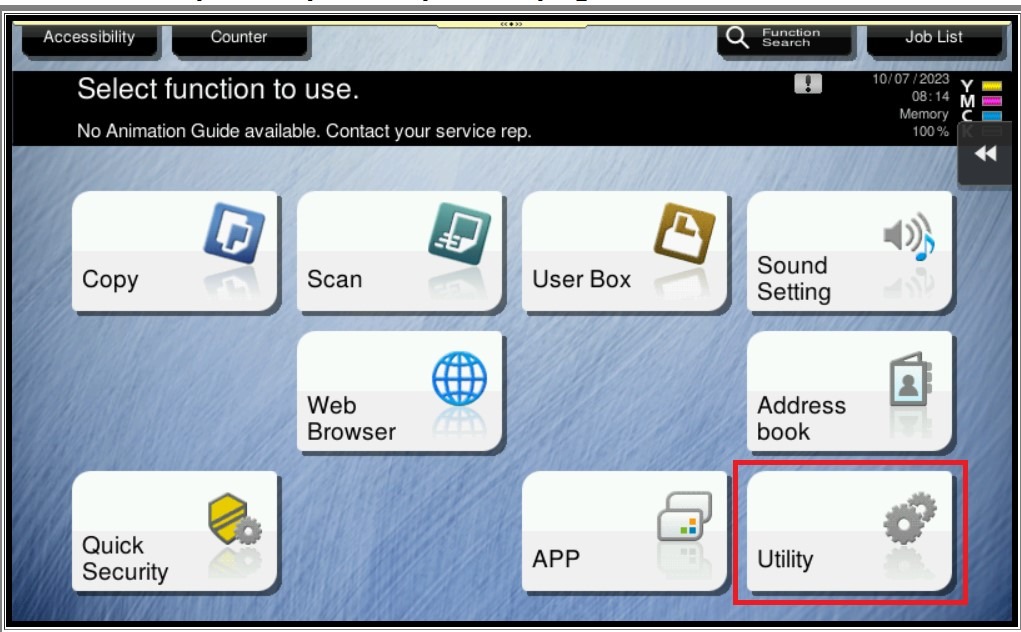
STEP 1 – In order to resolve the issue, kindly follow below step to disable the Simple Authentication Setting on machine. On the Konica Minolta machine, click on [Menu] button, Select [Utility] from Control Panel.
STEP 2 – Select [Administrator Settings], and Key in the default administrator password and click [OK] button.
Default administrator password: [7801261178012611] or [1234567812345678] or [12345678] or [12341234].
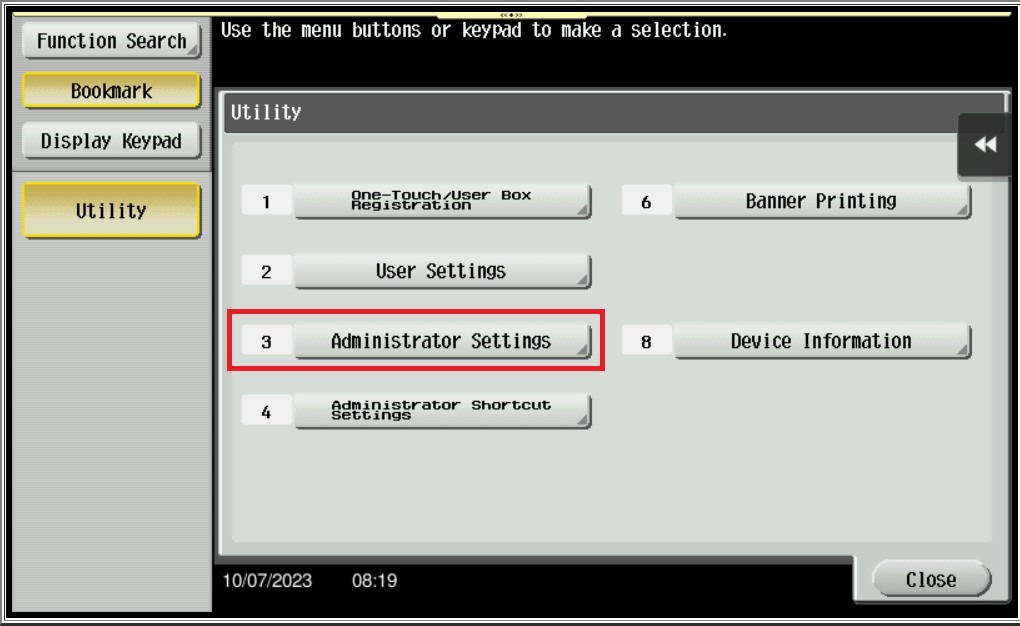
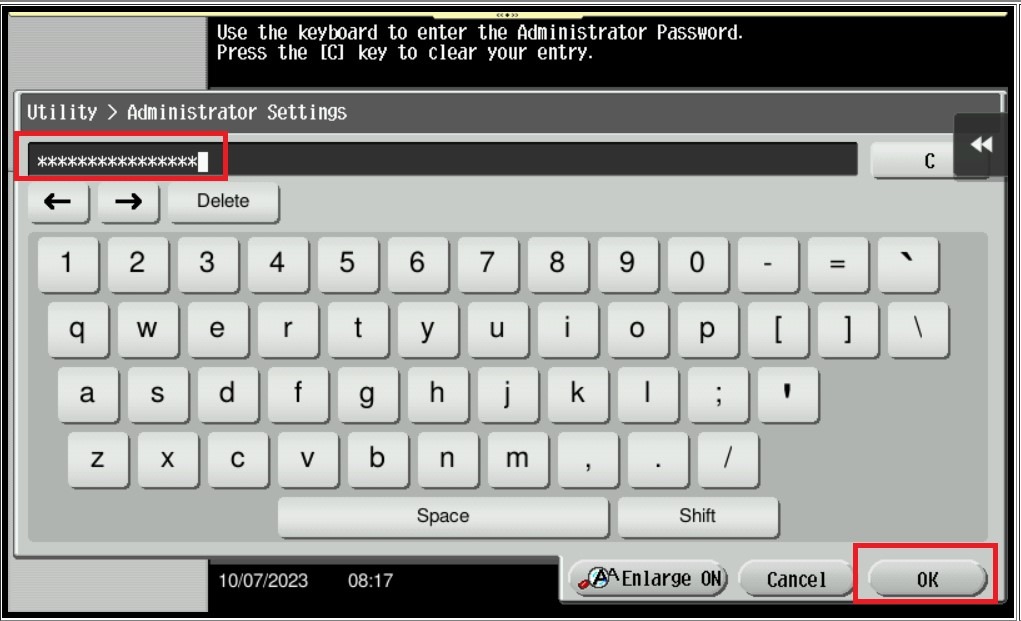
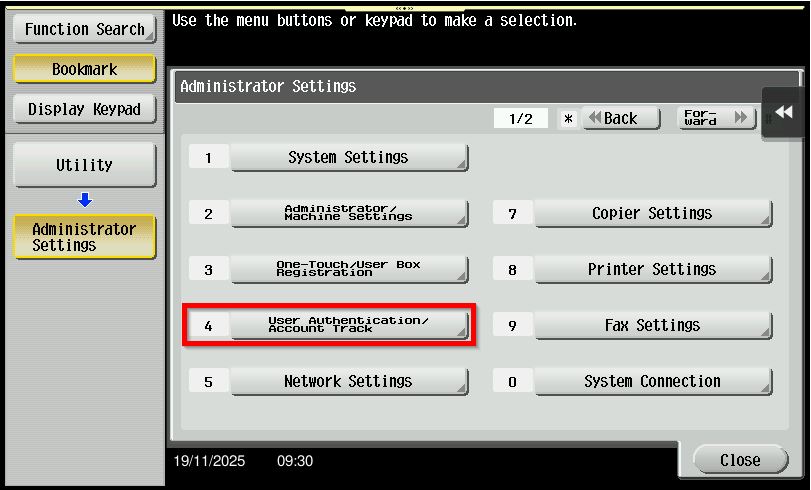
STEP 3 – Go to [User Authentication/Account Track].
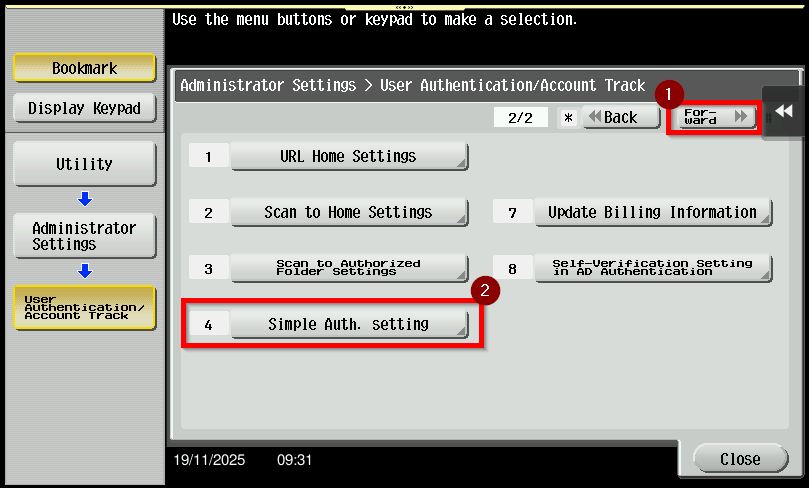
STEP 4 – Click [Forward] button to page 2 and select [Simple Auth. Setting] – [Authentication Setting].
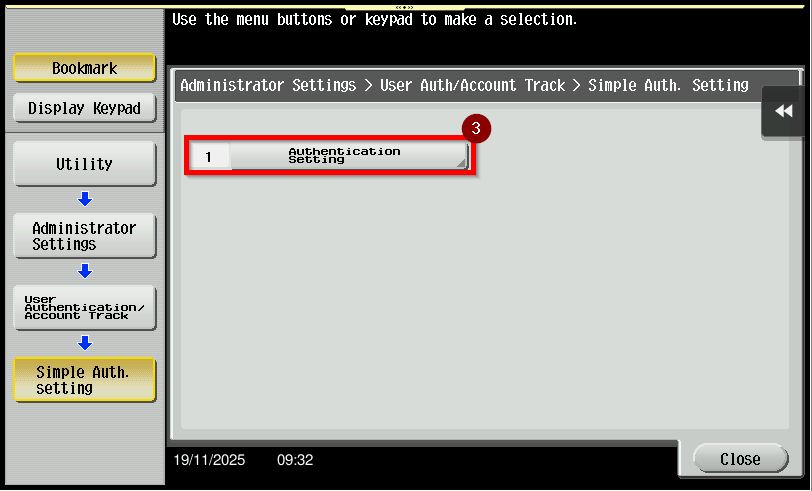
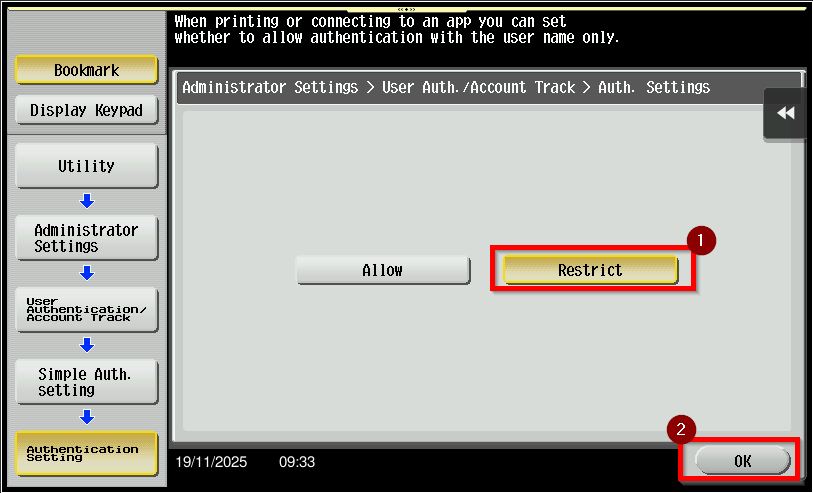
STEP 5 – Select [Restrict] to disable the simple authentication function and click [OK] to save.
**Via Web Connection
STEP 1 – Select [Administrator] and click on [Login] button.
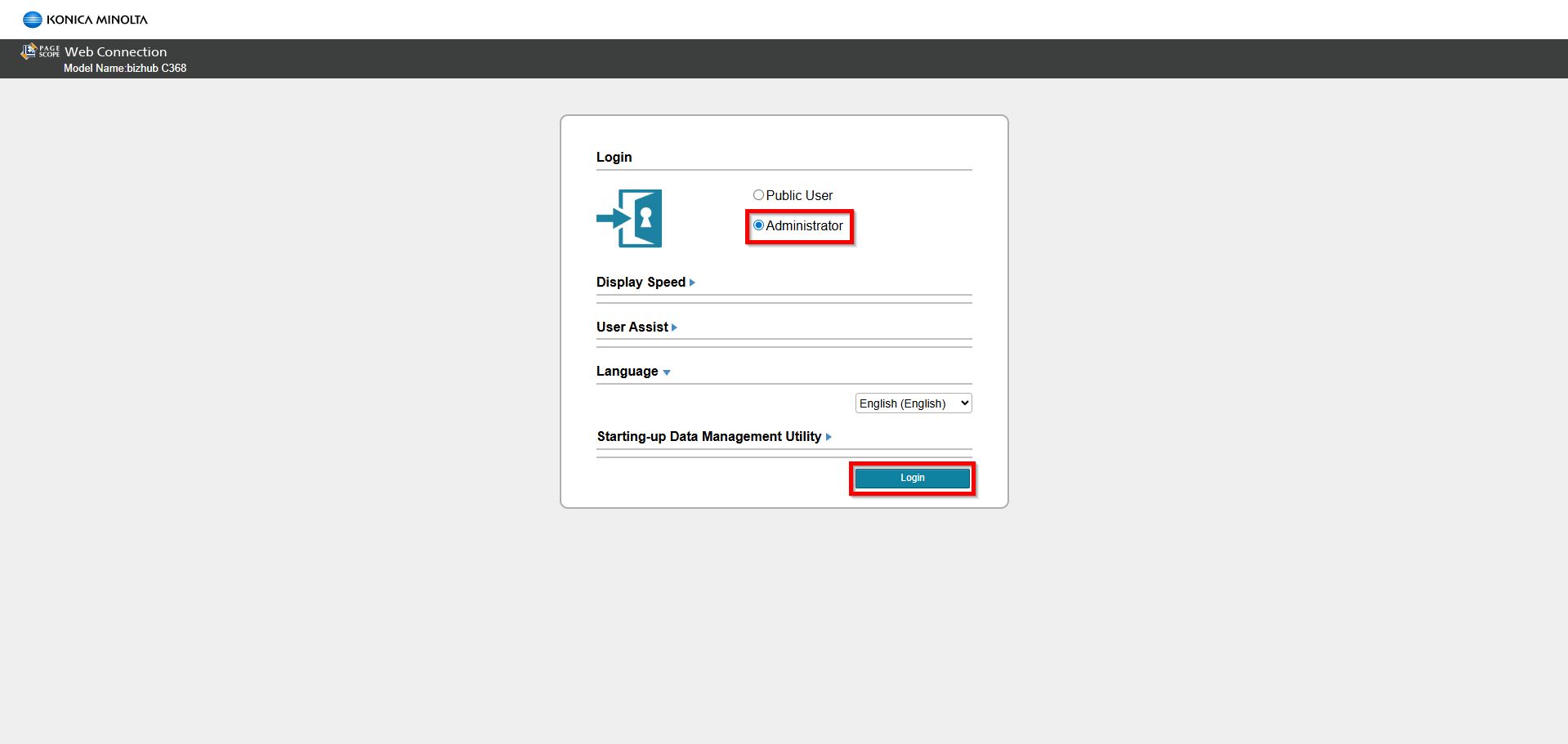
**You may access to web connection via machine IP Address. Click on this to check how to get the IP Address from machine, then key in Konica Minolta Machine IP Address at web browser and log in as admin the Web Connection.
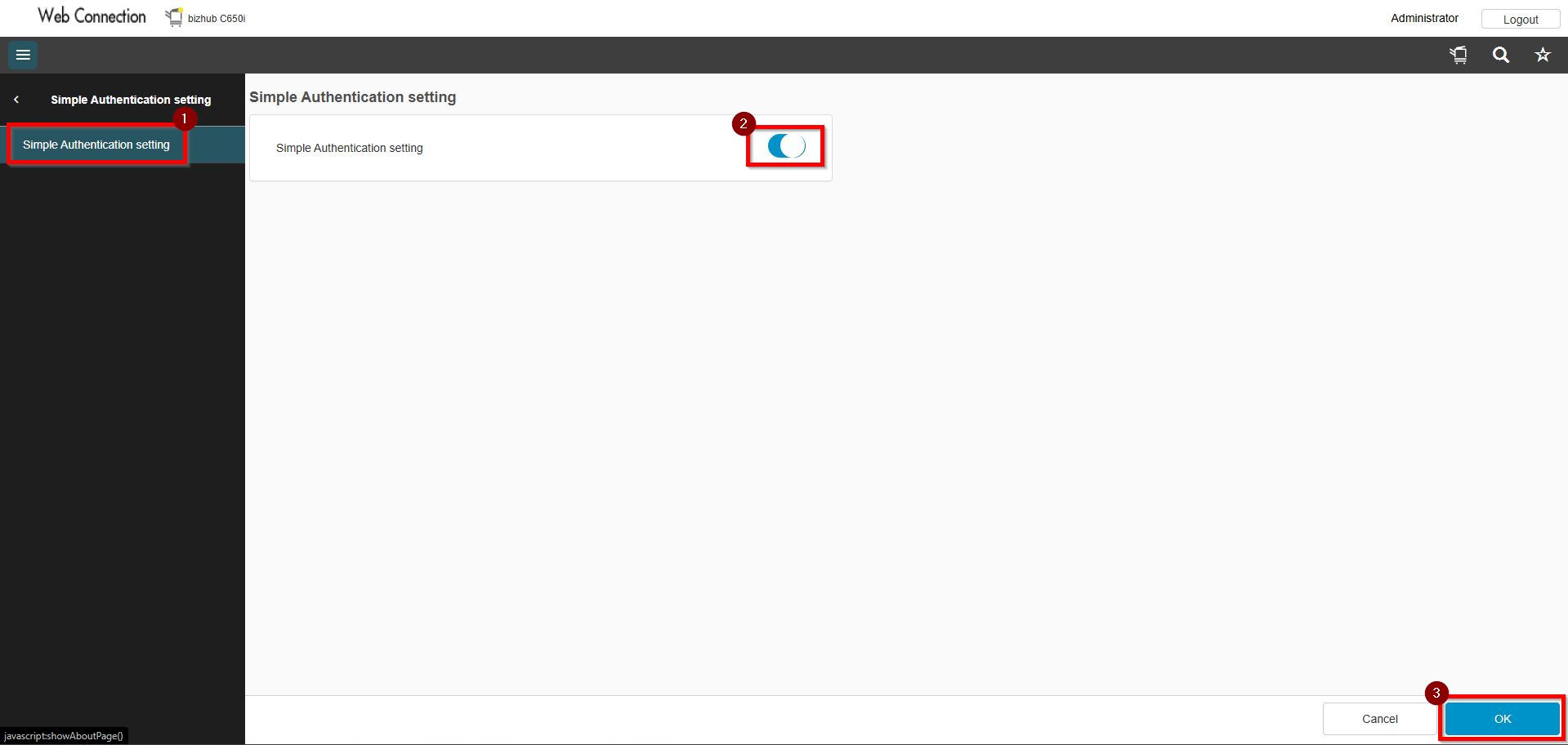
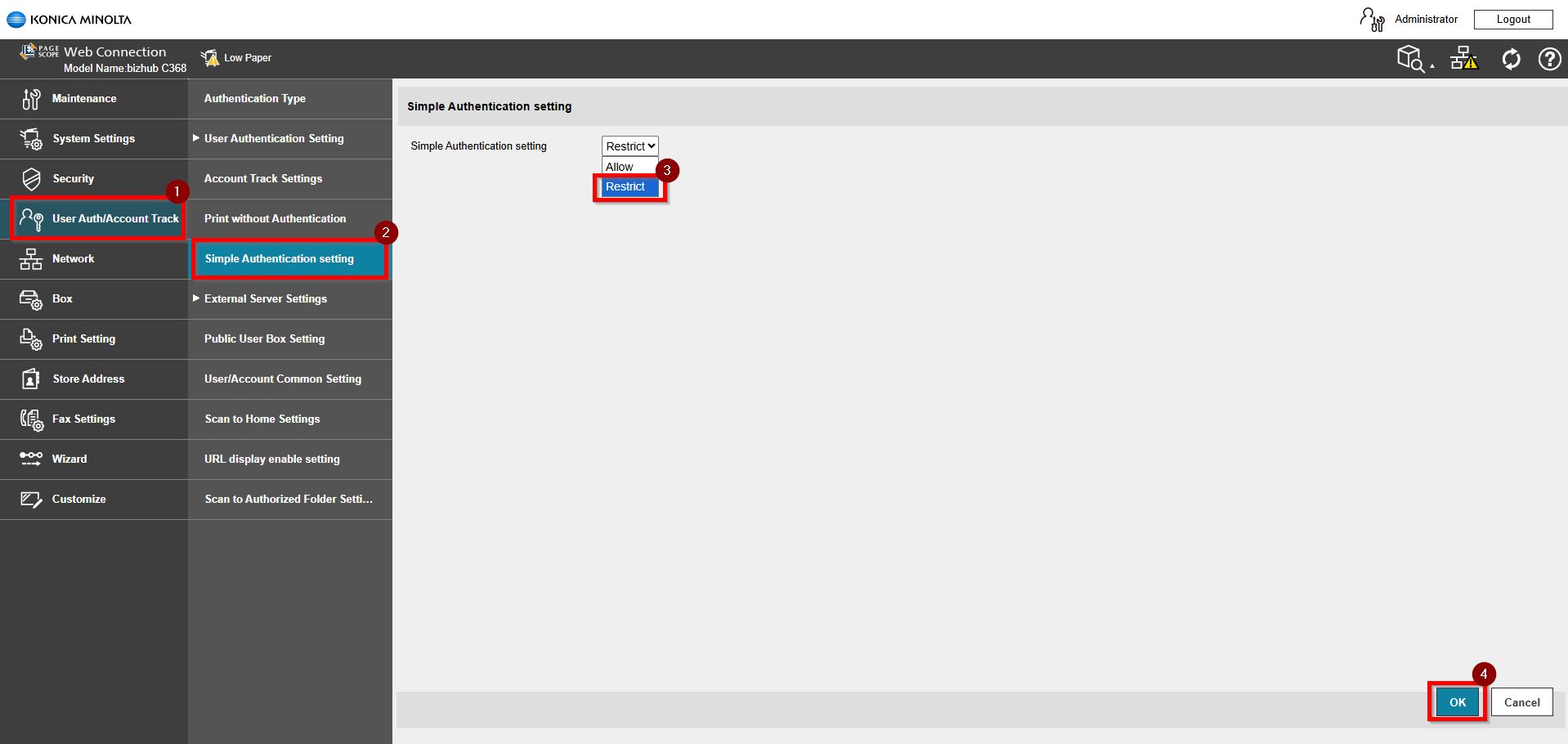
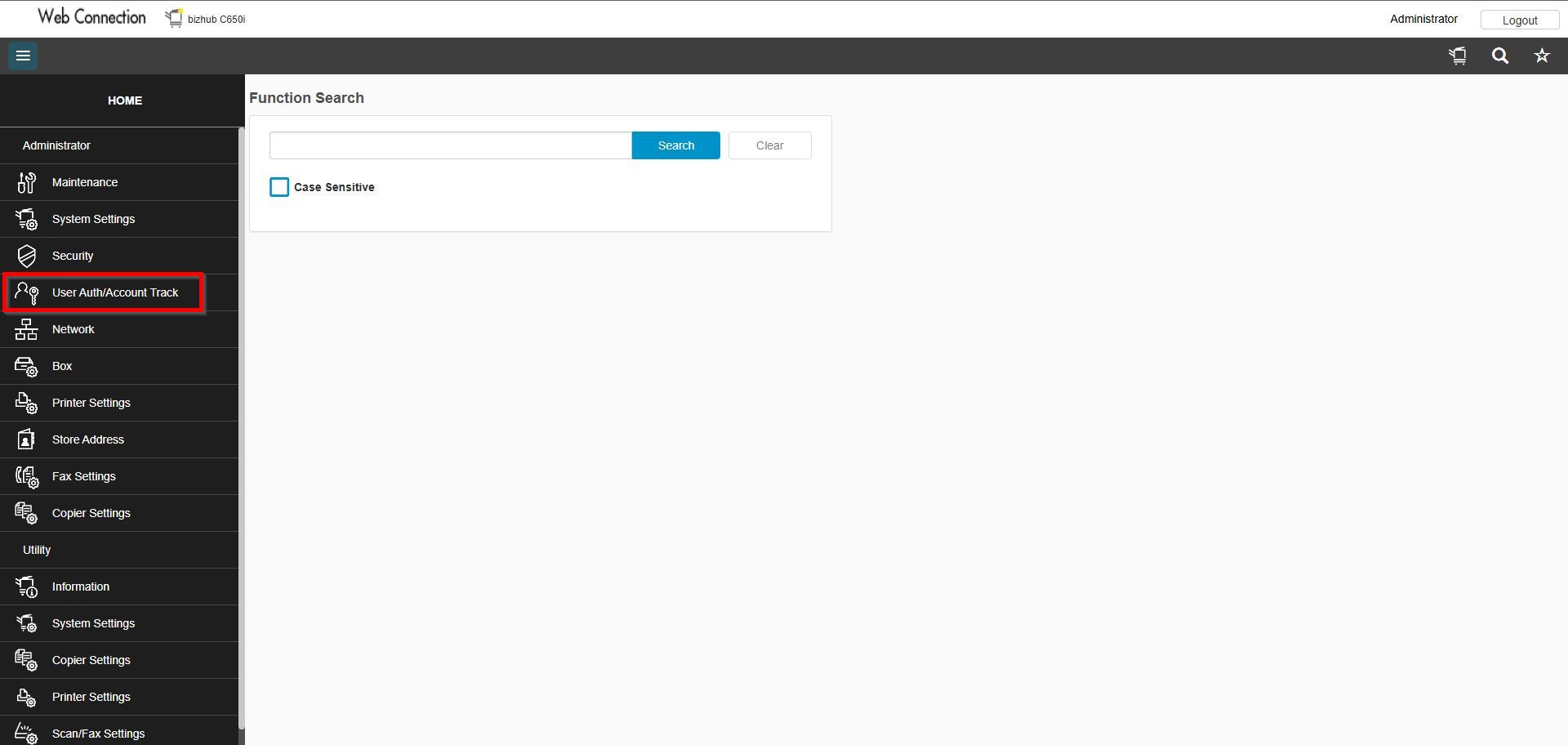
STEP 2 – Select [User Auth/Account Track] – [Simple Authentication Setting], select [Restrict] to disable the function and click [OK] to save.
For the Newer Machine series / I-Series Machine
STEP 1 – Select [Utility].
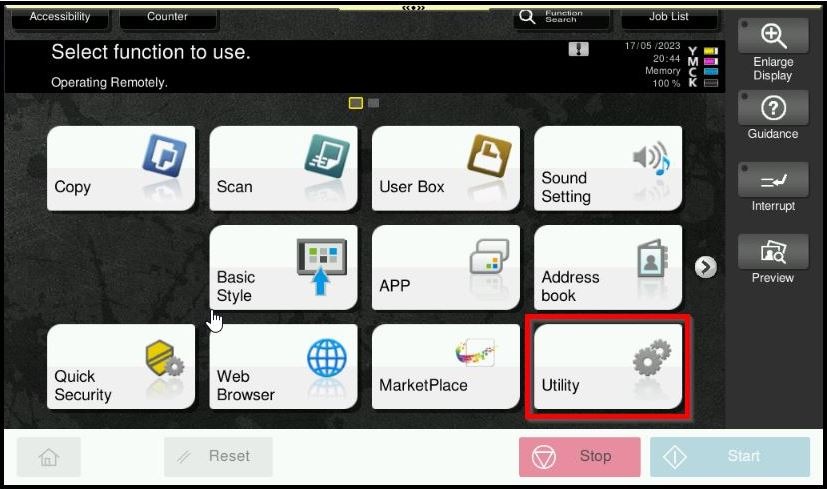
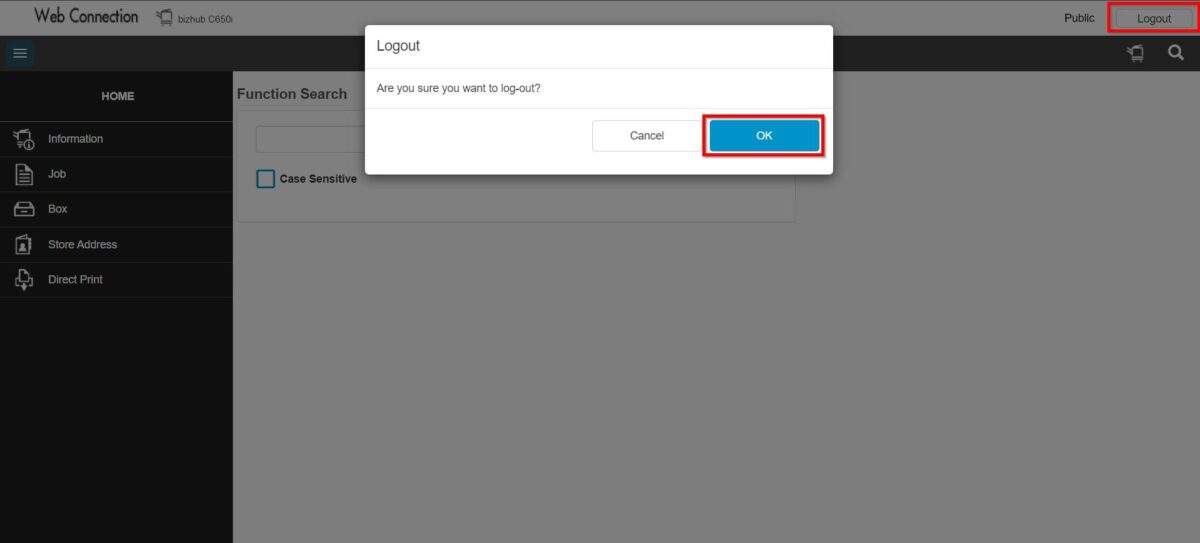
**You may access to web connection via machine IP Address. Click on this to check how to get the IP Address from machine, then key in Konica Minolta Machine IP Address at web browser and log in as admin the Web Connection.
STEP 2 – Select [Administrator].
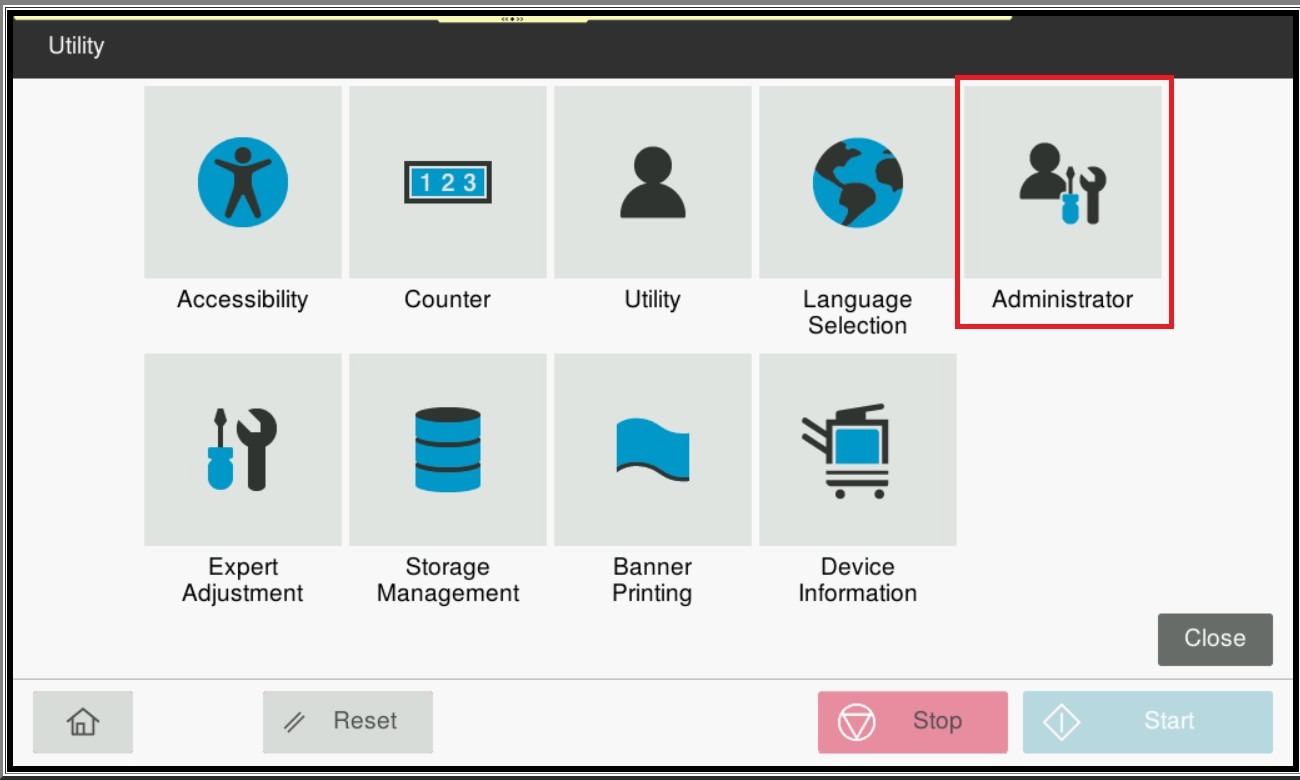
STEP 3 – Key in the default administrator password and click [OK] button.
Default administrator password: [7801261178012611] or [1234567812345678] or [12345678] or [12341234].
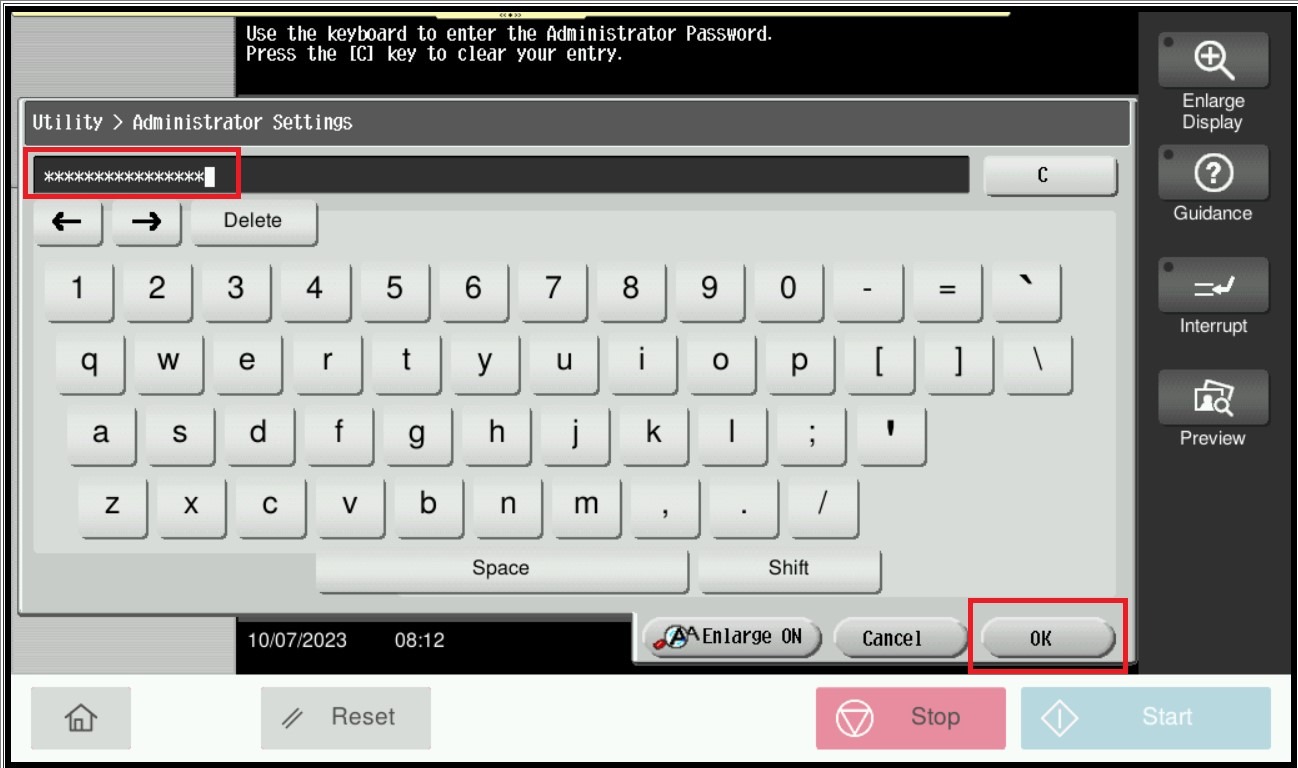
**On Web Connection login as admin mode by key in administrator password accordingly. The next step will be same option on below to change administrator password.
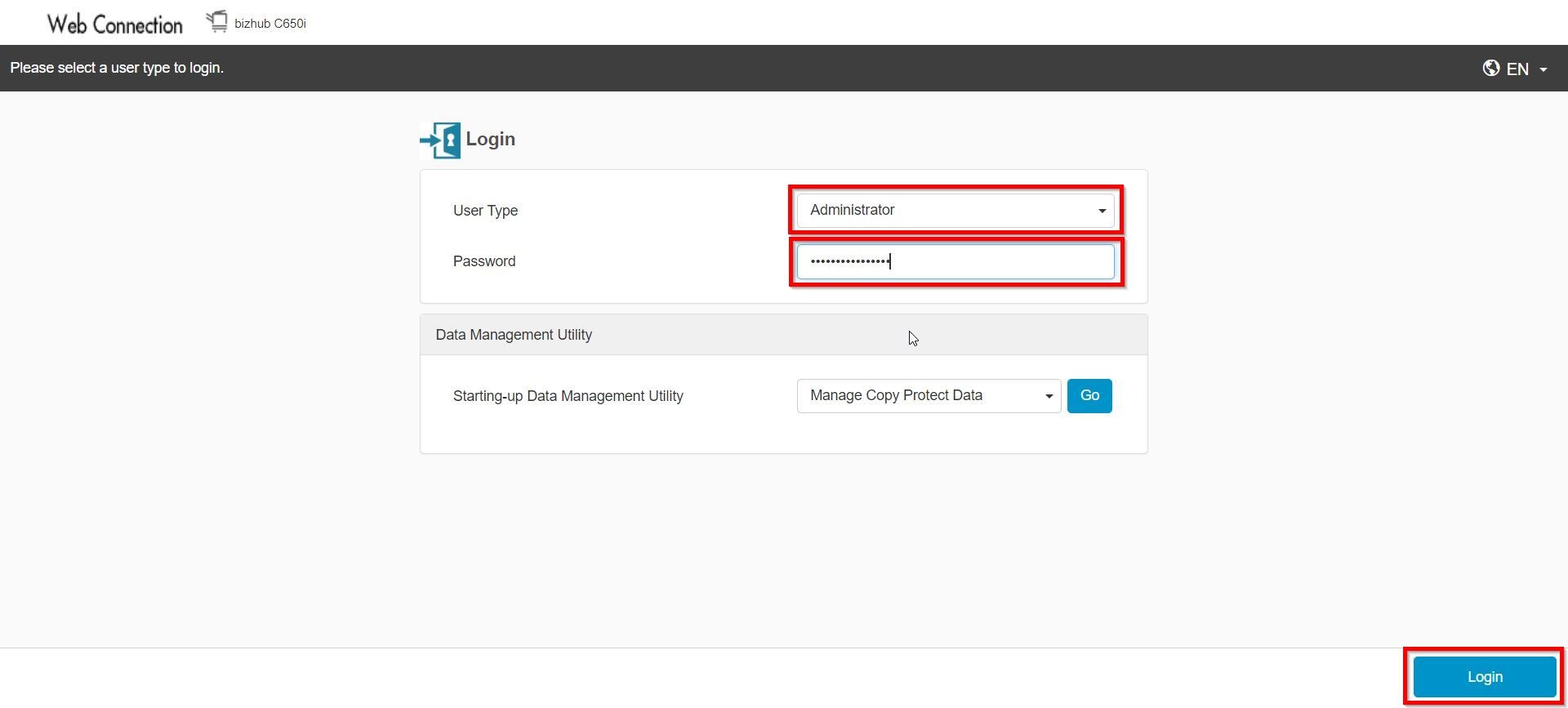
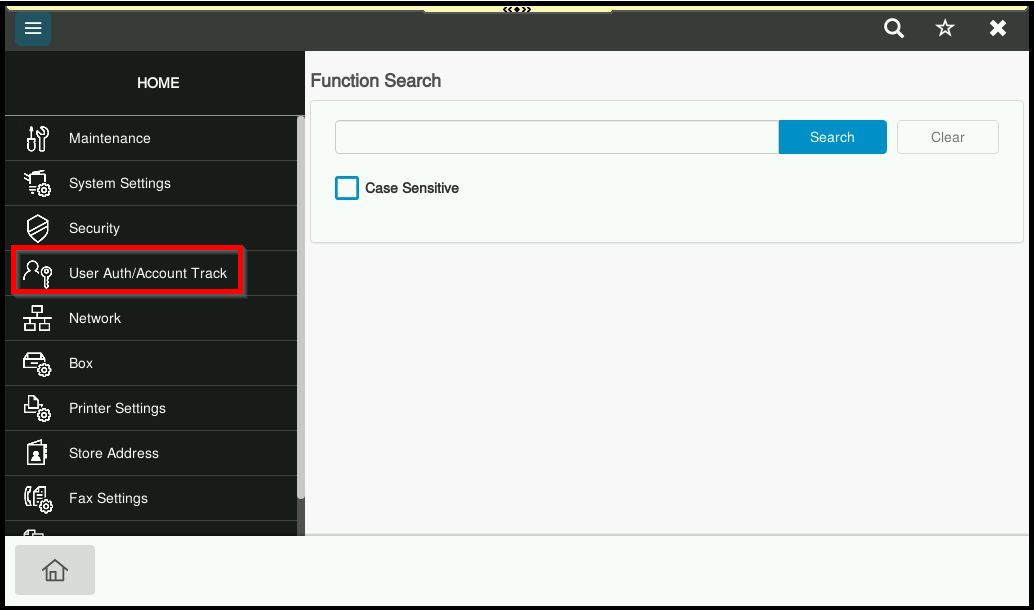
STEP 4 – Go to [User Auth/Account Track].
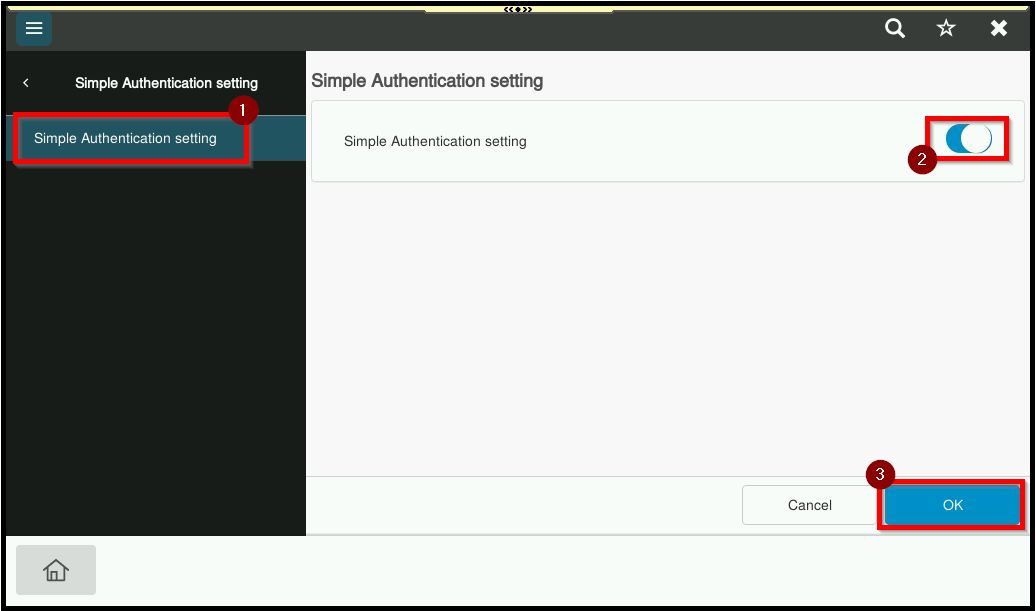
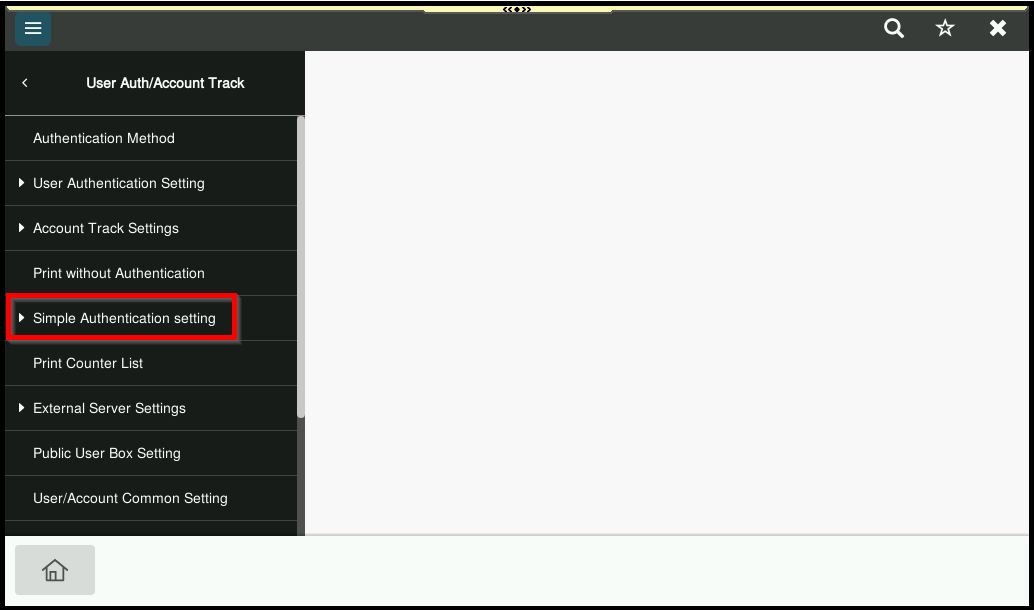
STEP 5 – Select [Simple Authentication Setting].
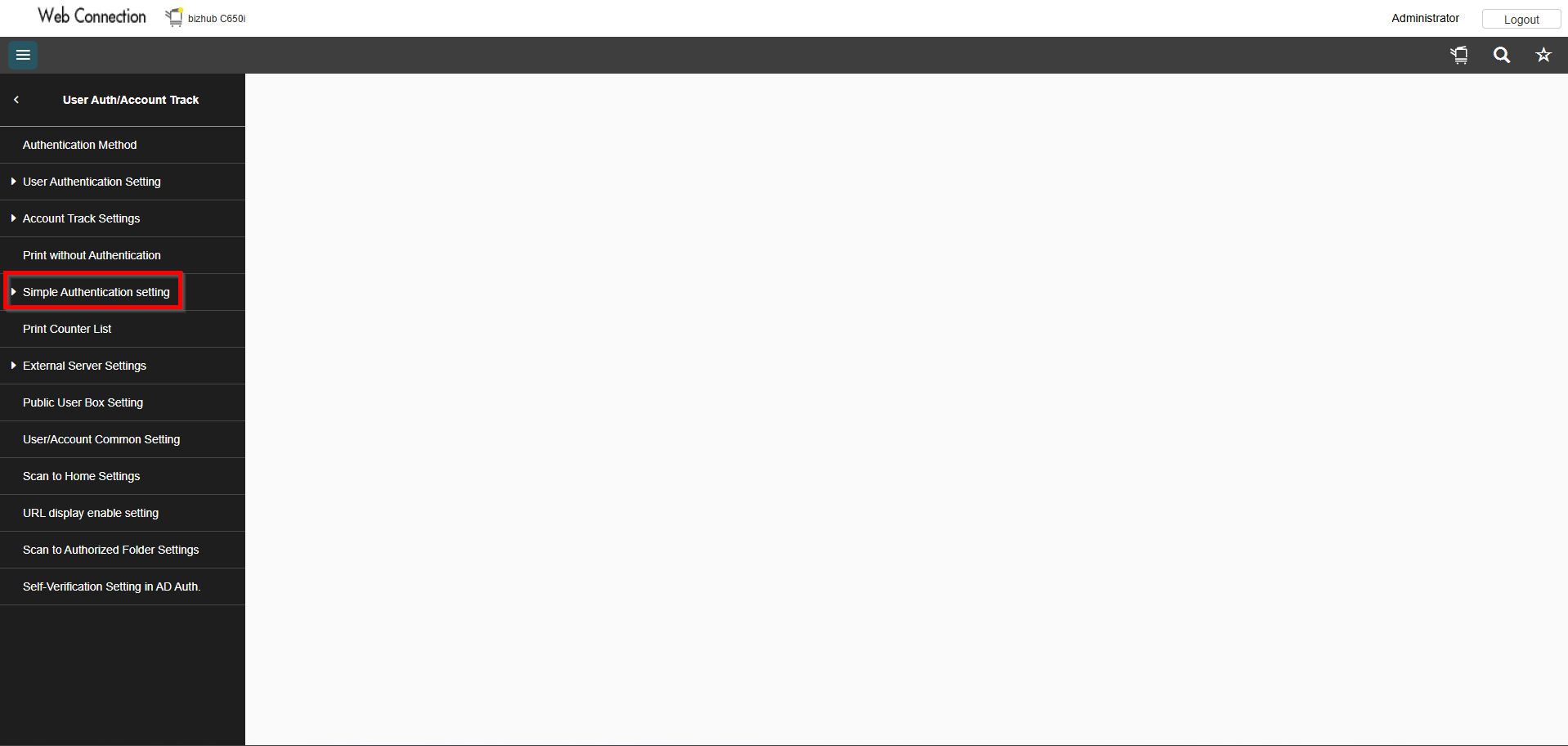
STEP 6 – Select [Simple Authentication Setting], disable the Simple Authentication option and click [OK] to save.