Guide On How To Adjust The Logout Time From The Machine After Login Via User Authentication Or Account Track
For the Older Machine series / Non I-Series Machine
Via Machine Control Panel
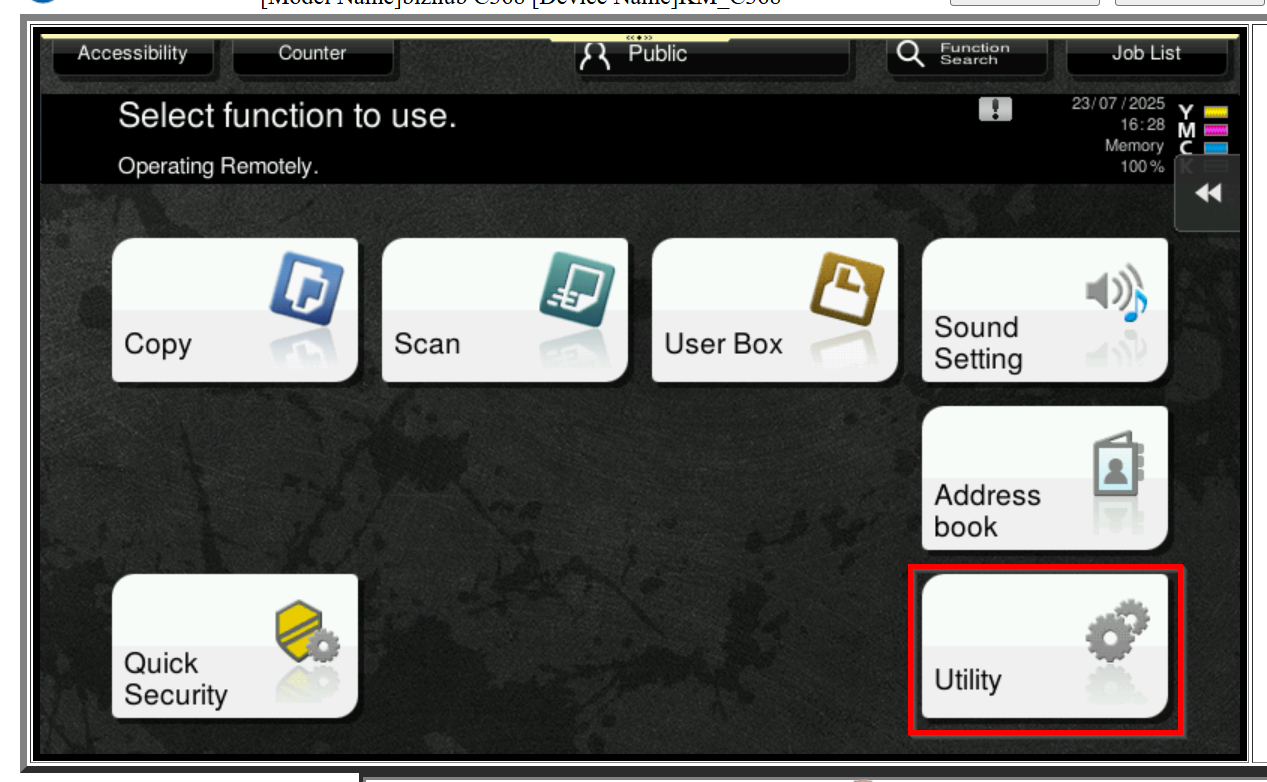
STEP 1 – On the Konica Minolta machine control panel, click on [Menu] button and select [Utility].
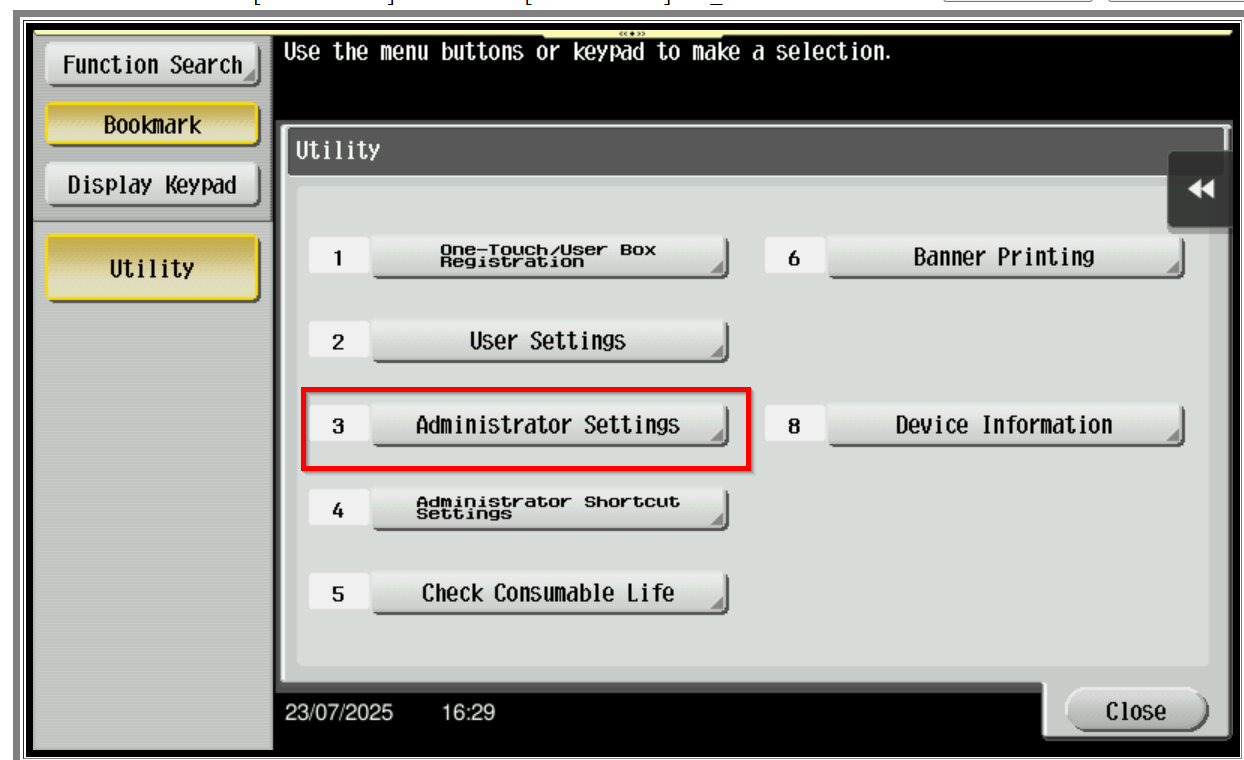
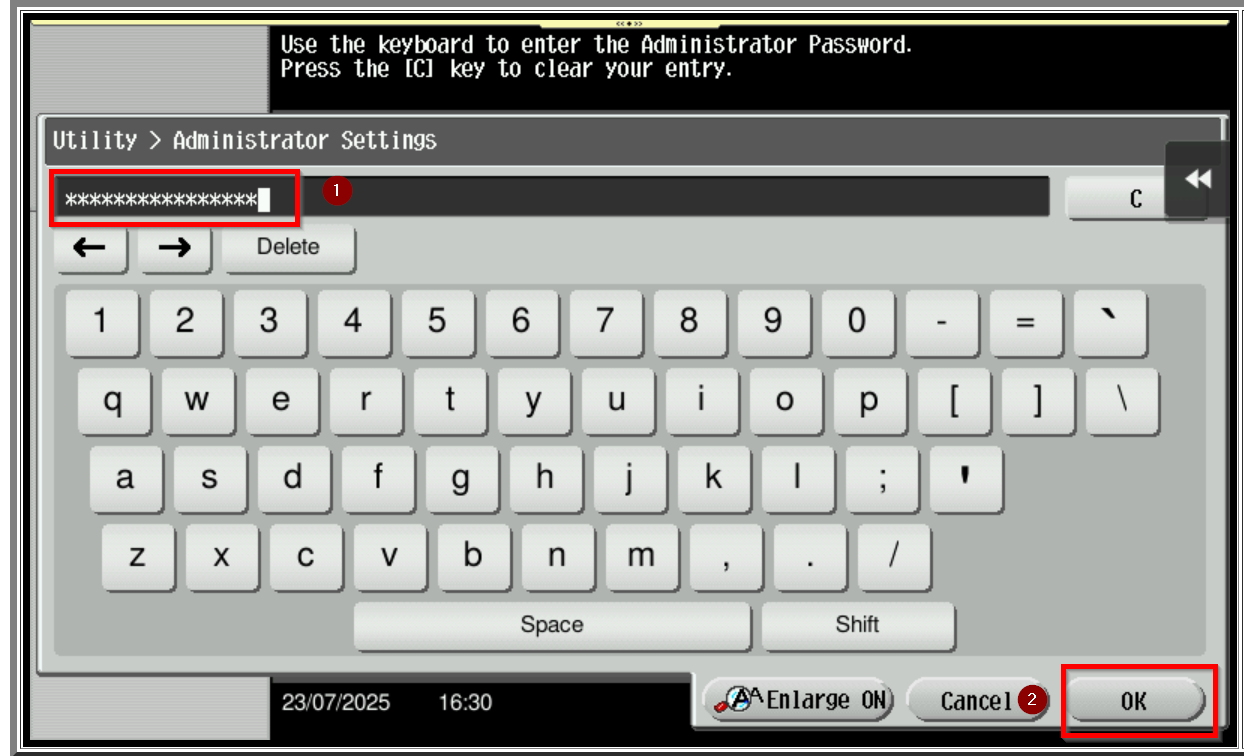
STEP 2 – Select [Administrator Settings] then enter the machine Admin Password.
Default administrator password will be either [7801261178012611] or [1234567812345678] or [12345678] or [12341234].
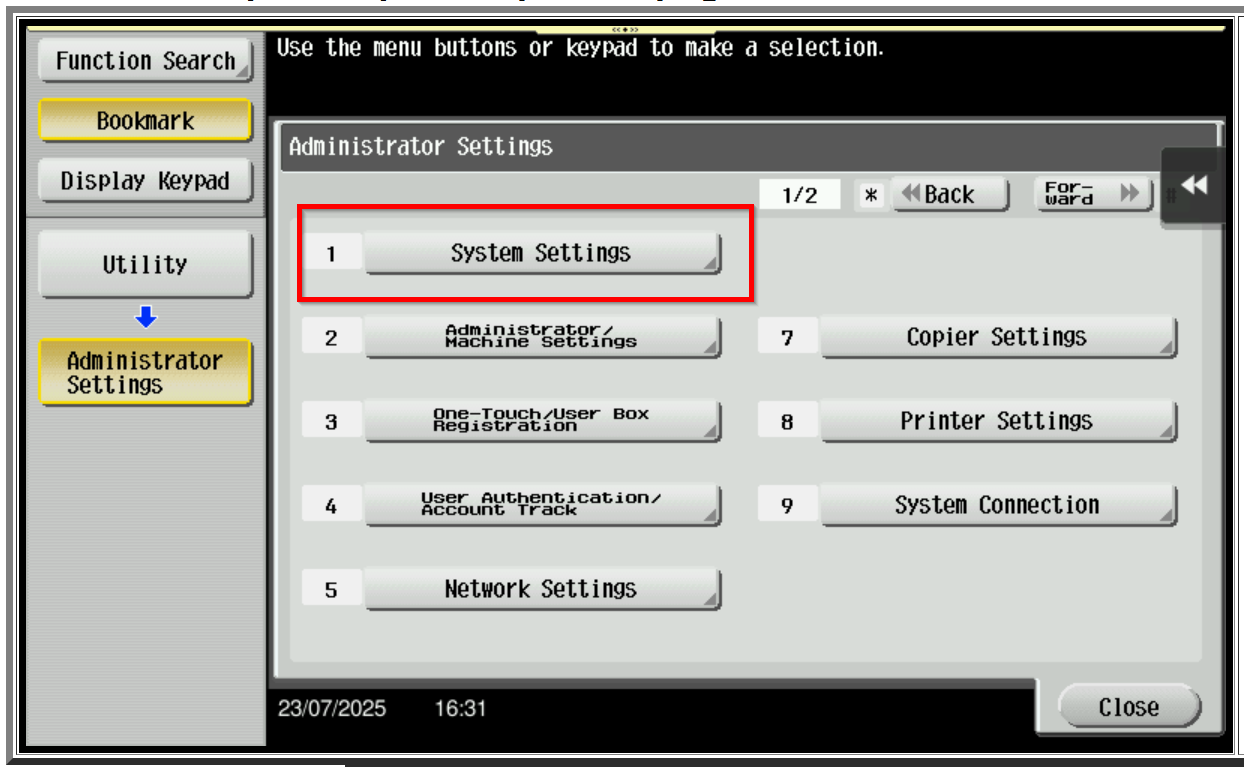
STEP 3 – Select [System Settings].
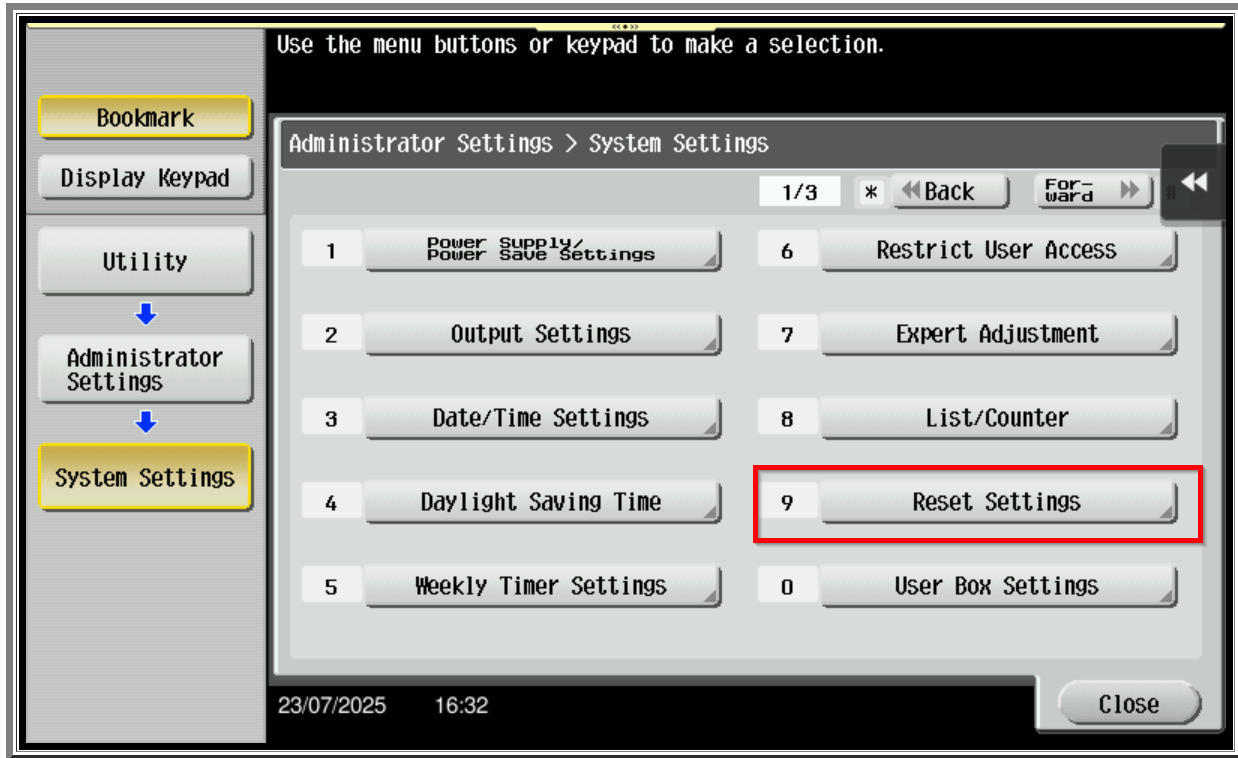
STEP 4 – Select [Reset Settings].
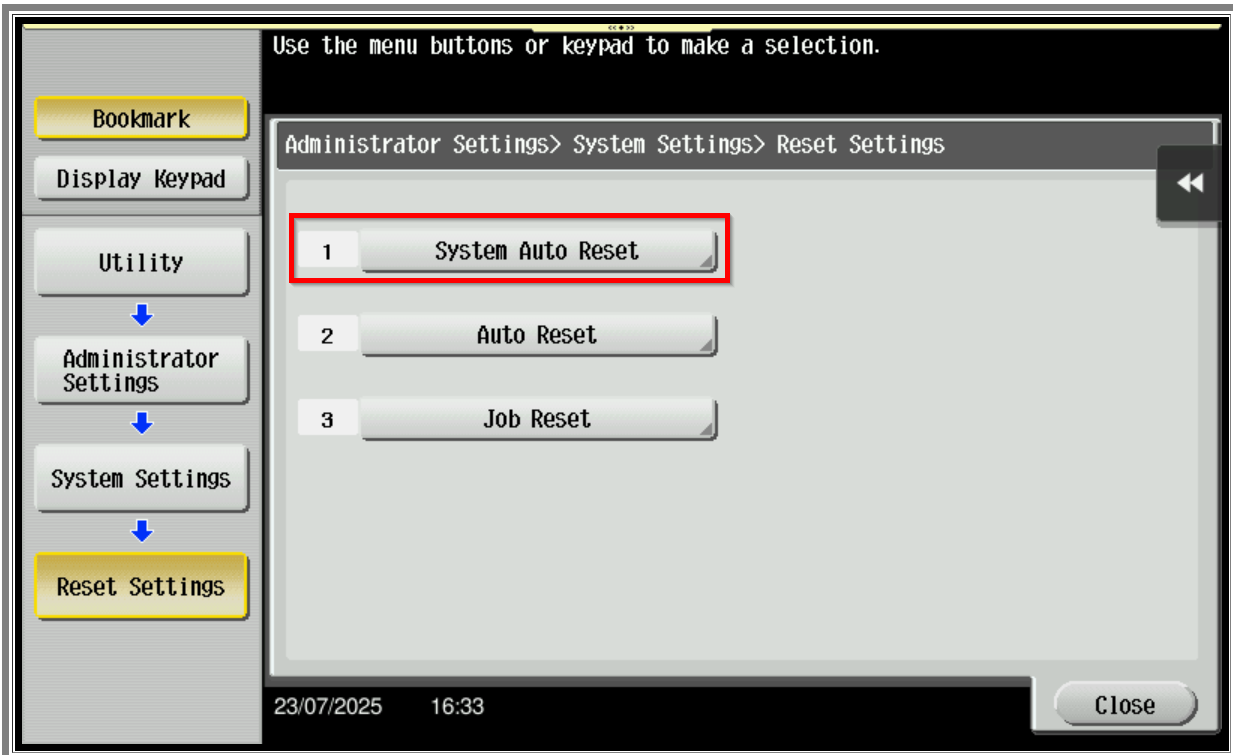
STEP 5 – Select [System Auto Reset].
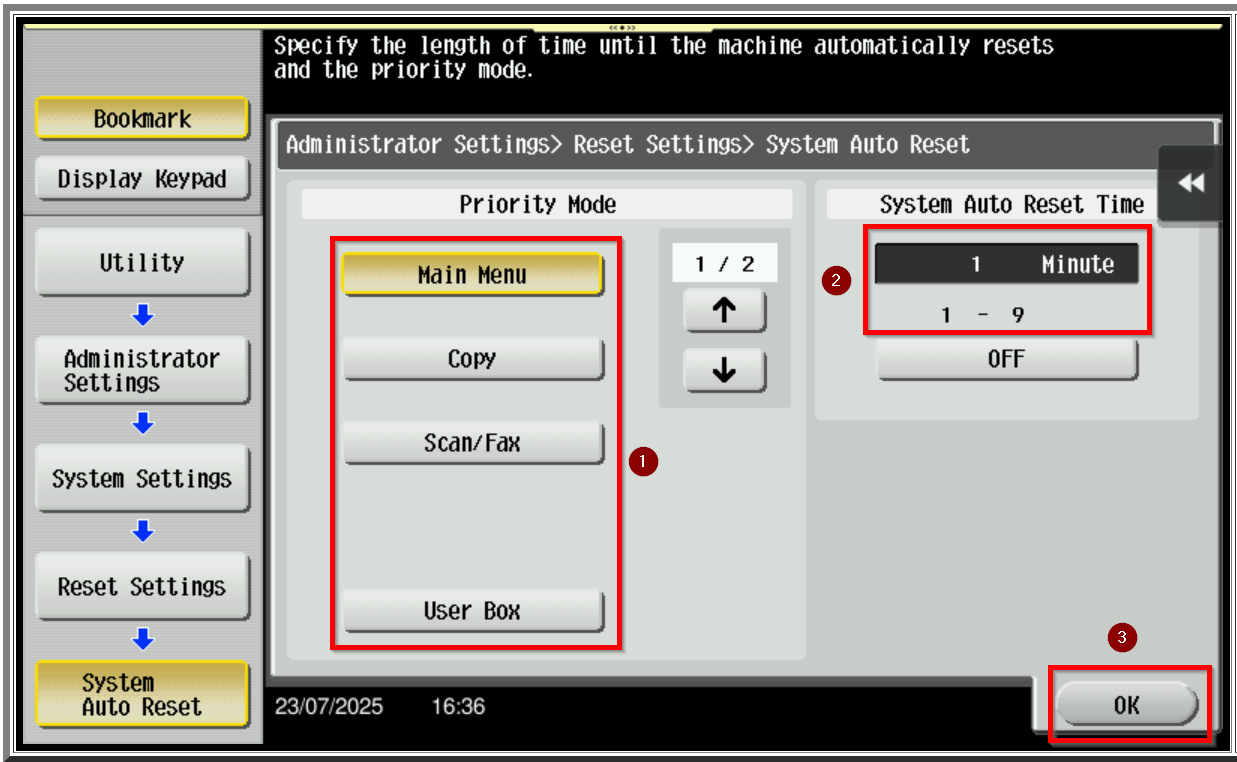
STEP 6 – Under the priority mode select [Main Menu]. You may choose between [1 – 9 Minute] under the system auto reset time then press [OK] to save.
For the Newer Machine series / I-Series Machine
Via Machine Web Connection
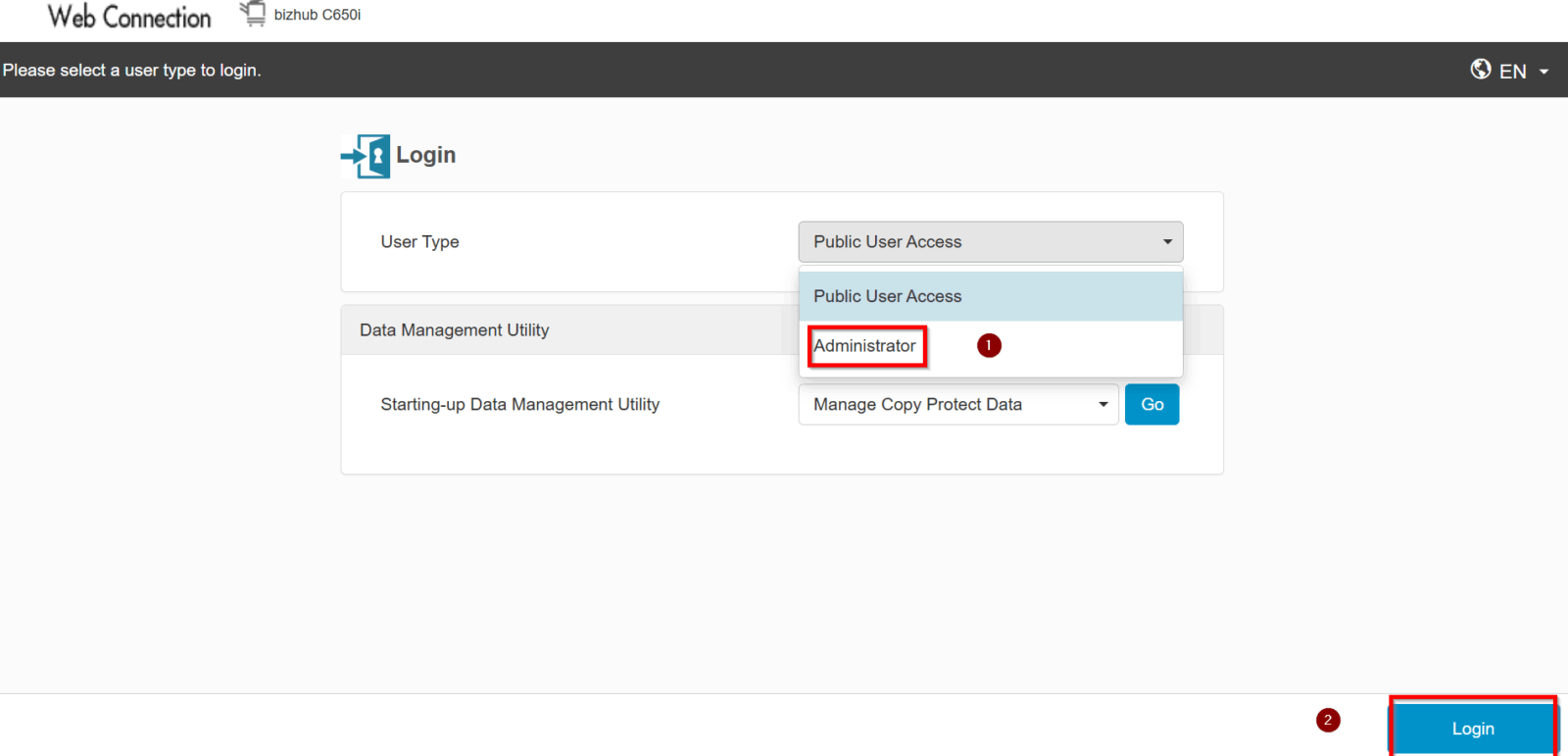
STEP 1 – Open the machine Web Connection. Please click here on guide on how to access the machine Web Connection.
STEP 2 – Login as [Administrator].
Default administrator password will be either [7801261178012611] or [1234567812345678] or [12345678] or [12341234].
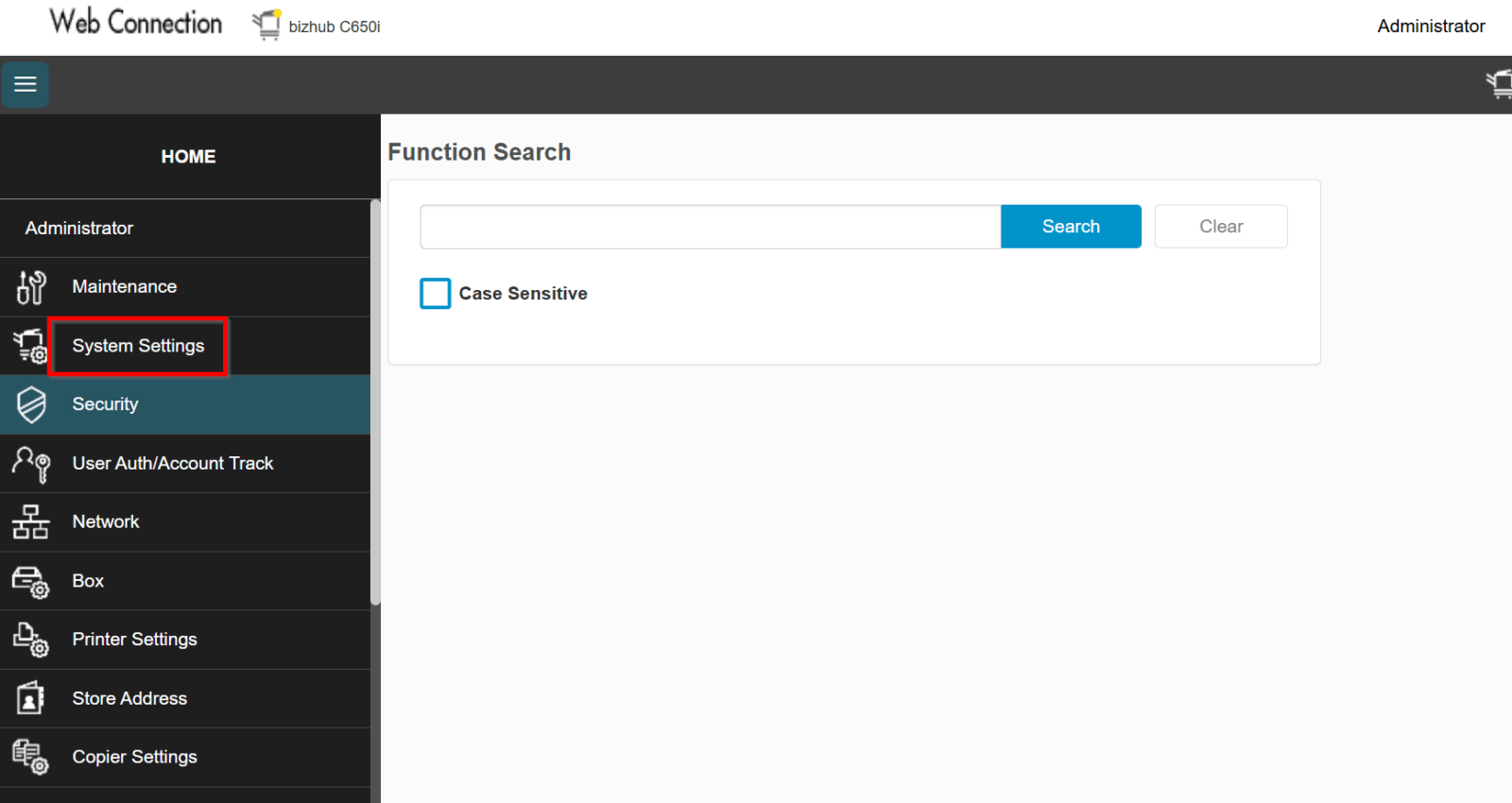
STEP 3 – Select [System Settings].
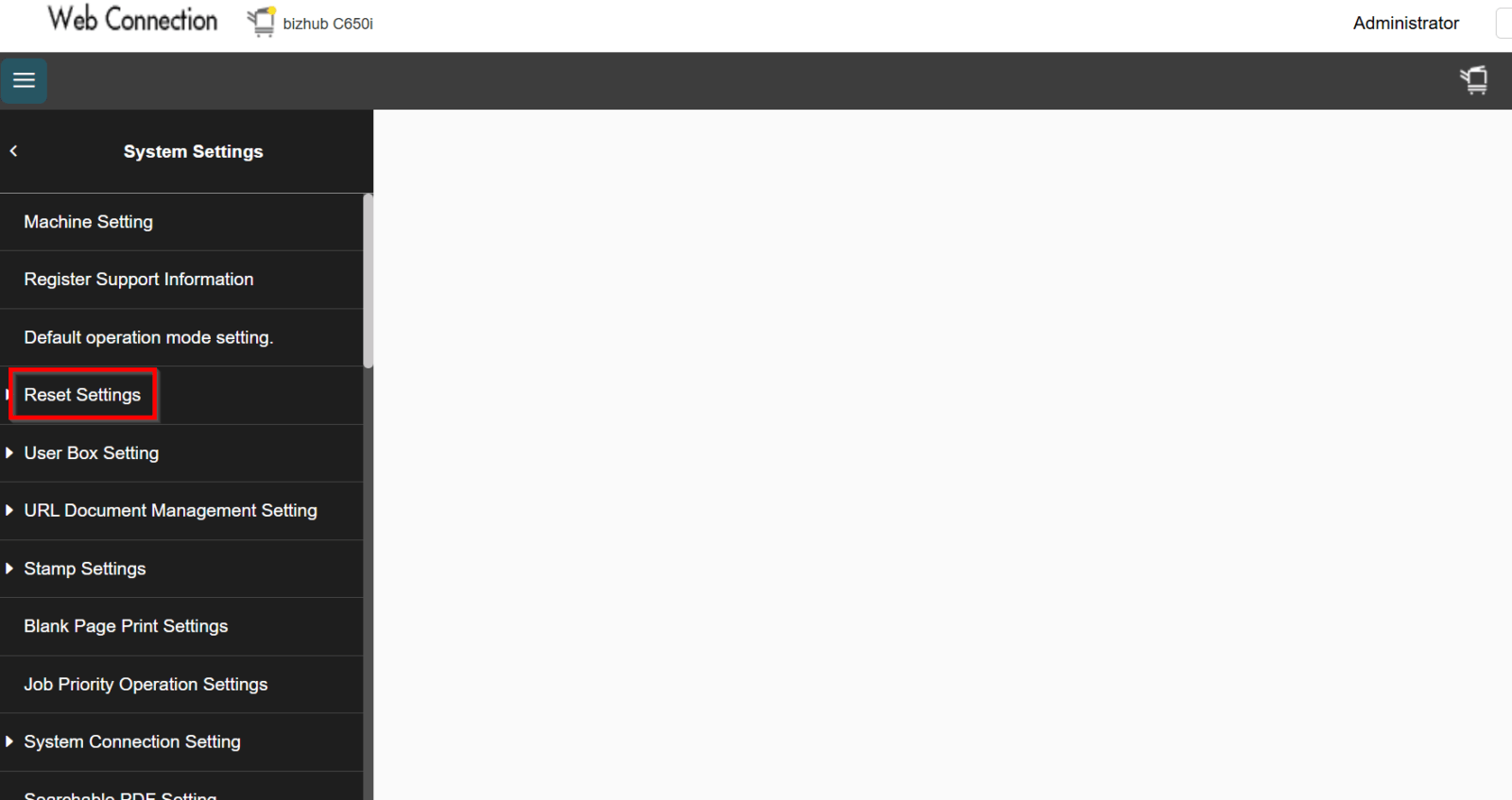
STEP 4 – Select [Reset Settings].
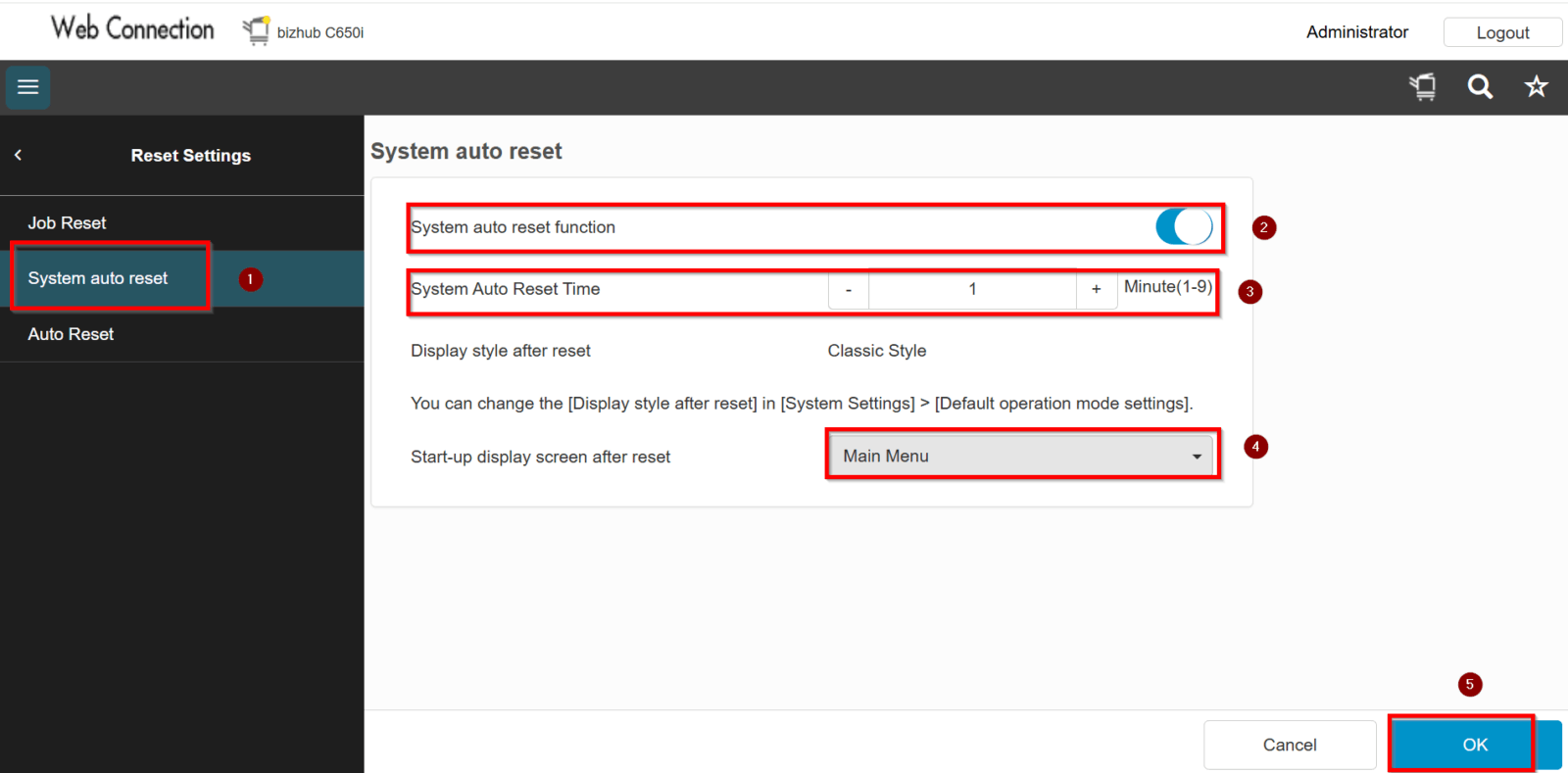
STEP 5 – Select [System Auto Reset] and system auto reset function must be [Enable]. You may choose between [1 – 9 Minute] under the system auto reset time. Under the start-up display screen after reset select [Main Menu] then press [OK] to save.