Guide On Allow FTP in Avast Antivirus for Scanning
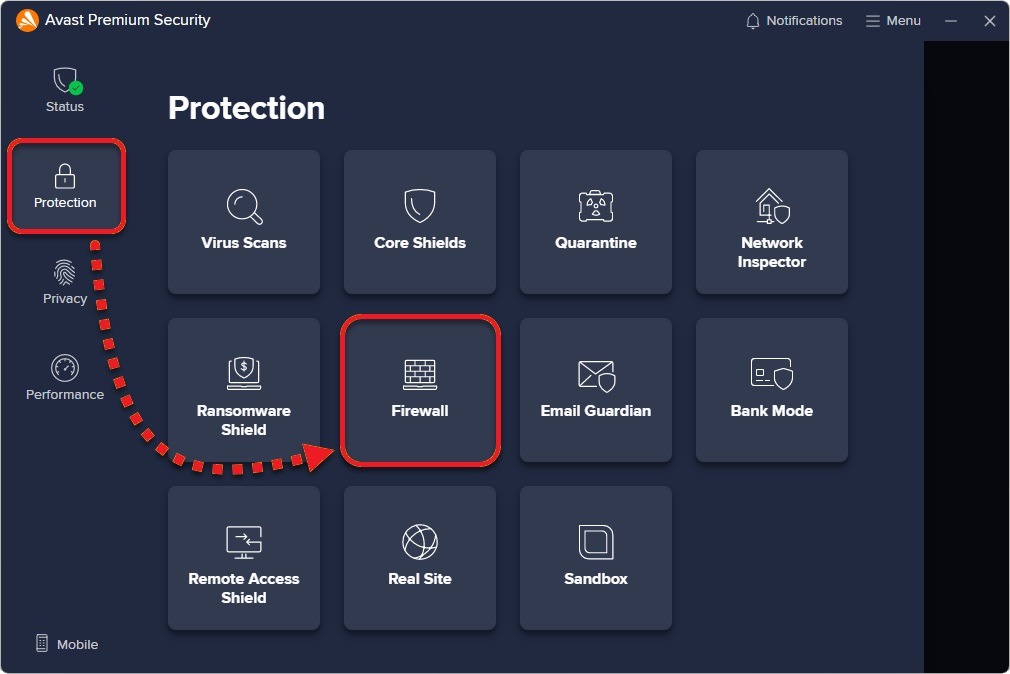
STEP 1 – Open the Avast antivirus application, select the [Protection] and click on [Firewall].
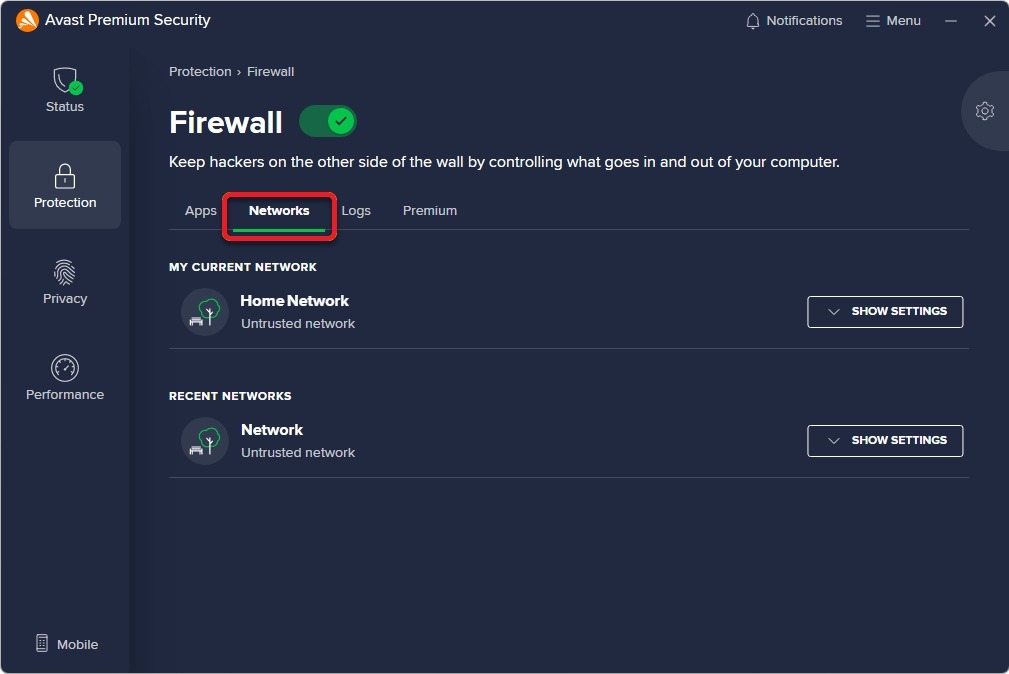
STEP 2 – Select [Networks].
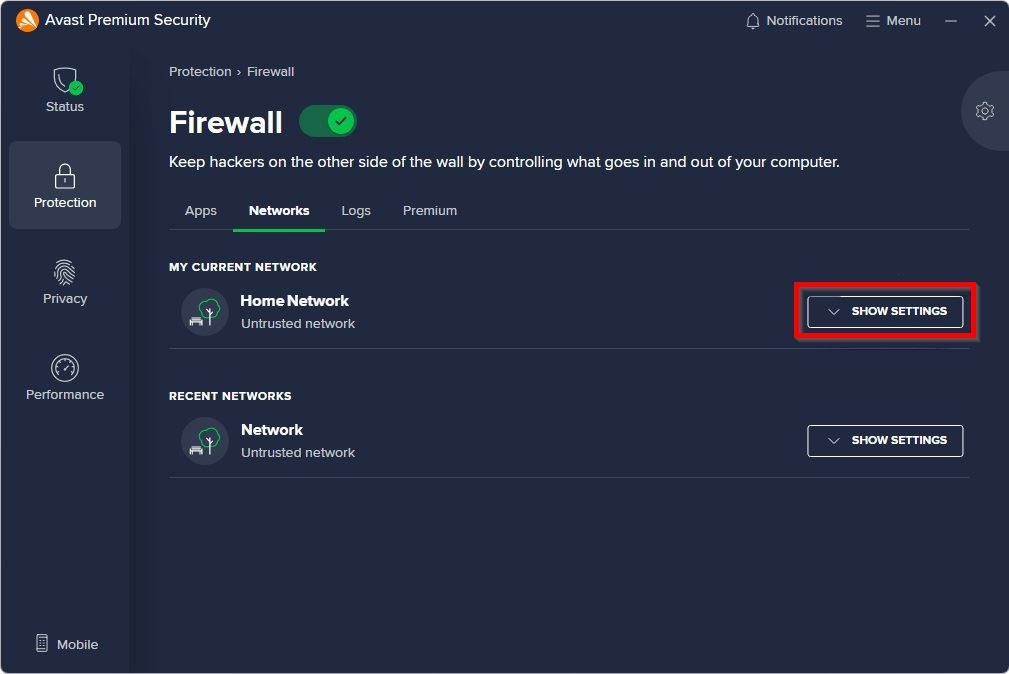
STEP 3 – Click on [Show Settings] under my current network.
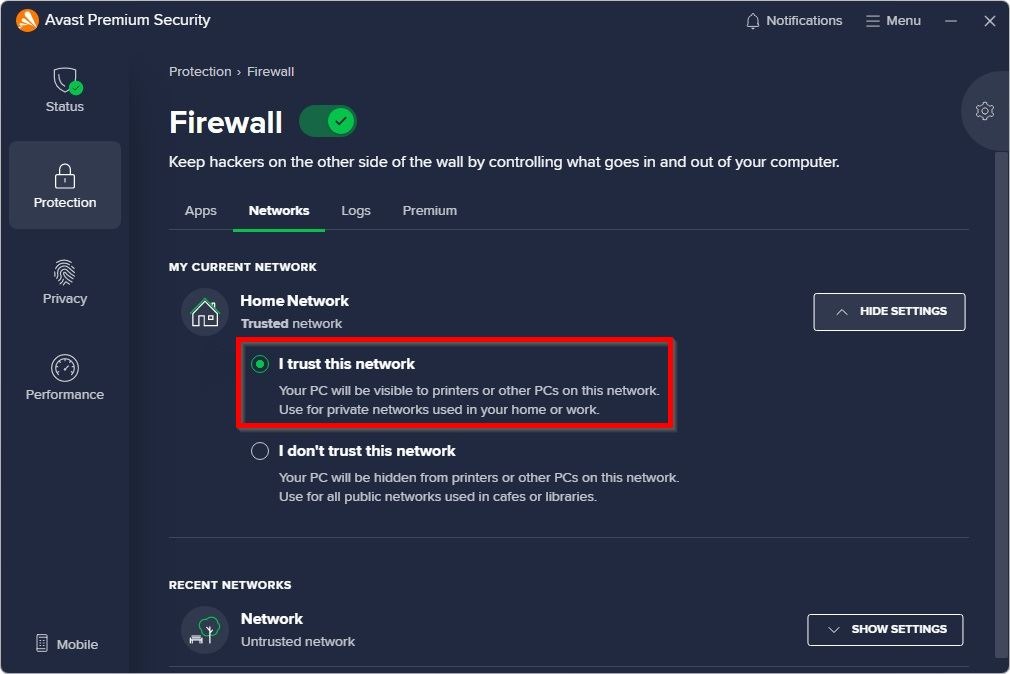
STEP 4 – Select [I Trust This Network]. After done the setting, the AVAST antivirus will allow for the scanning.