Guide on change the Network Speed Setting
This guide explains how to change the network communication speed on the printer. Adjusting the network speed may help resolve network communication issues or unstable connections.
For Older Machine series / Non I-Series Machine (Only Web Connection)
STEP 1 – Access the machine Web Connection. Click this LINK to check on how to get the IP Address from the Konica Minolta machine.
STEP 2 – Access the machine Web Connection from the PC browser. Click this LINK on how to access Web Connection from the browser.
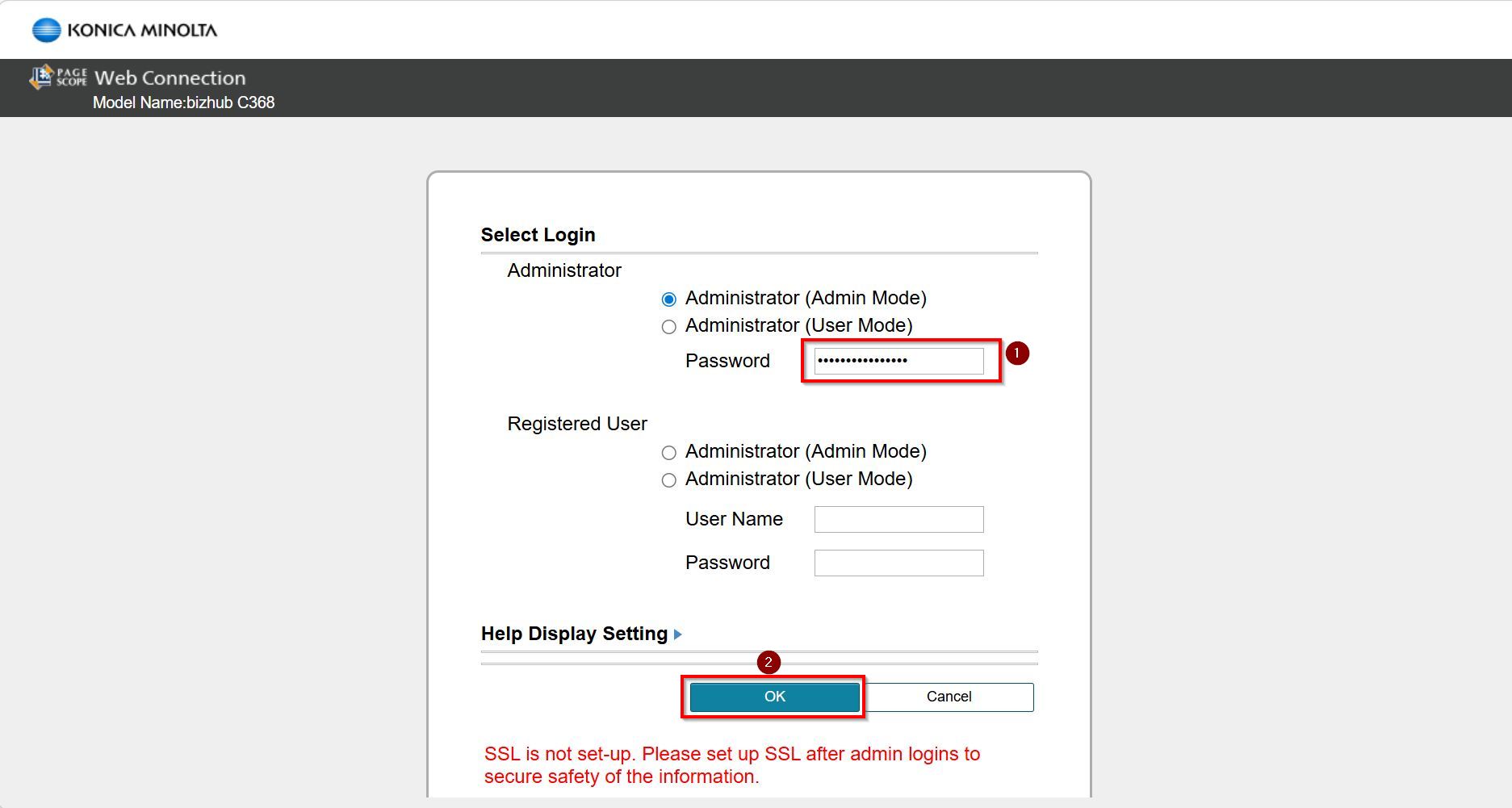
STEP 3 – Logout from public then login as Administrator, default administrator password: [7801261178012611] or [1234567812345678] or [12345678] or [12341234].
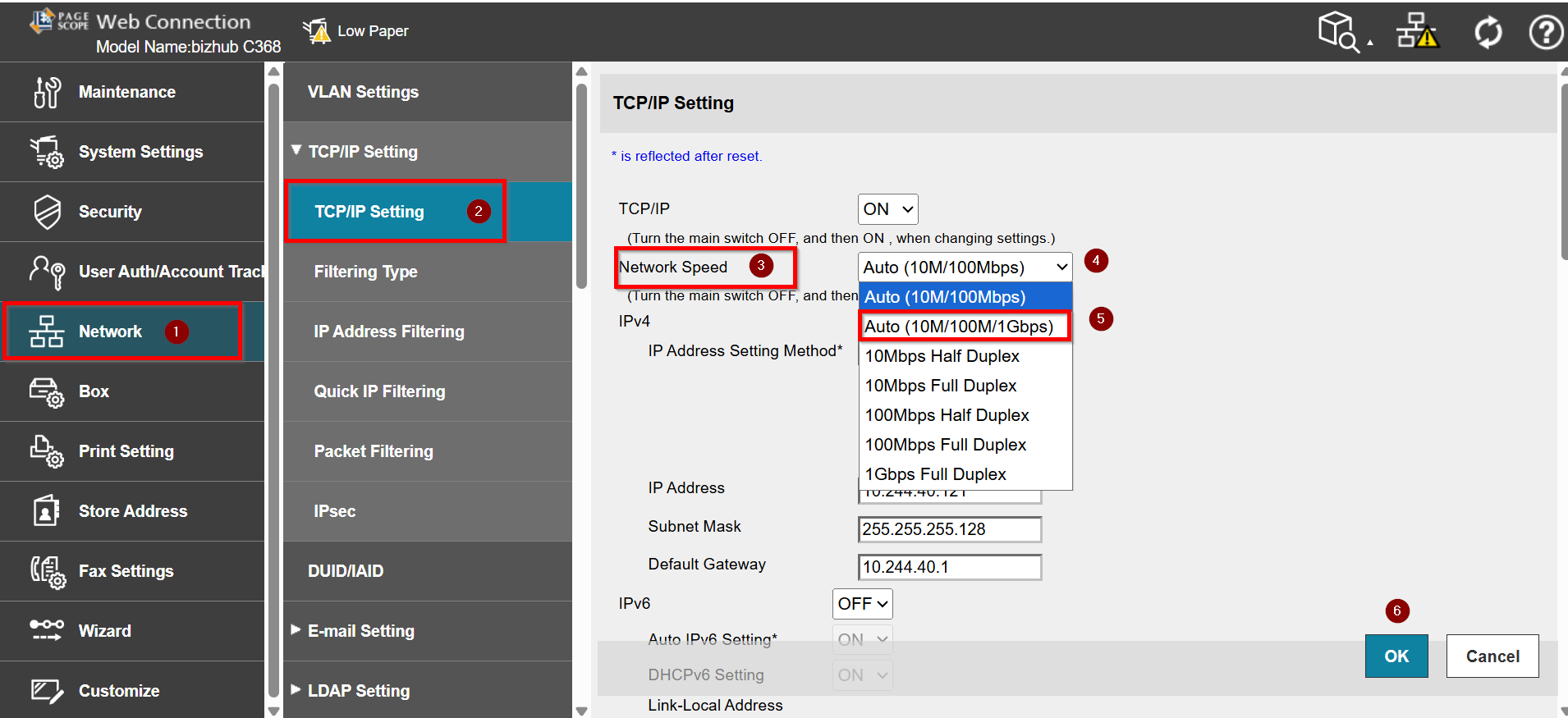
STEP 4 – Select [Network] – [TCP/IP Setting]. Followed by [Network Speed]. Click the drop down menu under [Network Speed] to view the available options. Select either [Auto (10M/100Mbps)] or [Auto (10M/100Mbps/1Gbps)] based on your own preference. Lastly click [OK] to save.
For Newer Machine series / I-Series Machine (From Machine Control Panel & Web Connection)
STEP 1 – Select [Home] – [Utility].

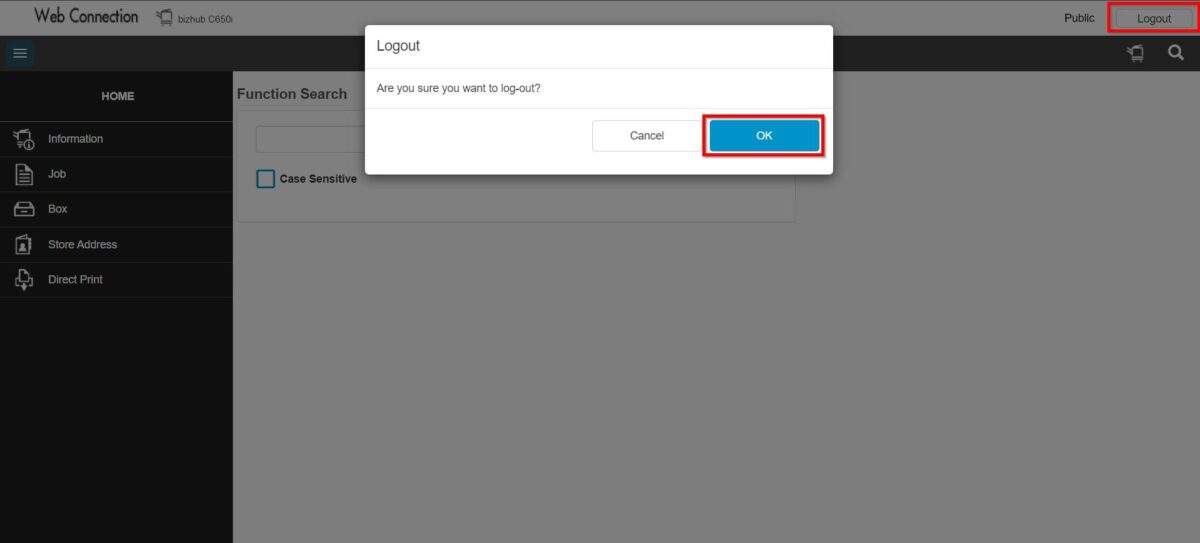
**You may access to web connection via machine IP Address. Click on this to check how to get the IP Address from machine, then key in Konica Minolta Machine IP Address at web browser and log in as admin the Web Connection.
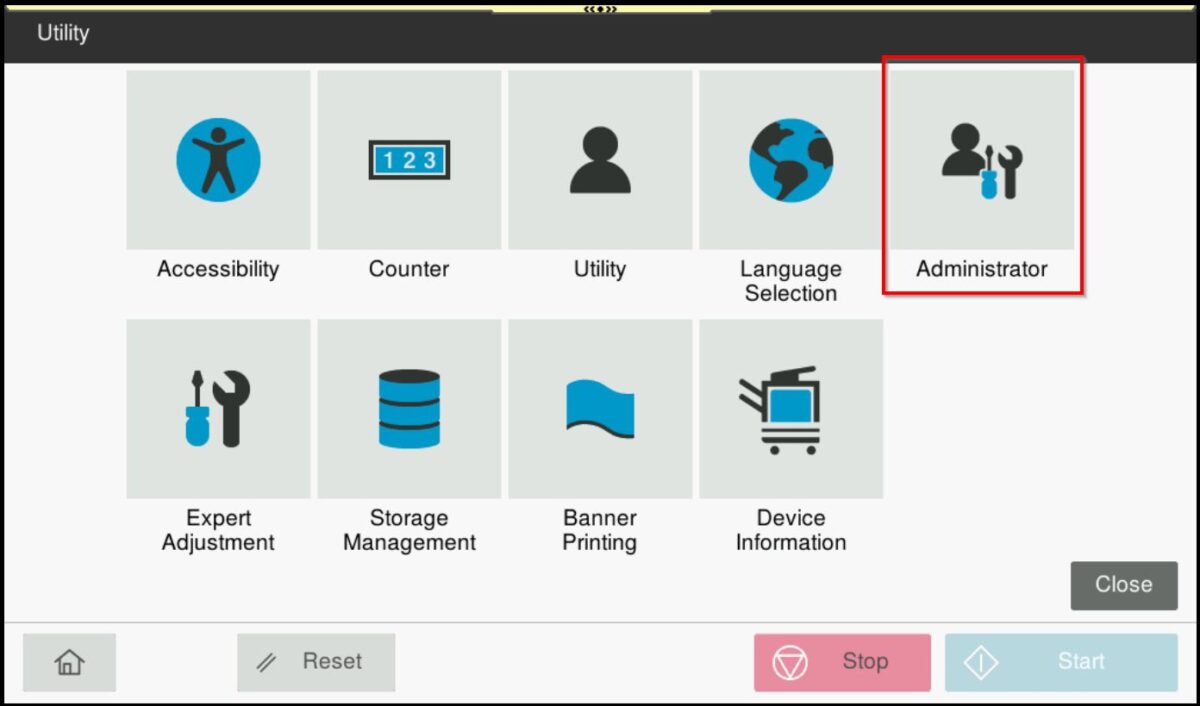
STEP 2 – Select [Administrator].
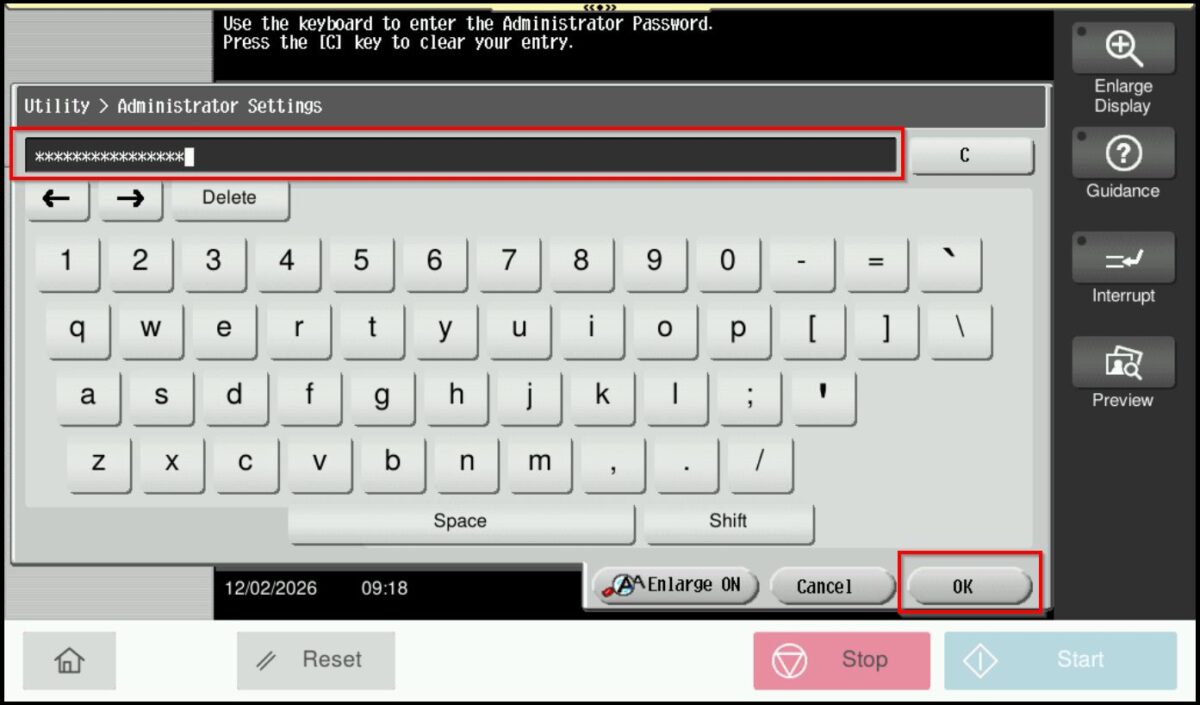
STEP 3 – Key in the default administrator password and click [OK] button.
Default administrator password: [7801261178012611] or [1234567812345678] or [12345678] or [12341234].
**On Web Connection login as admin mode by key in administrator password accordingly. The next step will be same option on below to change administrator password.
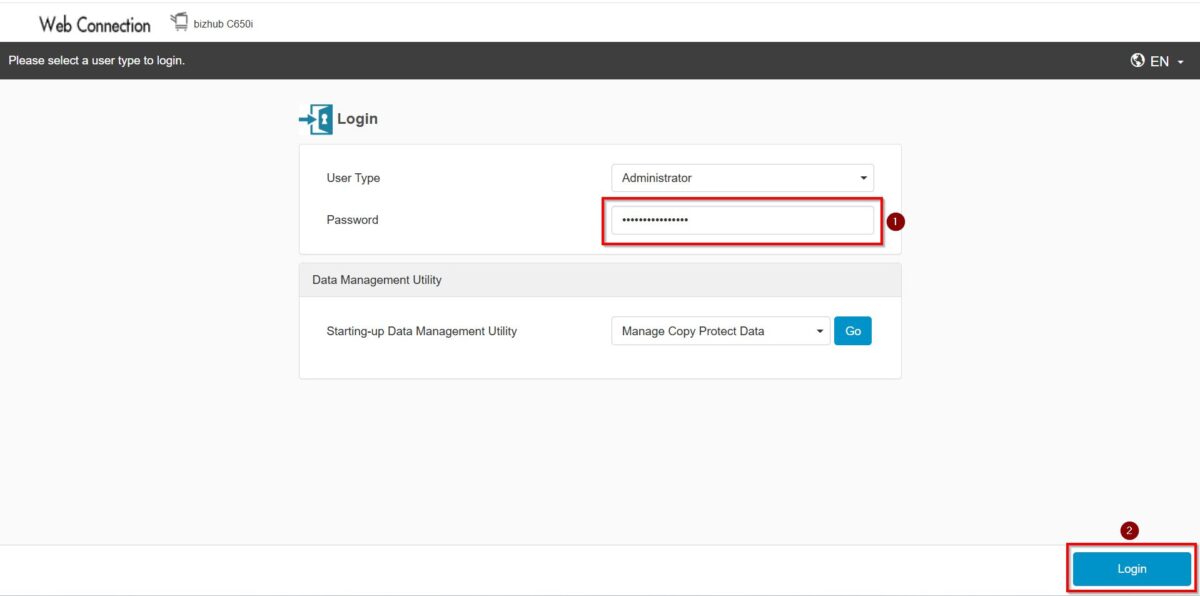
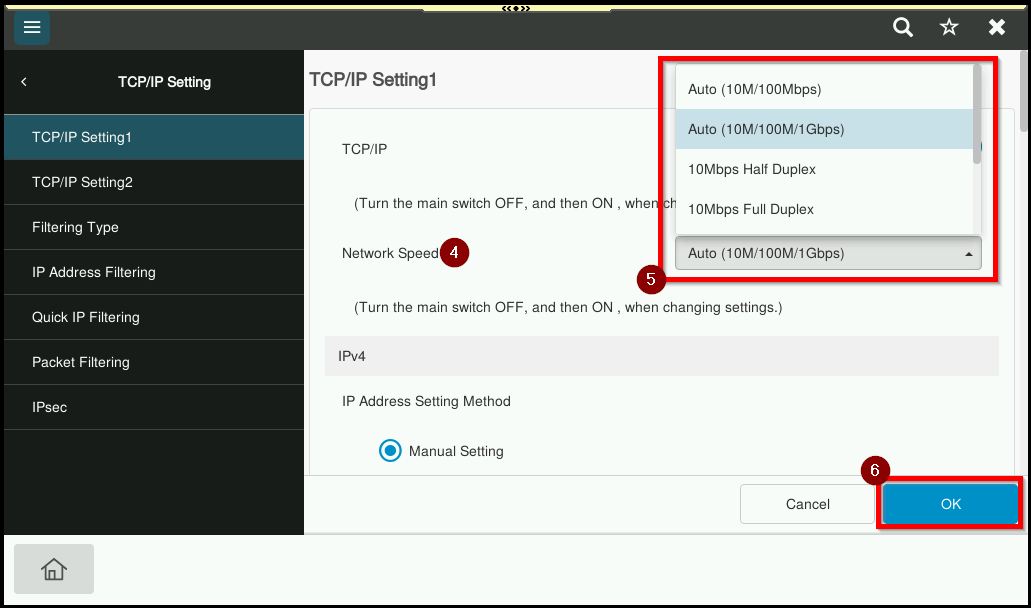
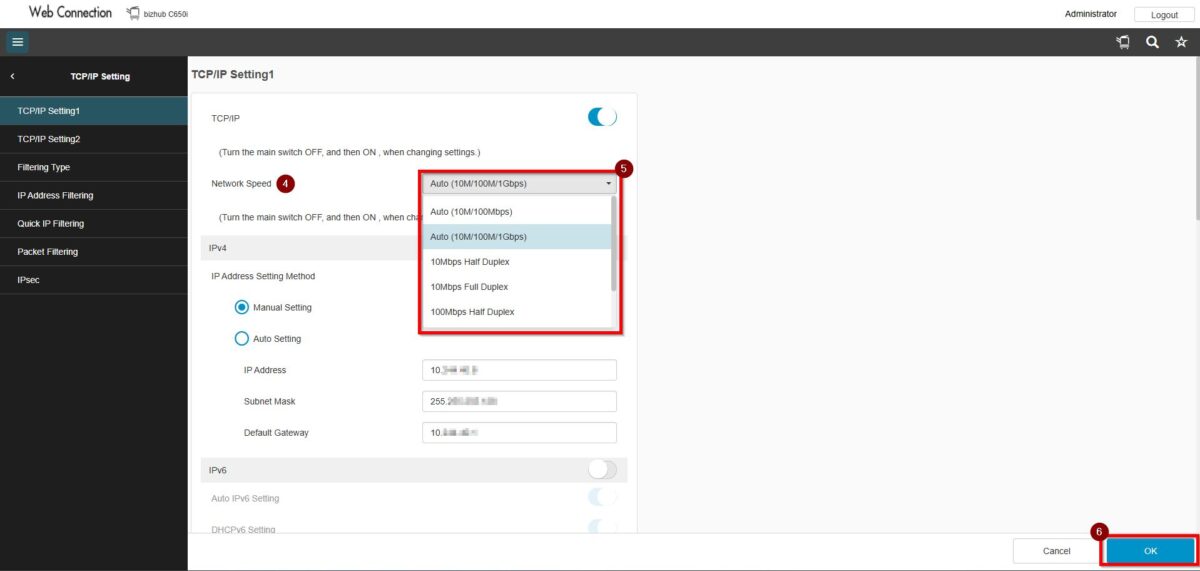
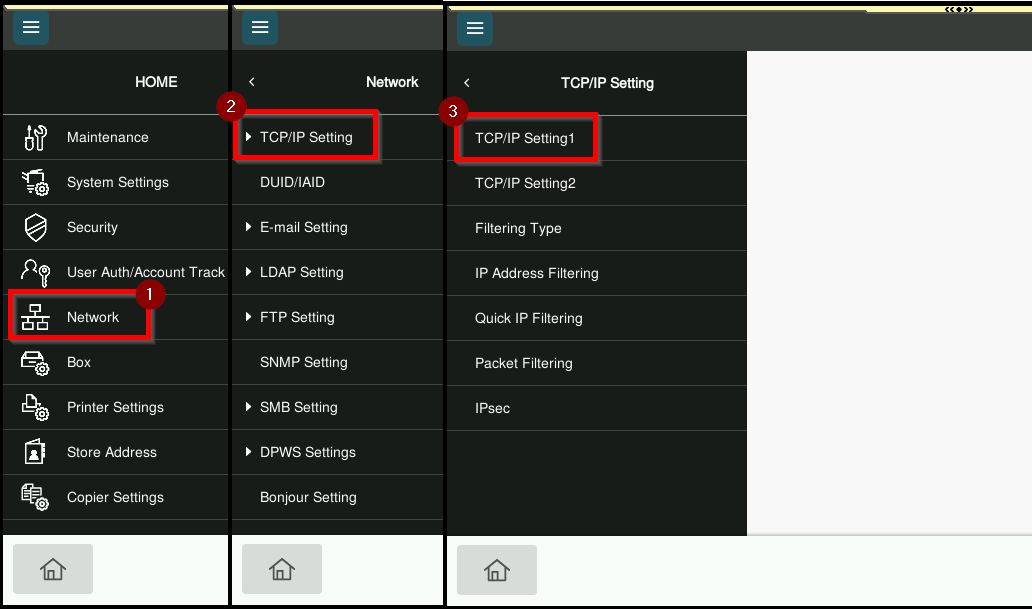
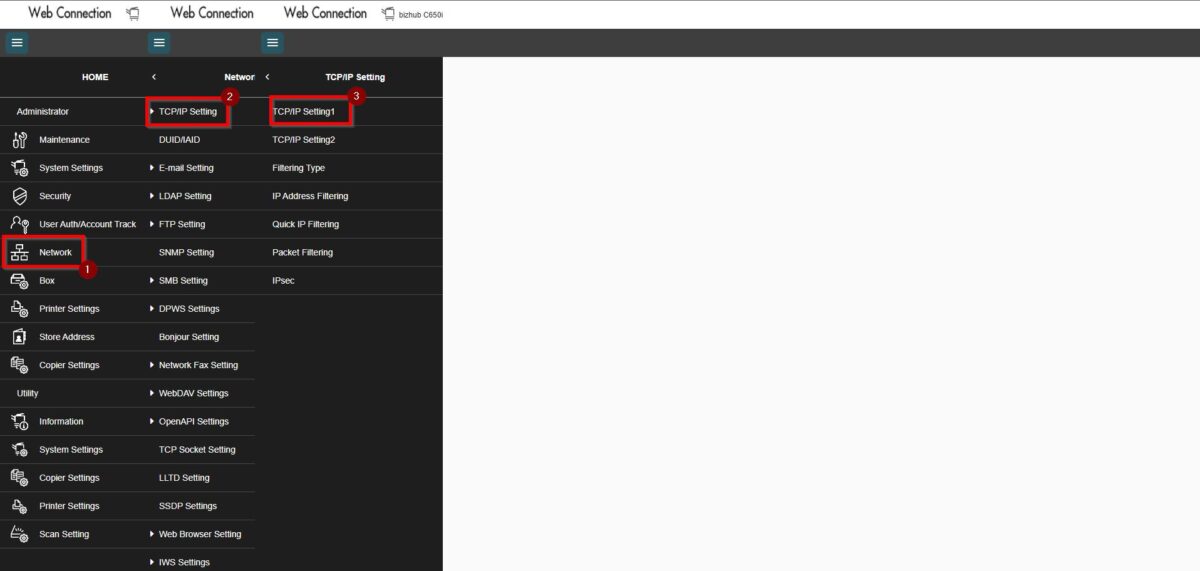
STEP 4 – Go to [Network] – [TCP/IP Setting] – [TCP/IP Setting1].
STEP 5 – Click the drop down menu under [Network Speed] to view the available options. Select either [Auto (10M/100Mbps)] or [Auto (10M/100Mbps/1Gbps)] based on your own preference. Lastly click [OK] to save.