
Guide on disable the Password Rules and Administrator Password Security Message
For the Older Machine series / Non I-Series Machine
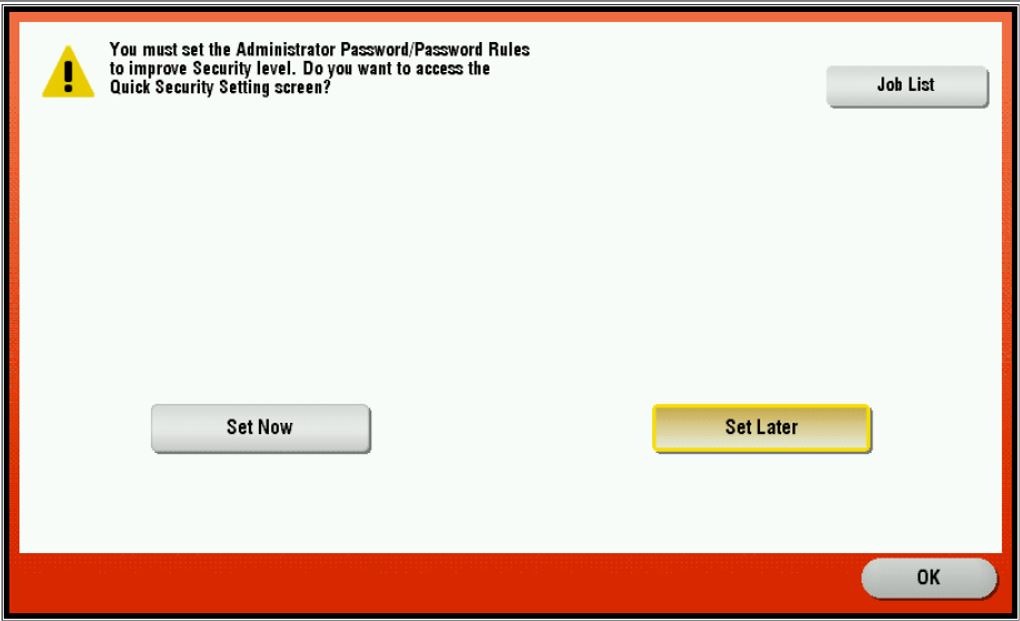
Error message as below. Choose [Set Later] and click [OK] to go to main menu.
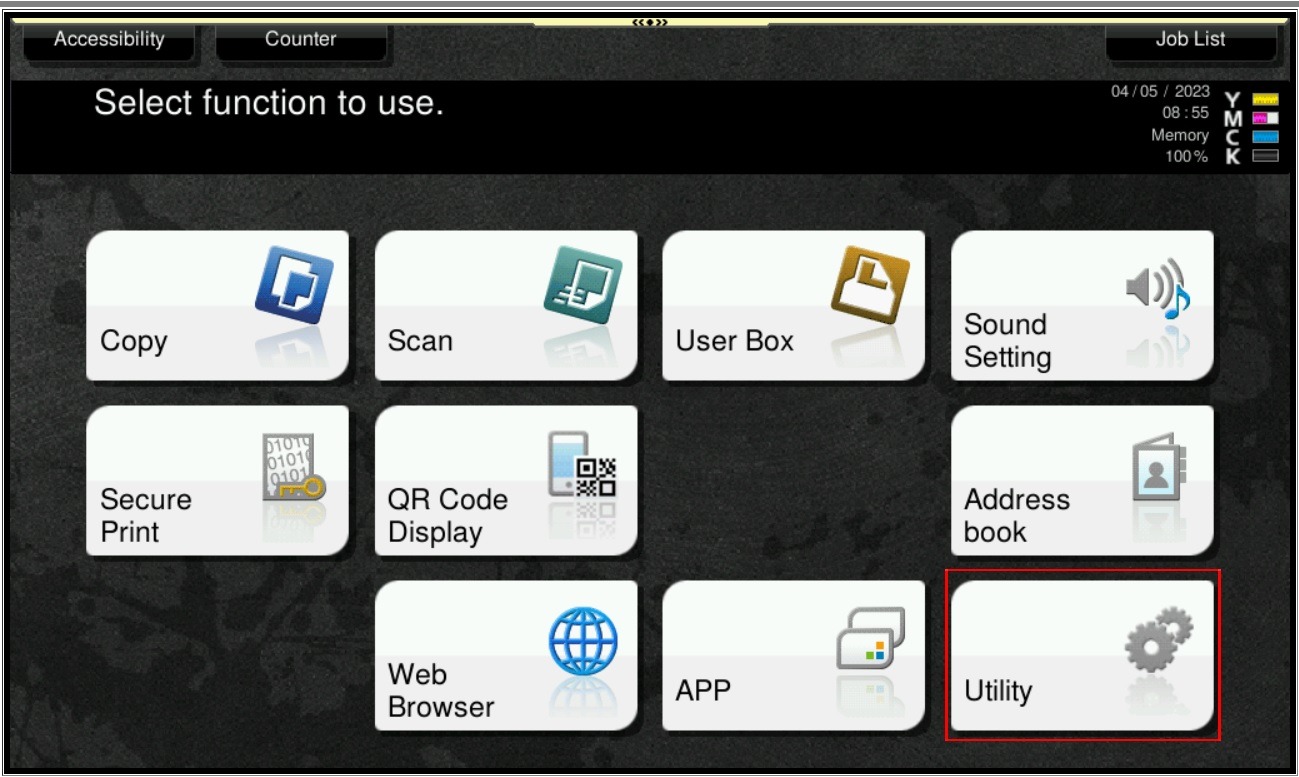
STEP 1 – On the Konica Minolta machine, we need to login to admin mode, Select [Utility].
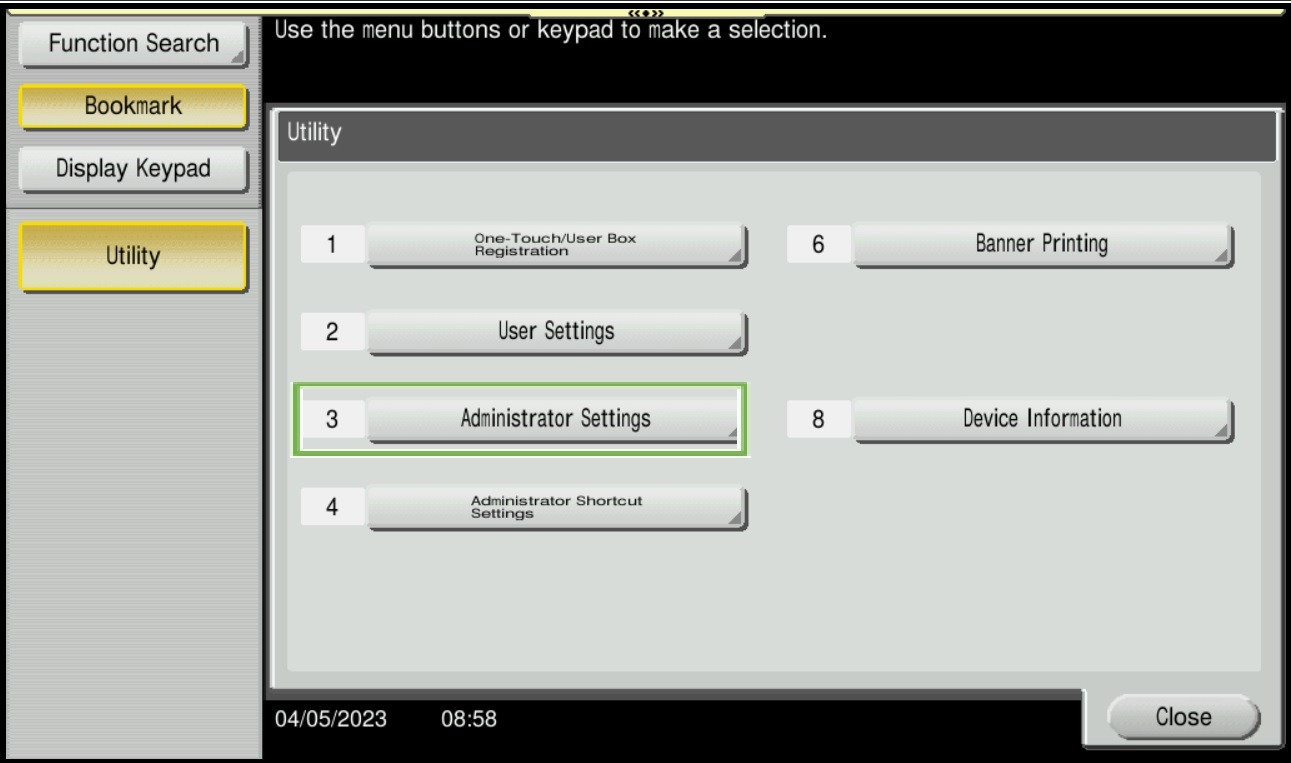
STEP 2 – Select [Administrator Settings].
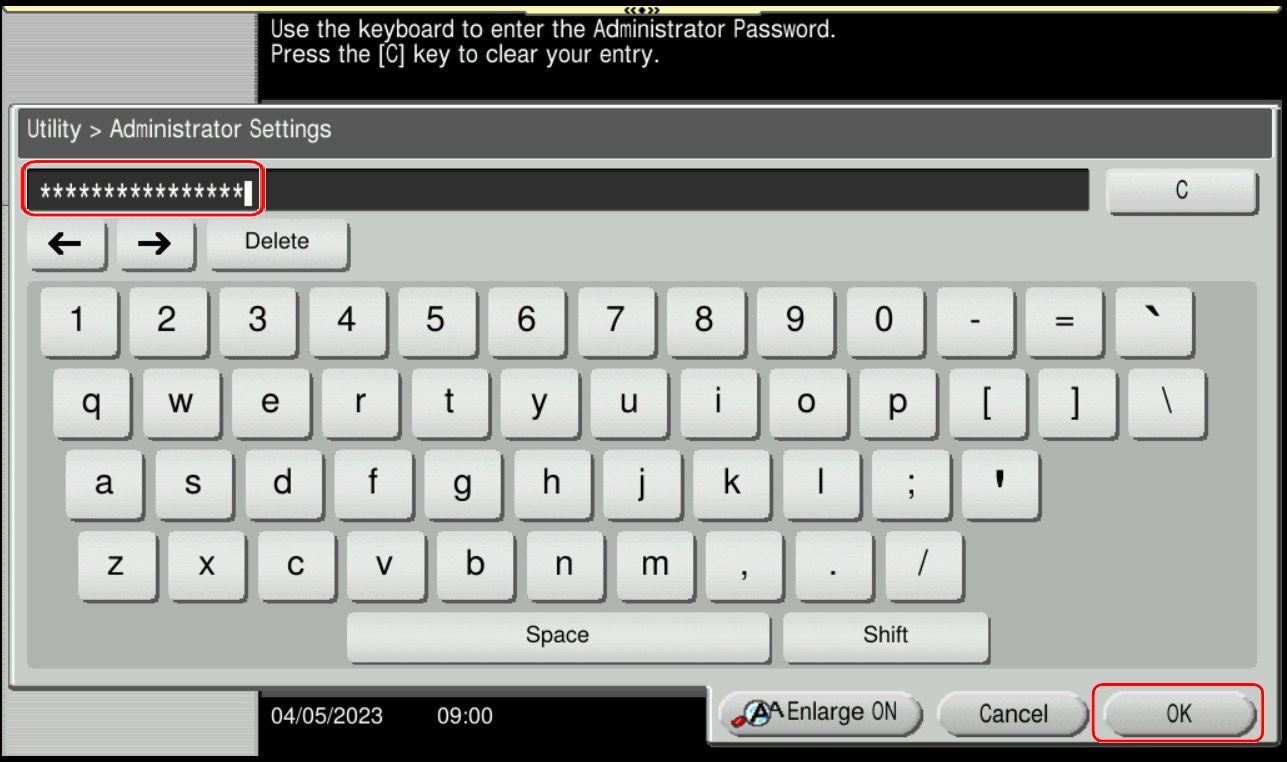
STEP 3 – Key in admin password for the machine, then select [OK] to continue.
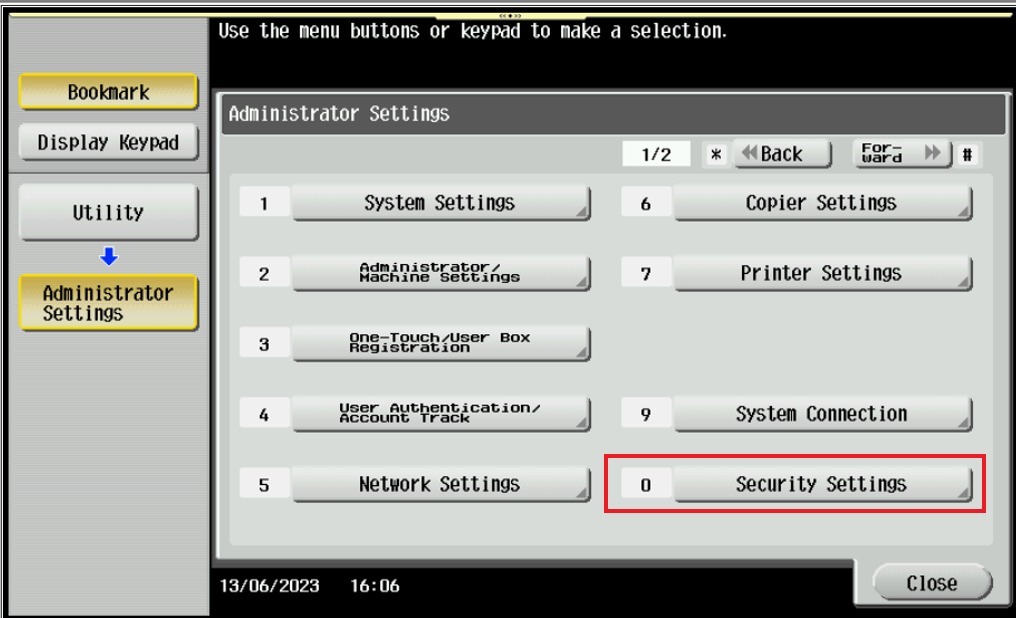
STEP 4 – Select [Security Settings].
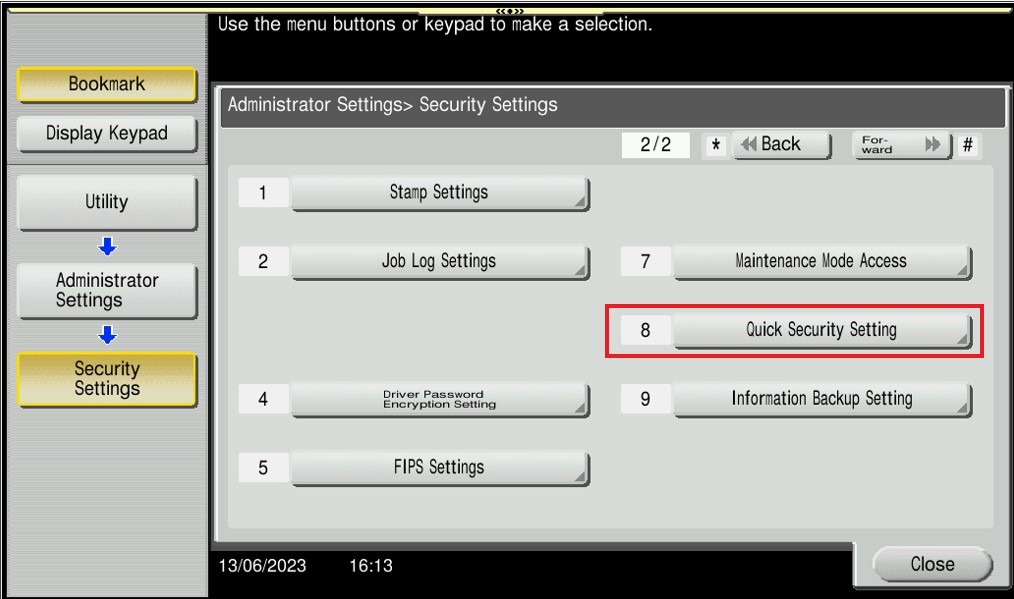
STEP 5 – Click on Forward button and select [Quick Security Setting].
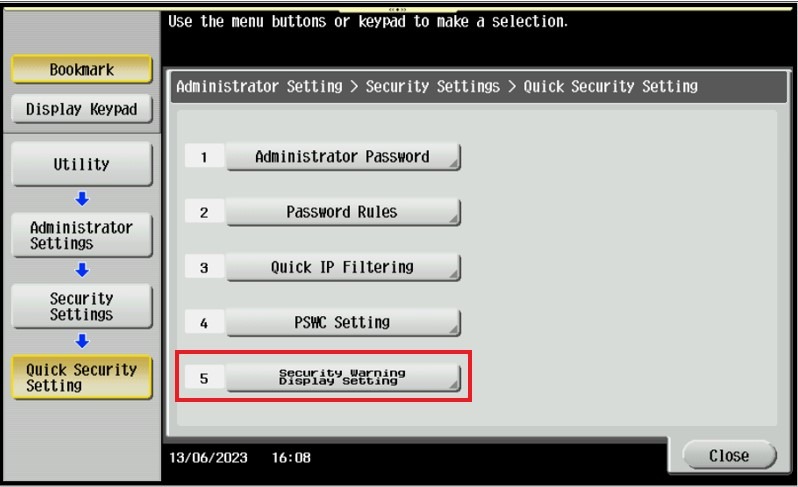
STEP 6 – Select [Security Warning Display Setting].
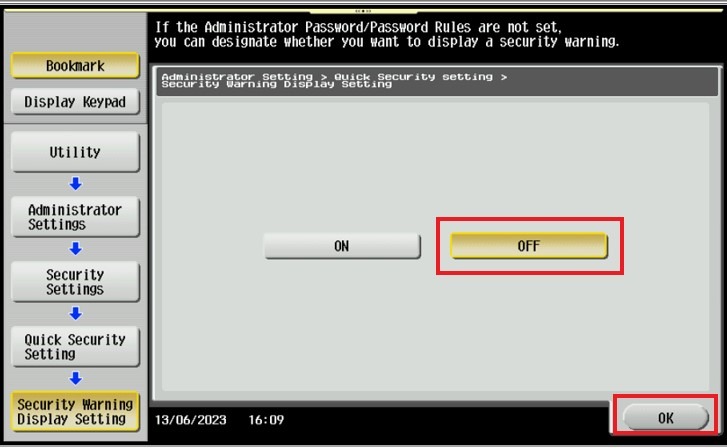
STEP 7 – Select [OFF] then click [OK] to save the settng and exit until back to main menu.
For the Newer Machine series / I-Series Machine
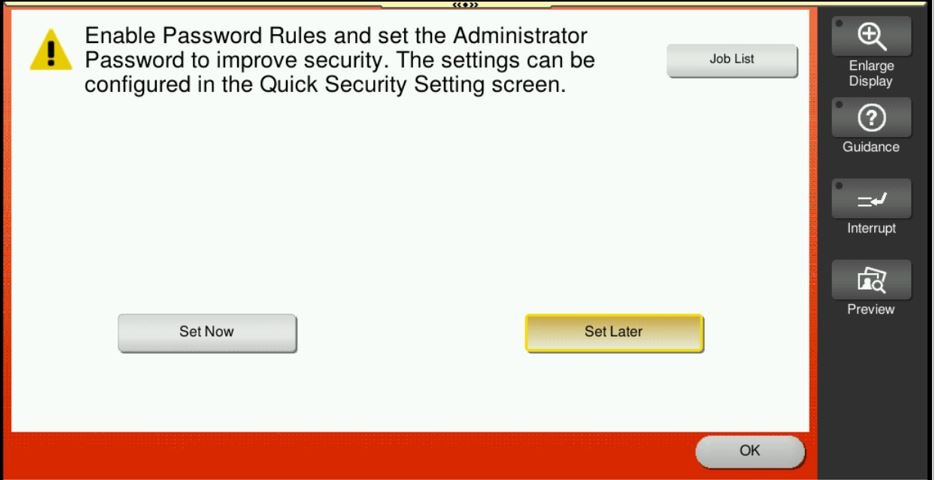
Error message as below. Choose [Set Later] and click [OK] to go to main menu.
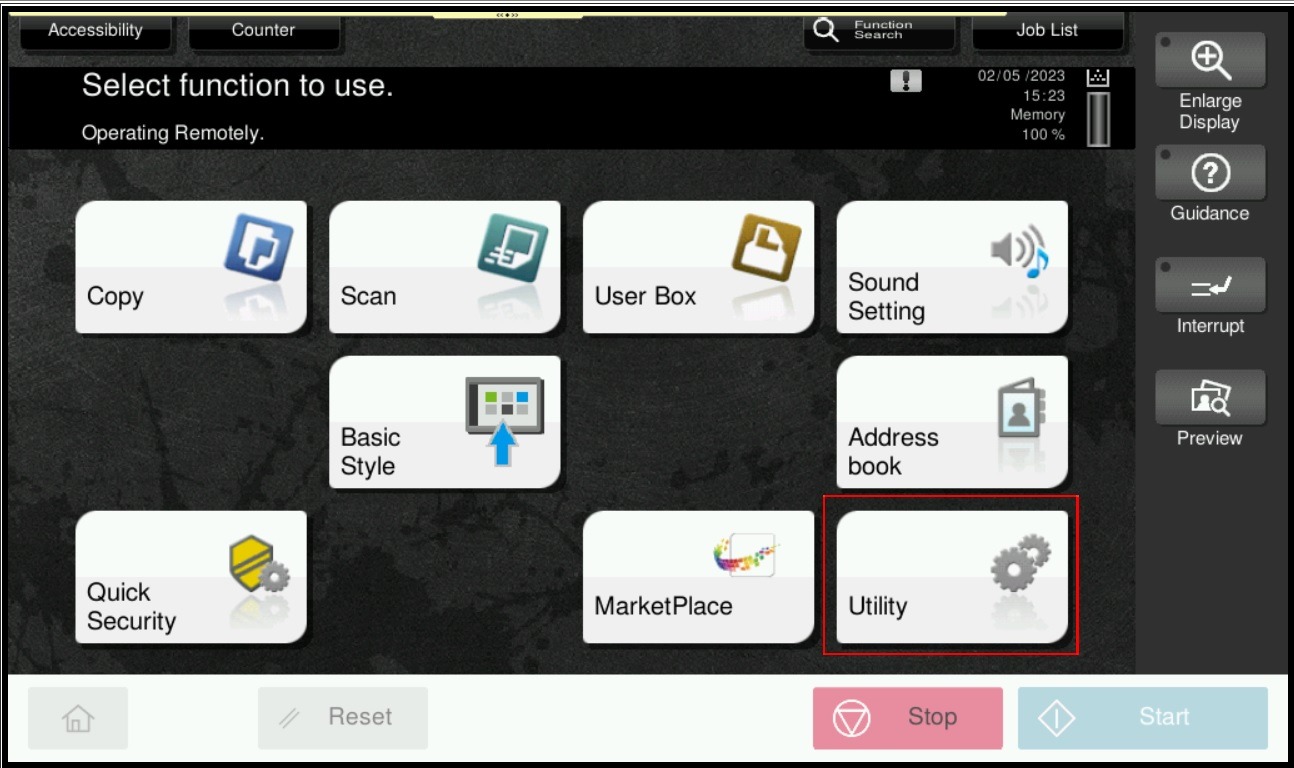
STEP 1 – On the Konica Minolta machine, we need to login to admin mode, Select [Utility].
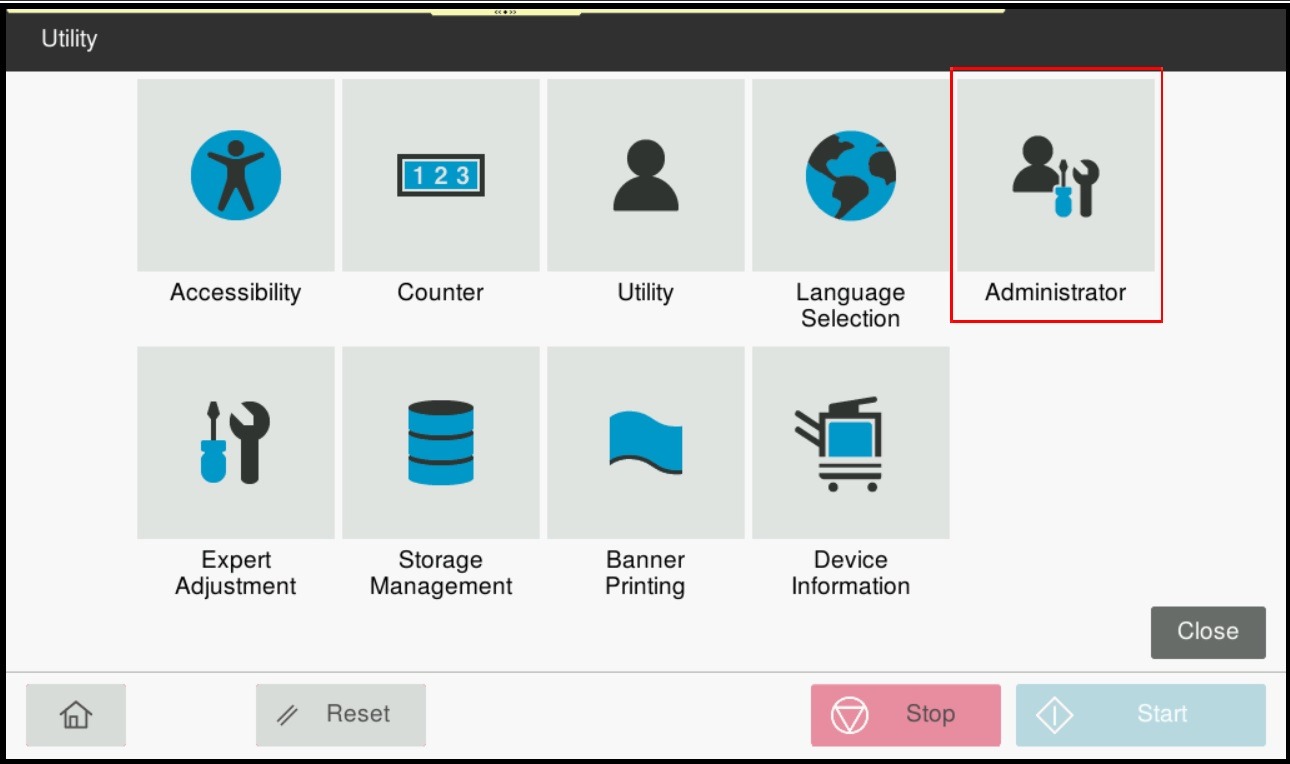
STEP 2 – Select [Administrator].
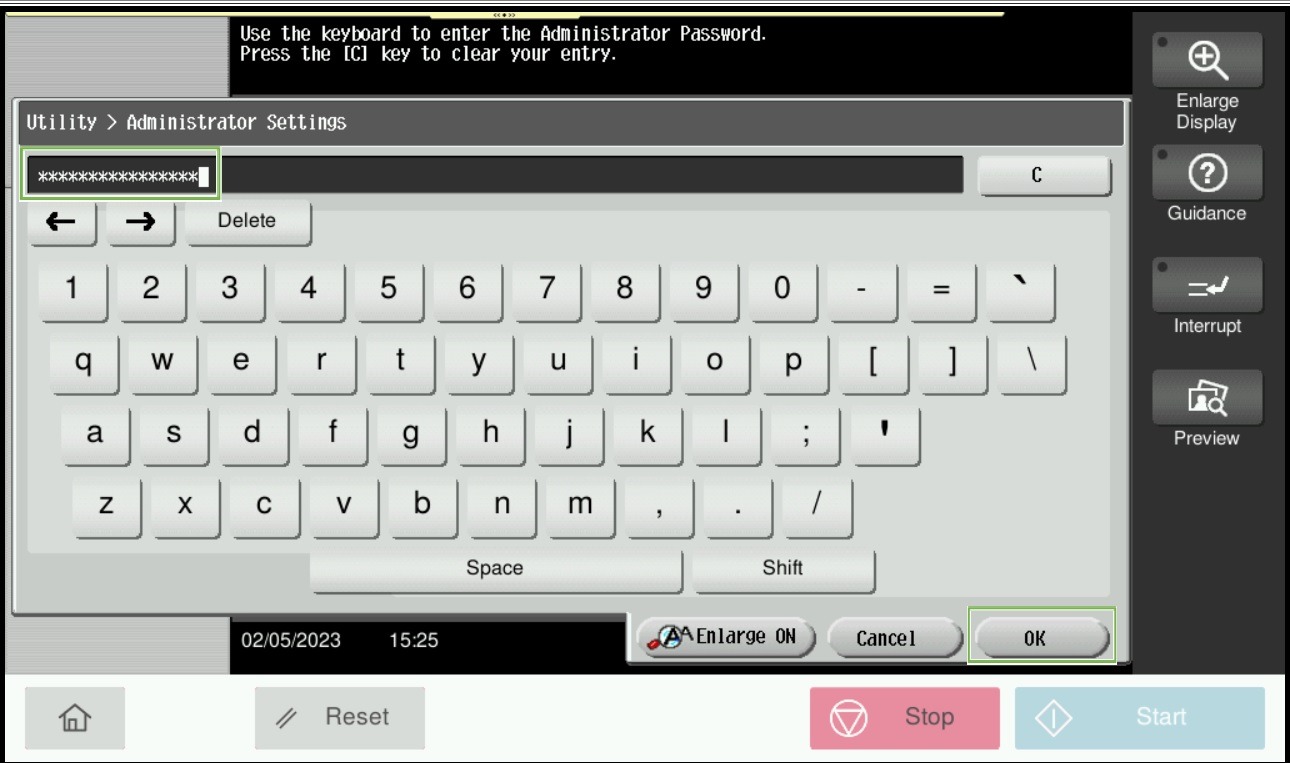
STEP 3 – Key in admin password for the machine, then select [OK] to continue.
STEP 4 – Select [Security].
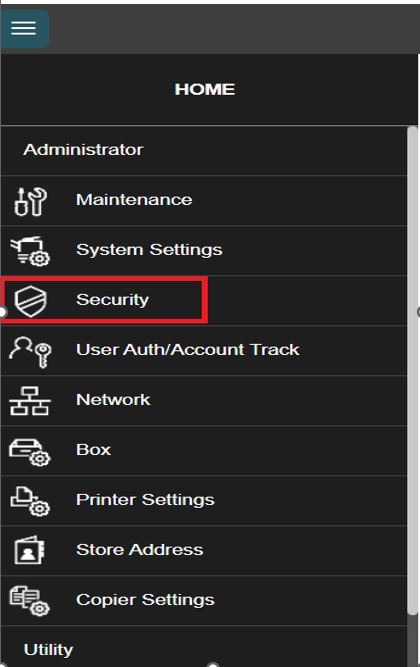
STEP 5 – Select [Quick Security Setting].
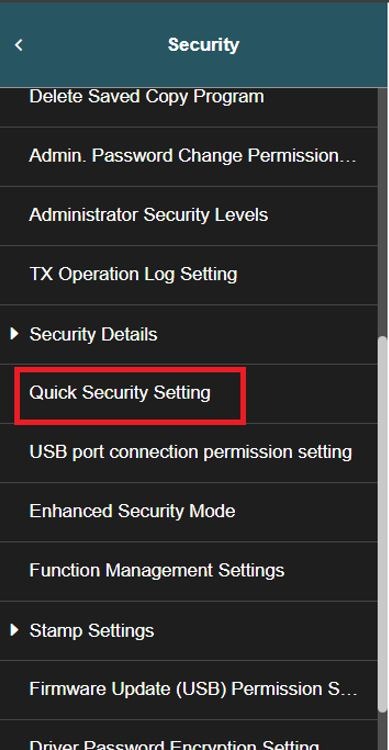
STEP 6 – Enable the option [Security Warning Display Setting], Select [OK] to save the setting, then exit from the admin mode.
