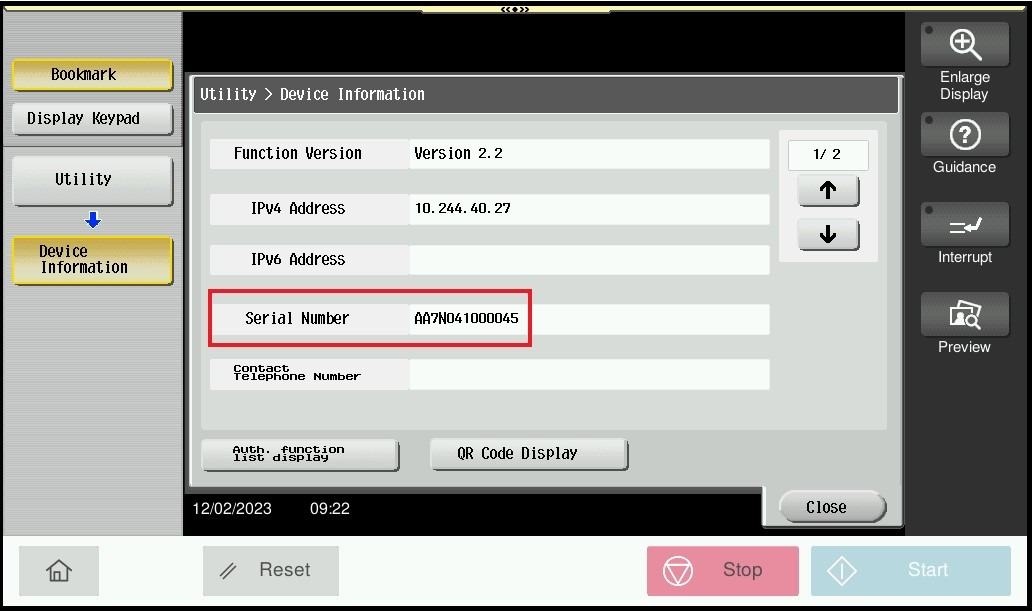
Guide on find the Printer Serial Number
For The Older Machine Series / Non I-Series Machine
STEP 1 – On the Konica Minolta machine control panel, click on the [Menu] button then select [Utility].
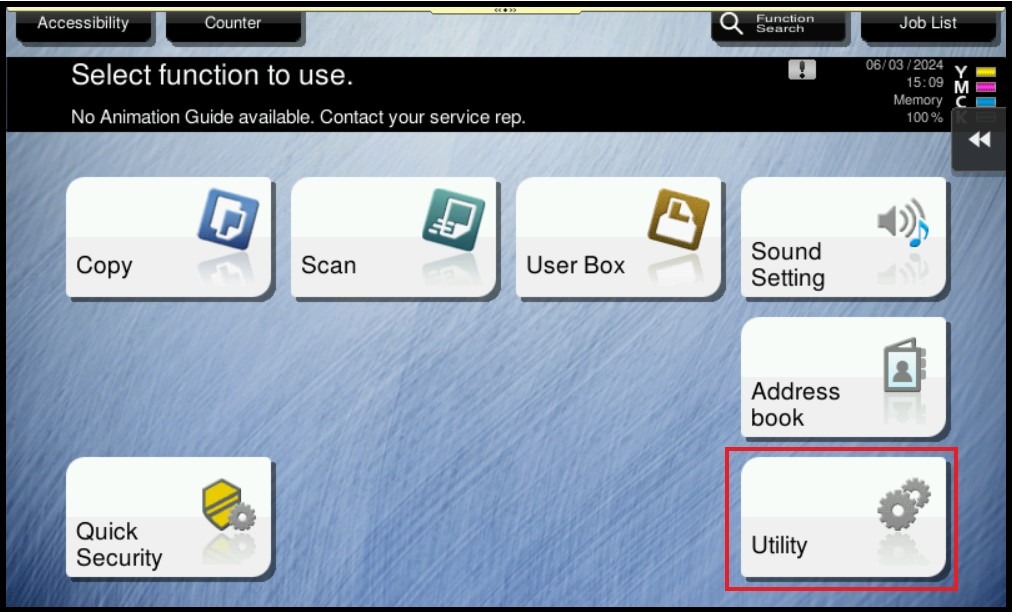
STEP 2 – Select [Device Information].
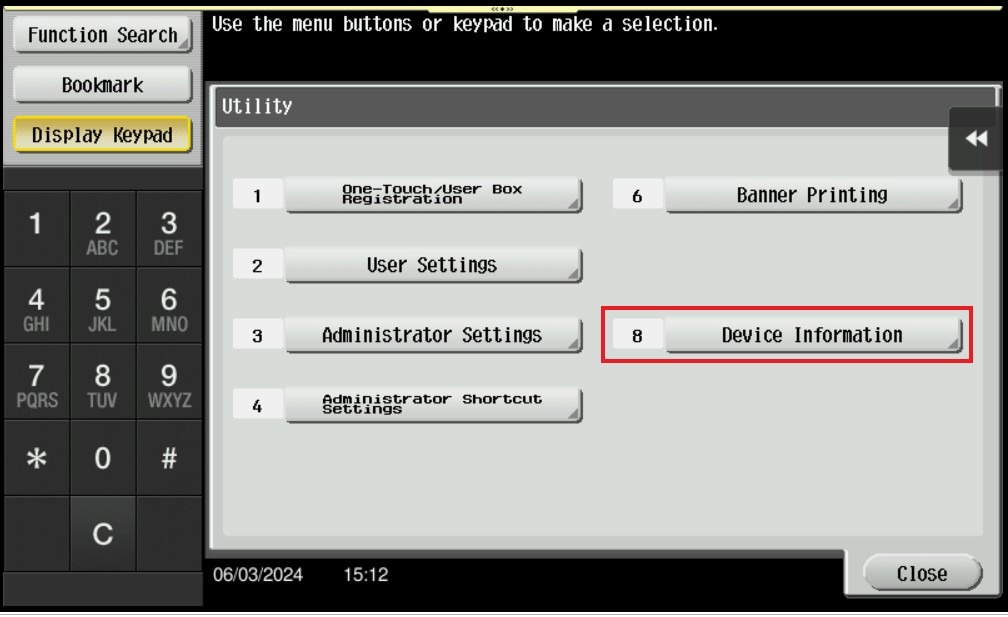
STEP 3 – The [Serial Number] for the machine will be display as below.

For The Newer Machine Series / I-Series Machine
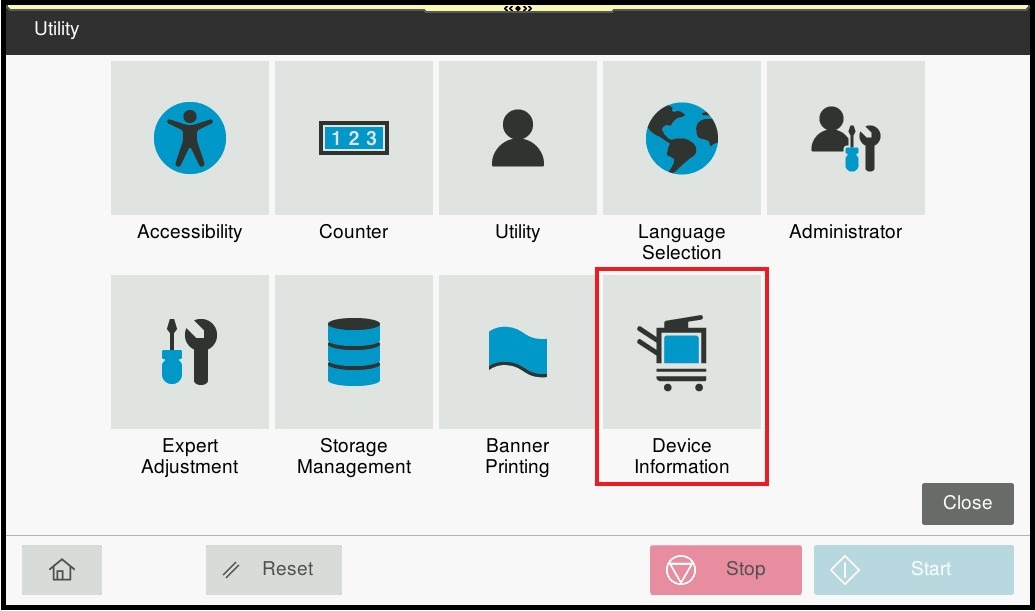
STEP 1 – On the Konica Minolta machine control panel, click on the [Home] button then select [Utility].
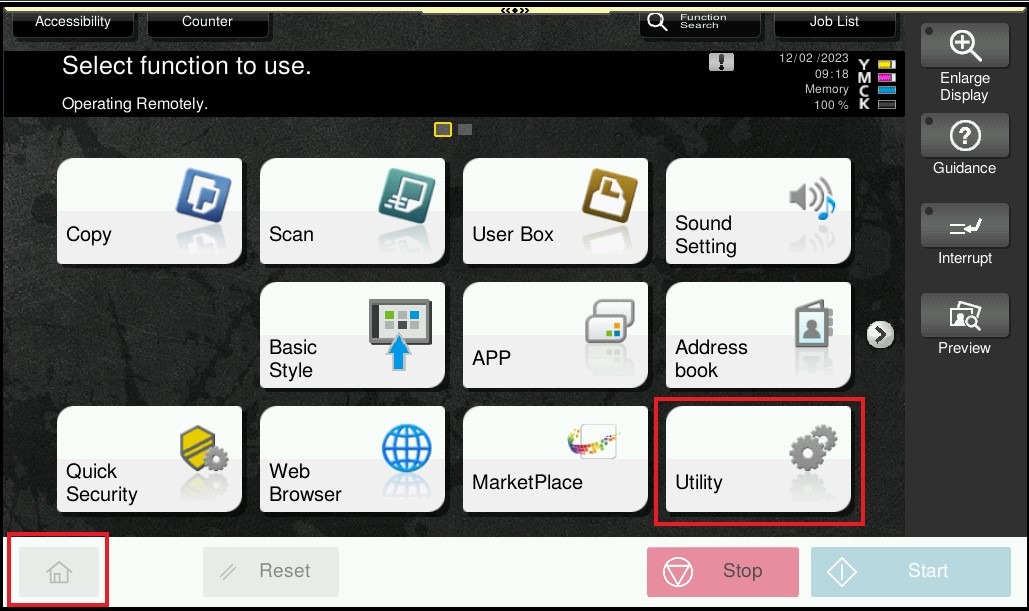
STEP 2 – Select [Device Information].
STEP 3 – The [Serial Number] for the machine will be display as below.