Guide on restart the Printer Using Web Connection
This guide explains how to restart the photocopier machine remotely using Web Connection. Restarting the machine may help resolve temporary issues such as network communication problems, printing errors or system instability. This function is only applicable to newer machine models or i-Series machines.
For Newer Machine series / I-Series Machine (From Web Connection)
STEP 1 – Access the machine Web Connection. Click this LINK to check on how to get the IP Address from the Konica Minolta machine.
STEP 2 – Access the machine Web Connection from the PC browser. Click this LINK on how to access Web Connection from the browser.
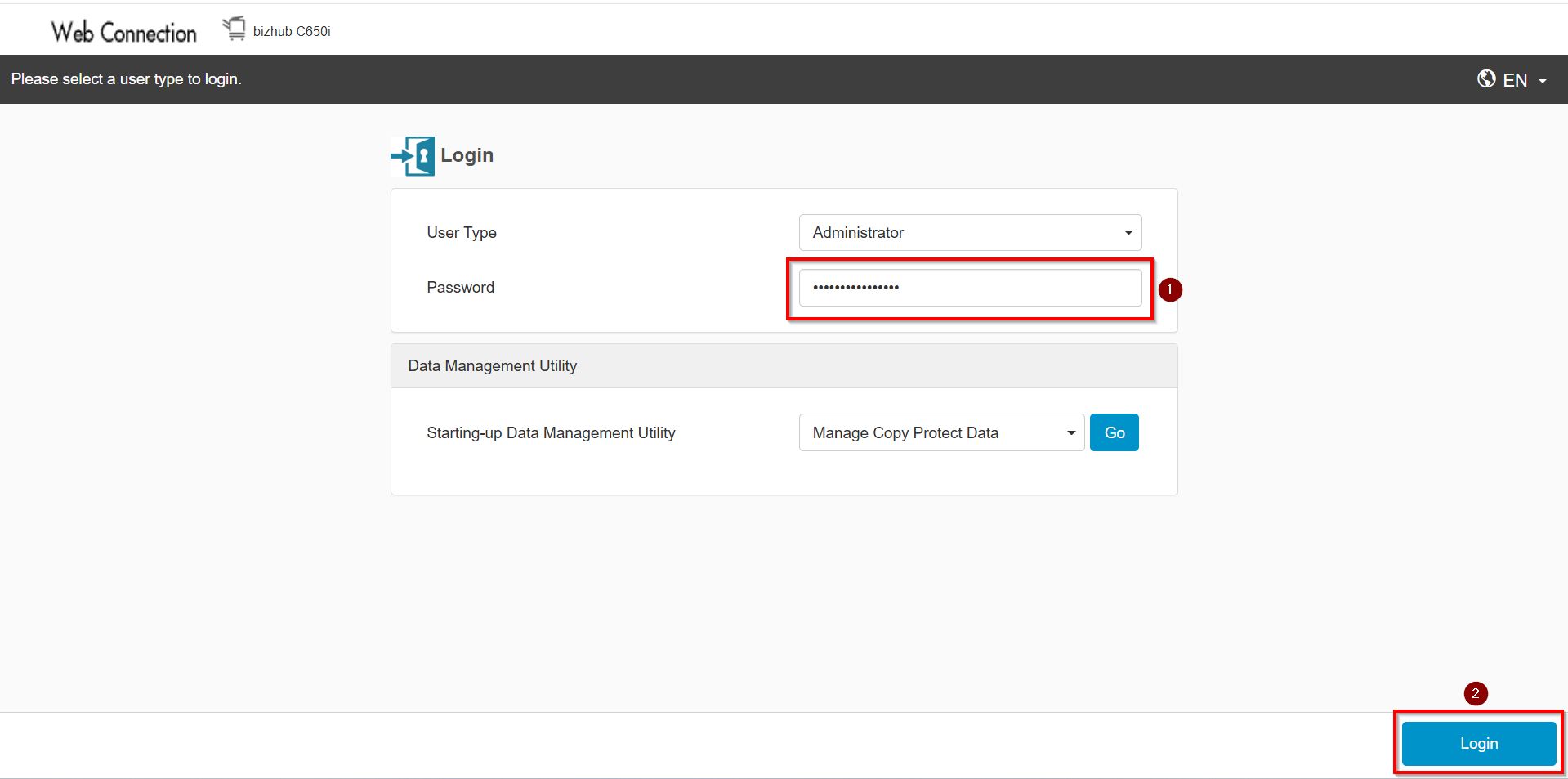
STEP 3 – Under Konica Minolta web connection page, select [Administrator]. Key in the default administrator password and click [Login] button.
Default administrator password: [7801261178012611] or [1234567812345678] or [12345678] or [12341234].
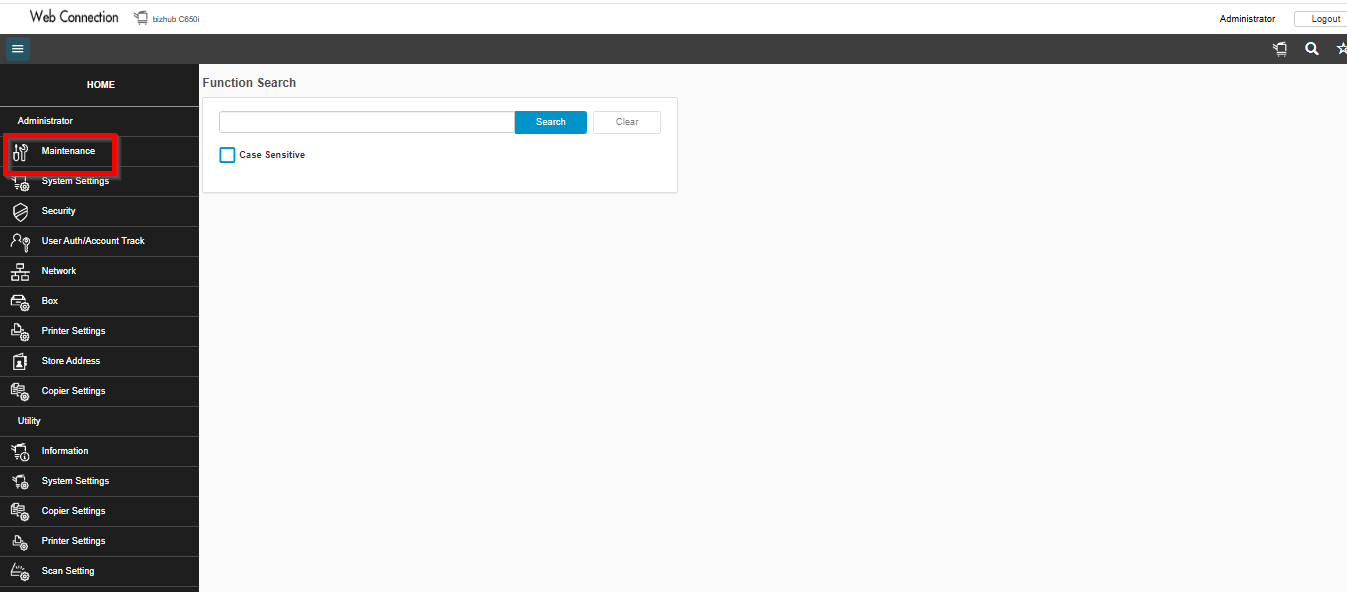
STEP 4 – Select [Maintenance].
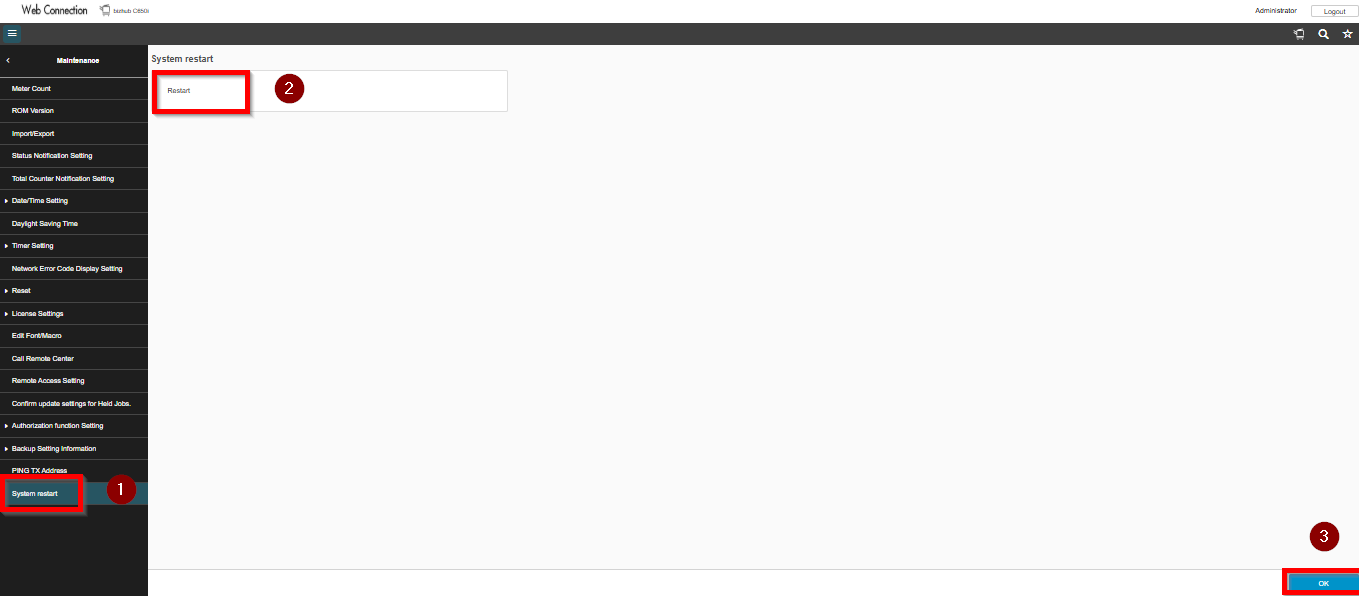
STEP 4 – Followed by [System Reset]. Then choose [Restart] and click [OK].
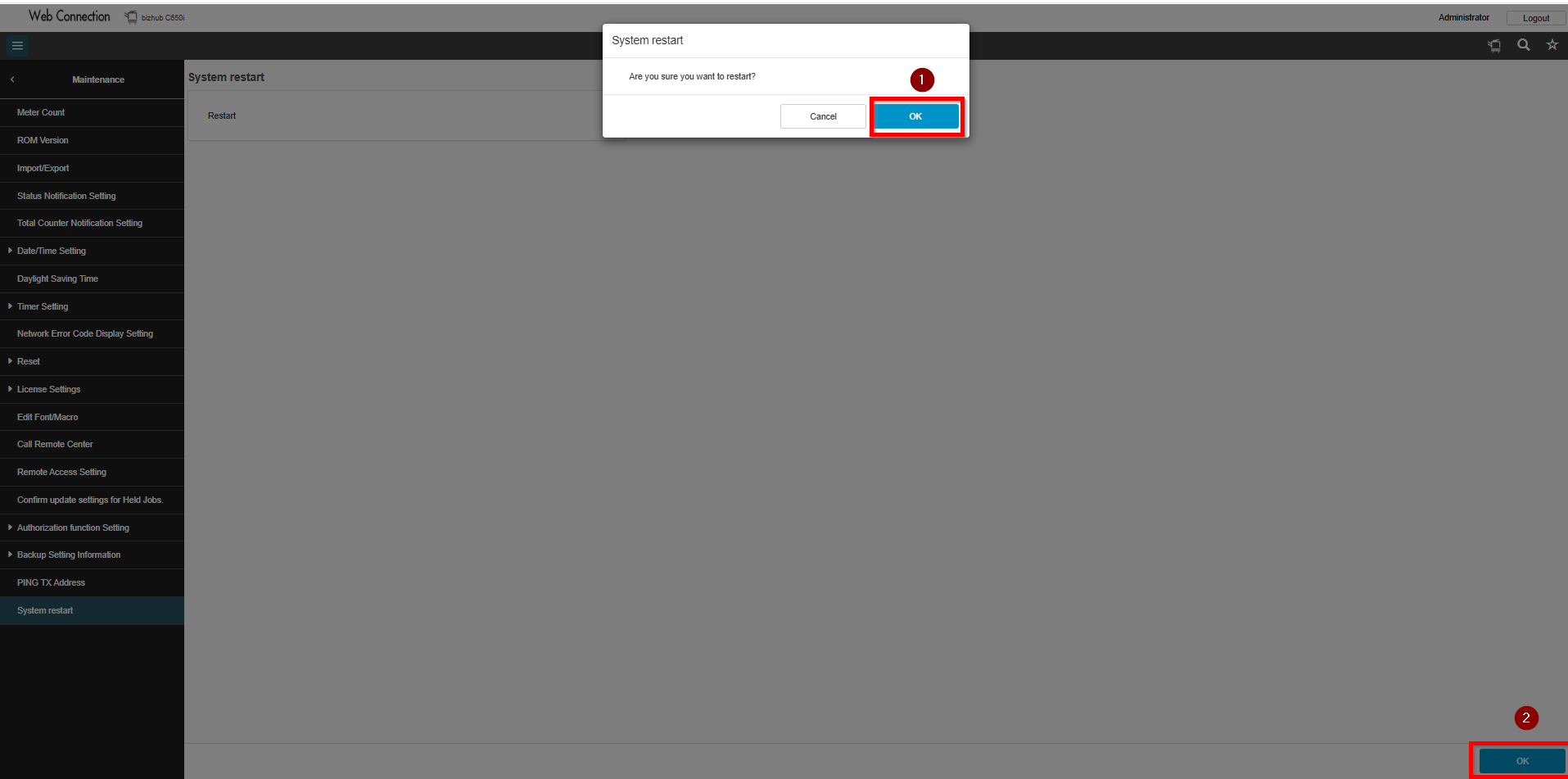
STEP 4 – Click [OK] and wait a few seconds for the machine to restart automatically. Once the machine returns to the normal screen, it can be used as usual.