Guide on how to set Machine Control Panel display Priority Mode
You can choose a preferred function to display on the home screen. This ensures your selected function is easily accessible after any settings reset.
For Older Machine series / Non I-Series Machine (Accessible via Screen Panel)
STEP 1 – Select [Menu] – [Utility].
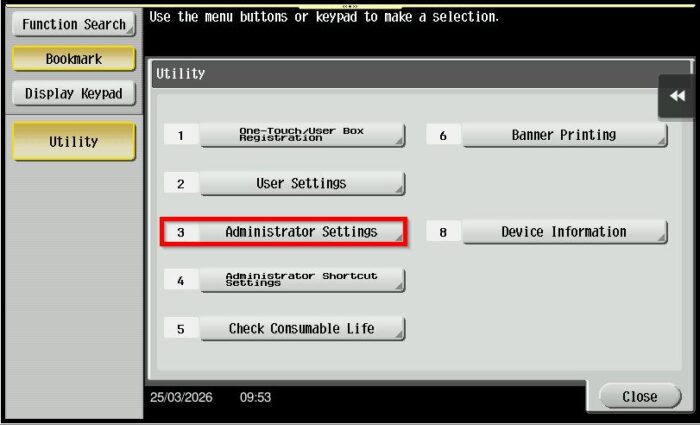
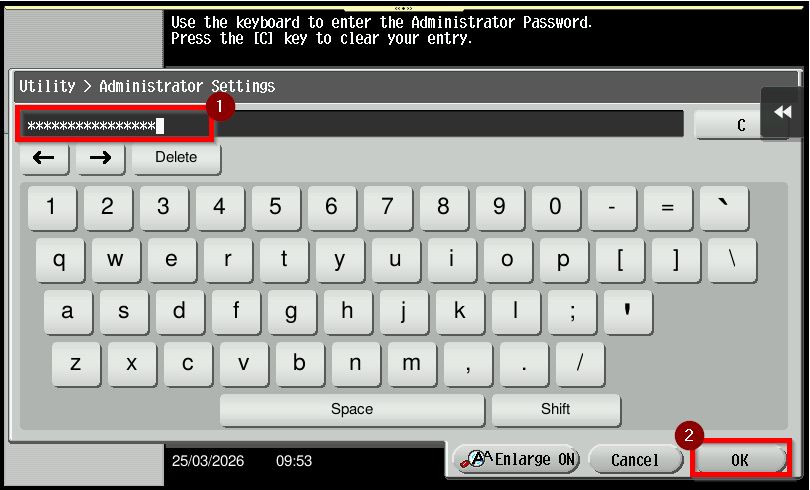
STEP 2 – Select [Administrator Settings] and Key in the default administrator password and click [OK] button to login.
Default administrator password: [7801261178012611] or [1234567812345678] or [12345678] or [12341234].
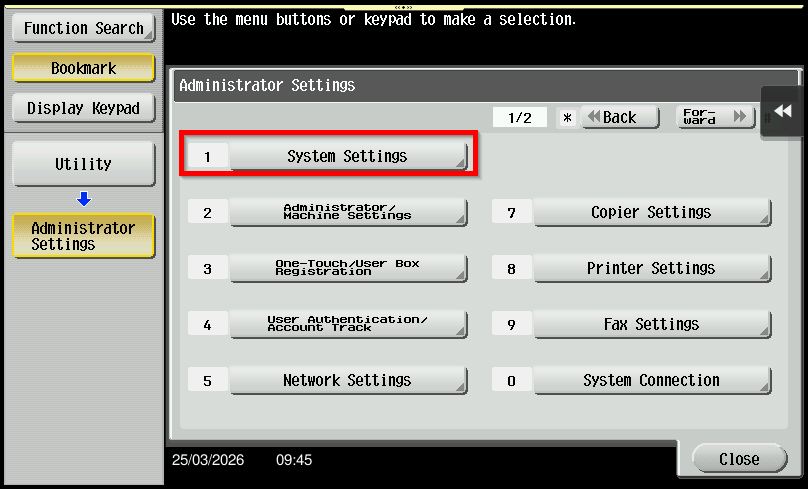
Step 3 – Go to [System Settings].
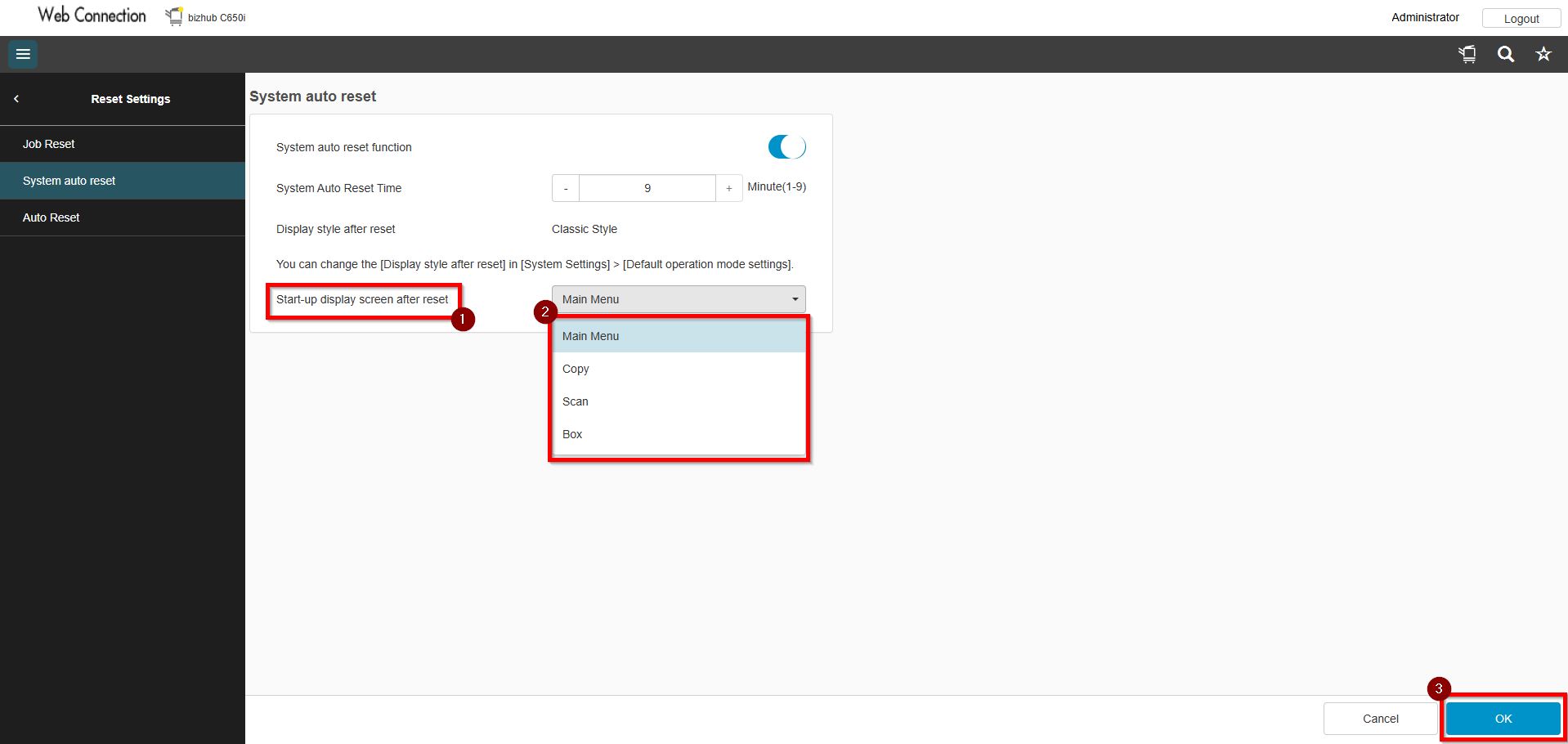
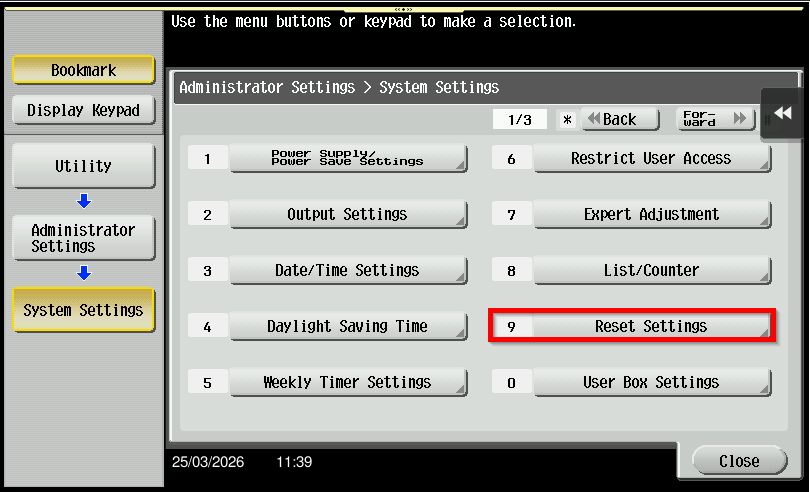
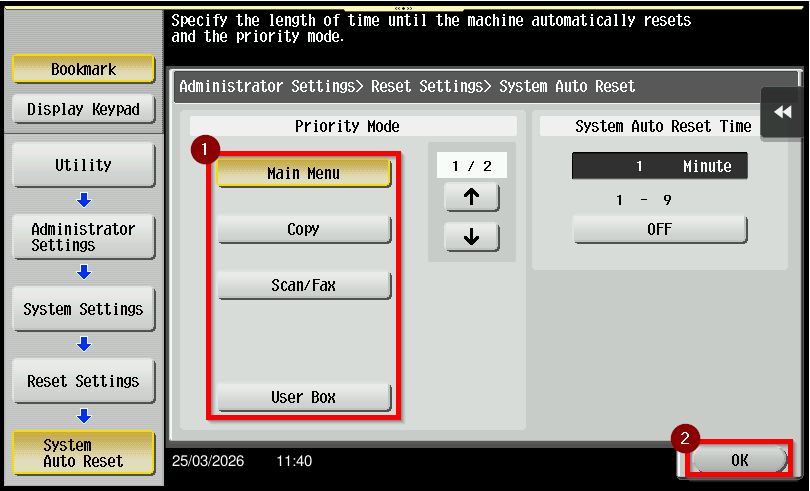
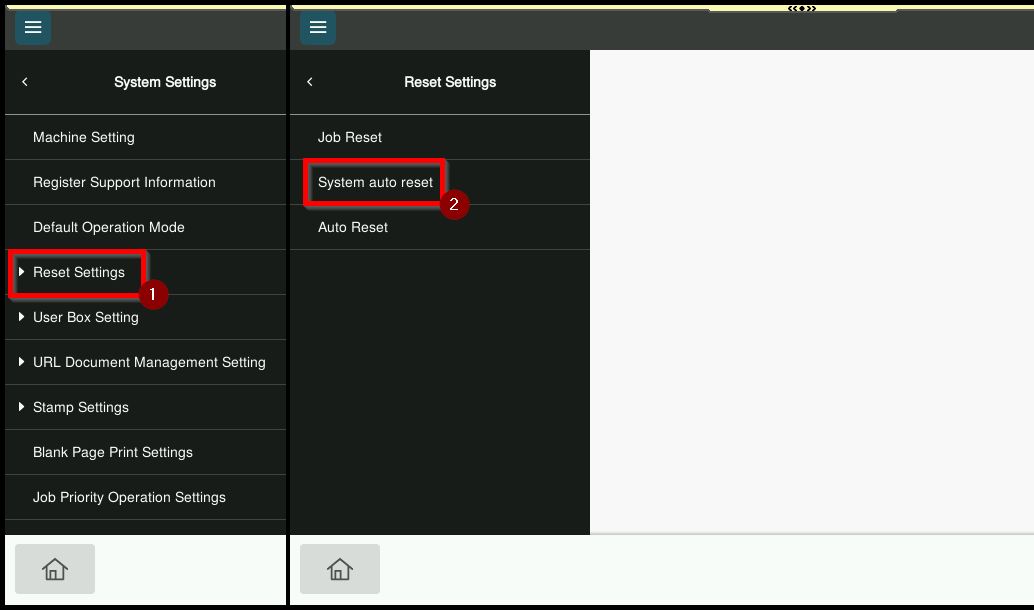
Step 4 – Choose [Reset Settings] – [System Auto Reset].
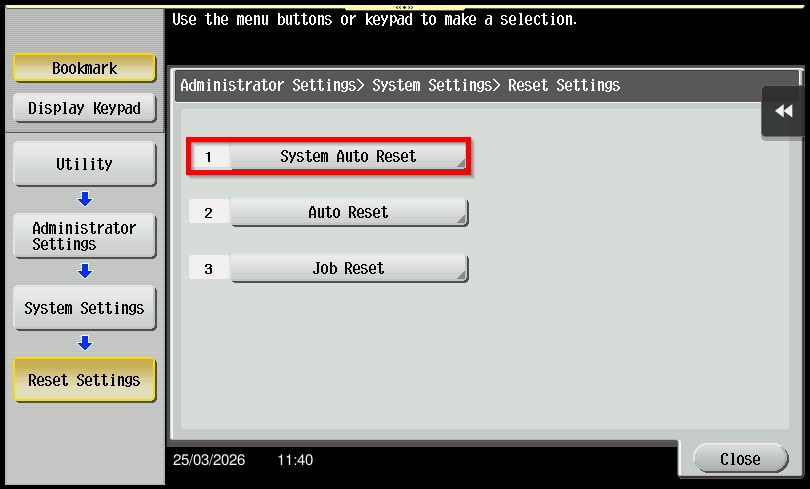
Step 5 – There have several default menus that can be display in main control panel home page under [Priority Mode]. May choose from Main Menu, Copy, Scan/Fax, User Box or Web Browser. Click [OK] to save the setting once the default priority mode has been set.
For Newer Machine series / I-Series Machine (Accessible from Screen Panel & Web Connection)
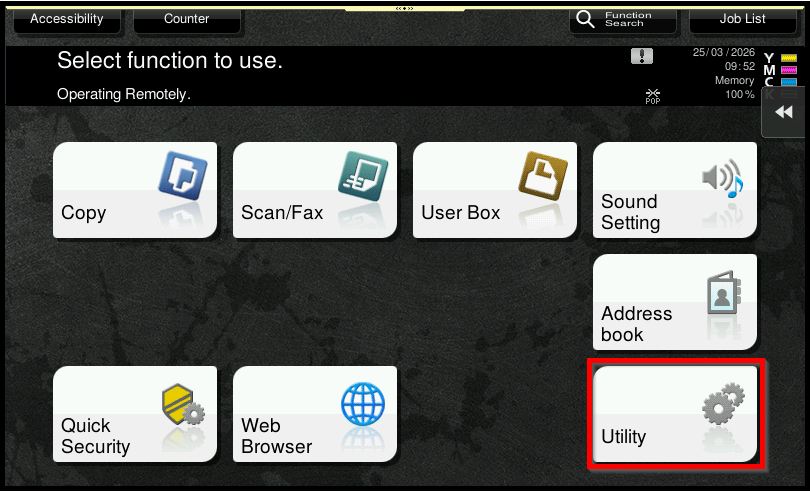
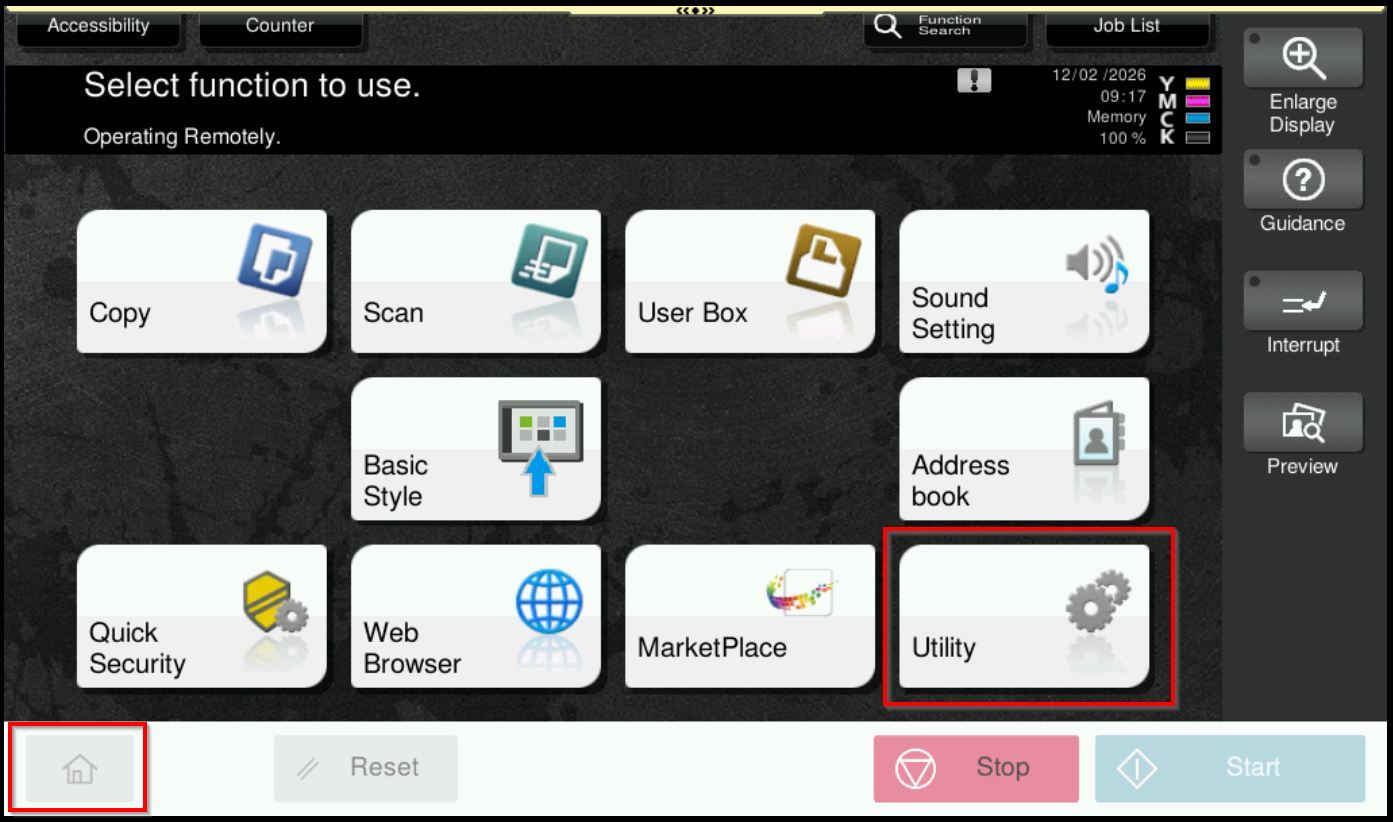
STEP 1 – Select [Home] – [Utility].
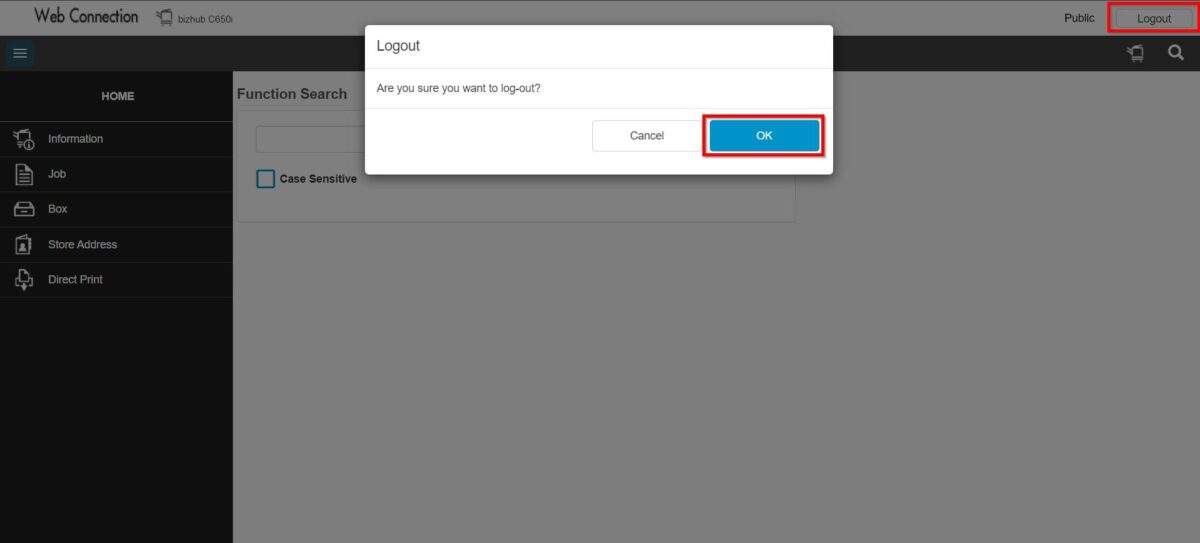
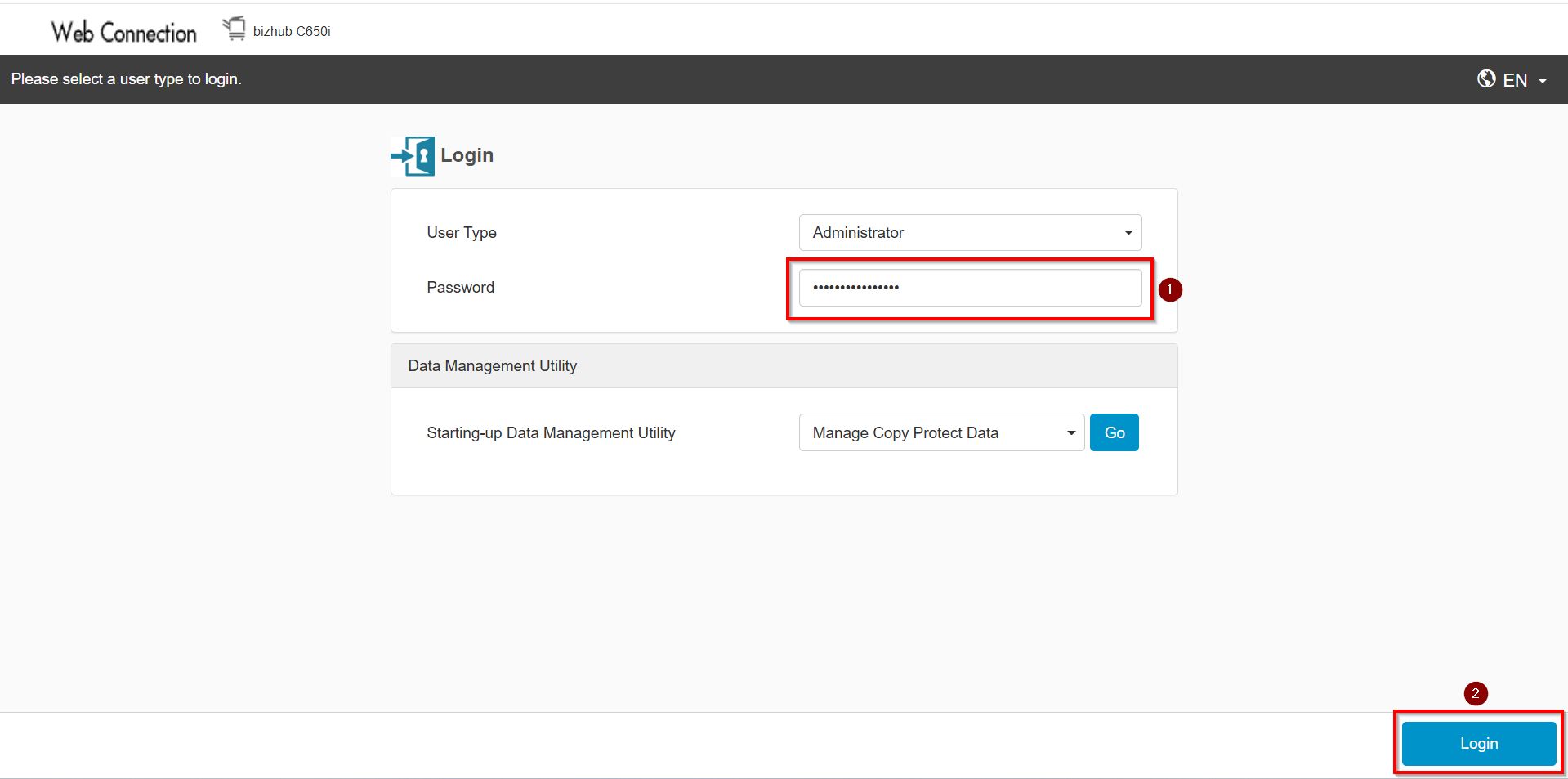
**You may access to web connection via machine IP Address. Click on this to check how to get the IP Address from machine, then key in Konica Minolta Machine IP Address at web browser and log in as admin the Web Connection.
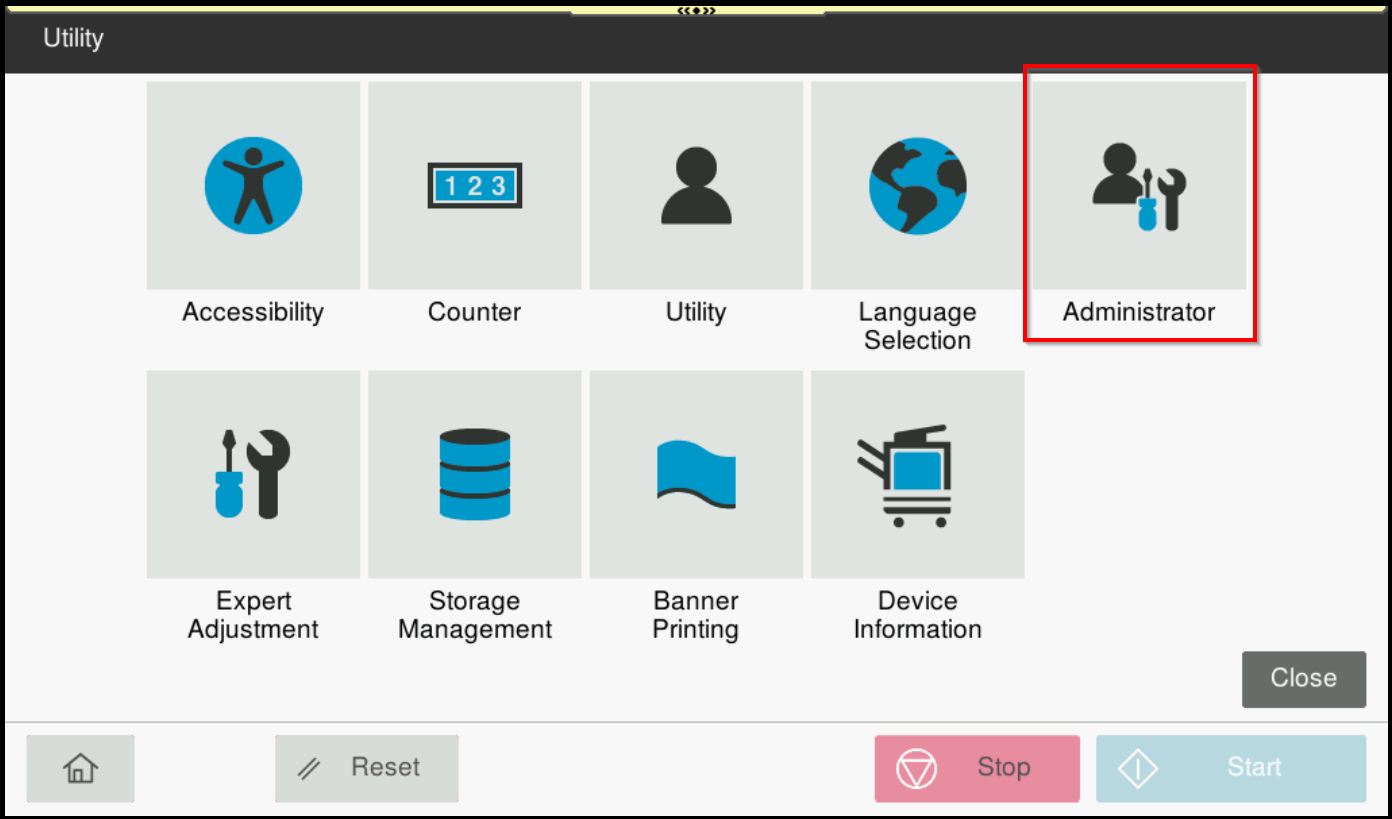
STEP 2 – Select [Administrator].
STEP 3 – Key in the default administrator password and click [OK] button.
Default administrator password: [7801261178012611] or [1234567812345678] or [12345678] or [12341234].
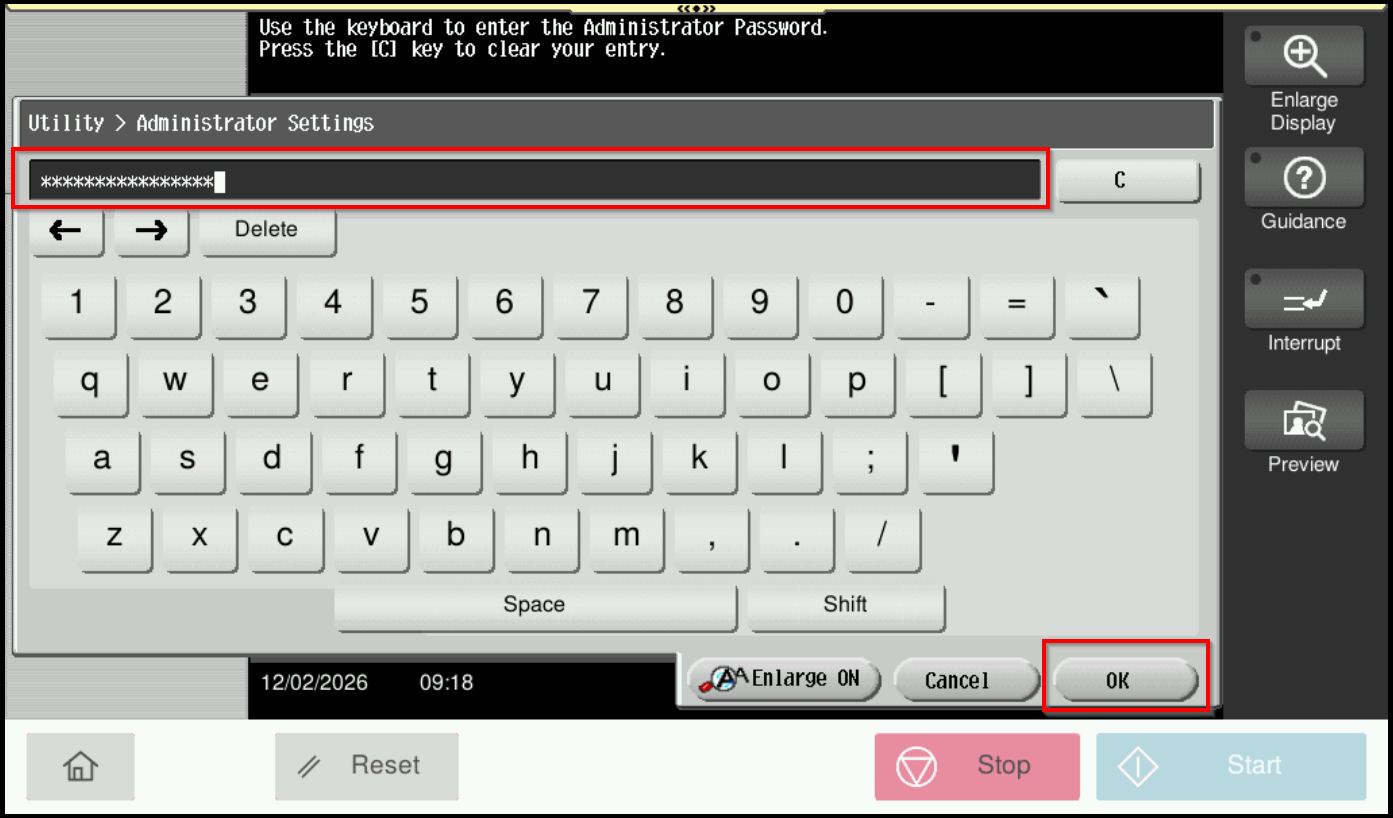
**On Web Connection login as admin mode by key in administrator password accordingly. The next step will be same option on below to change administrator password.
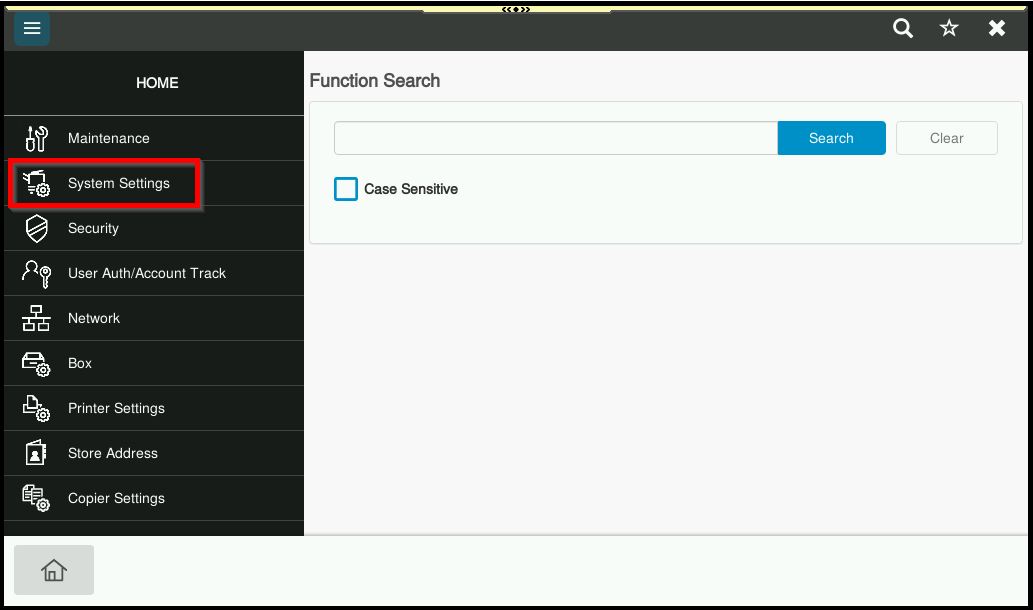
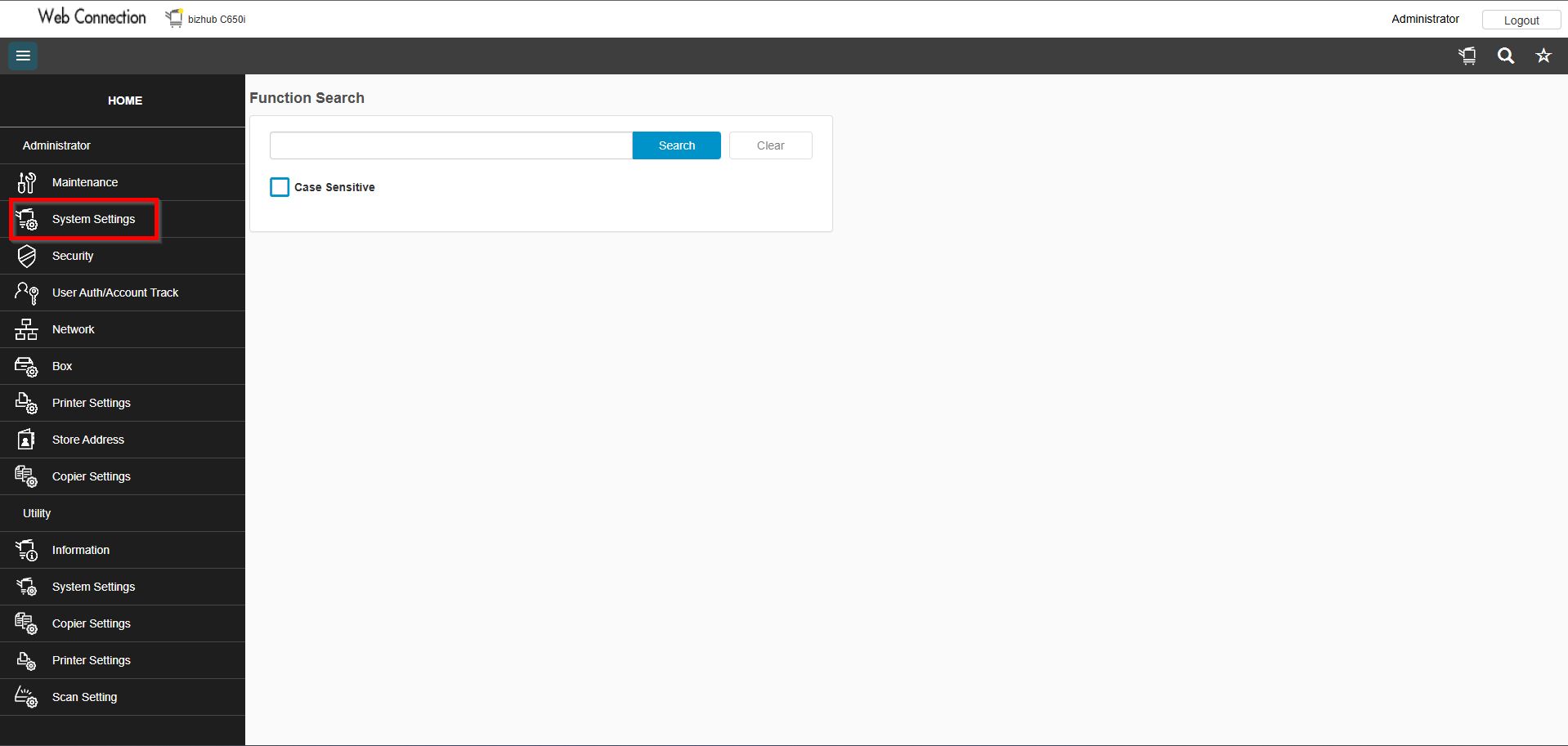
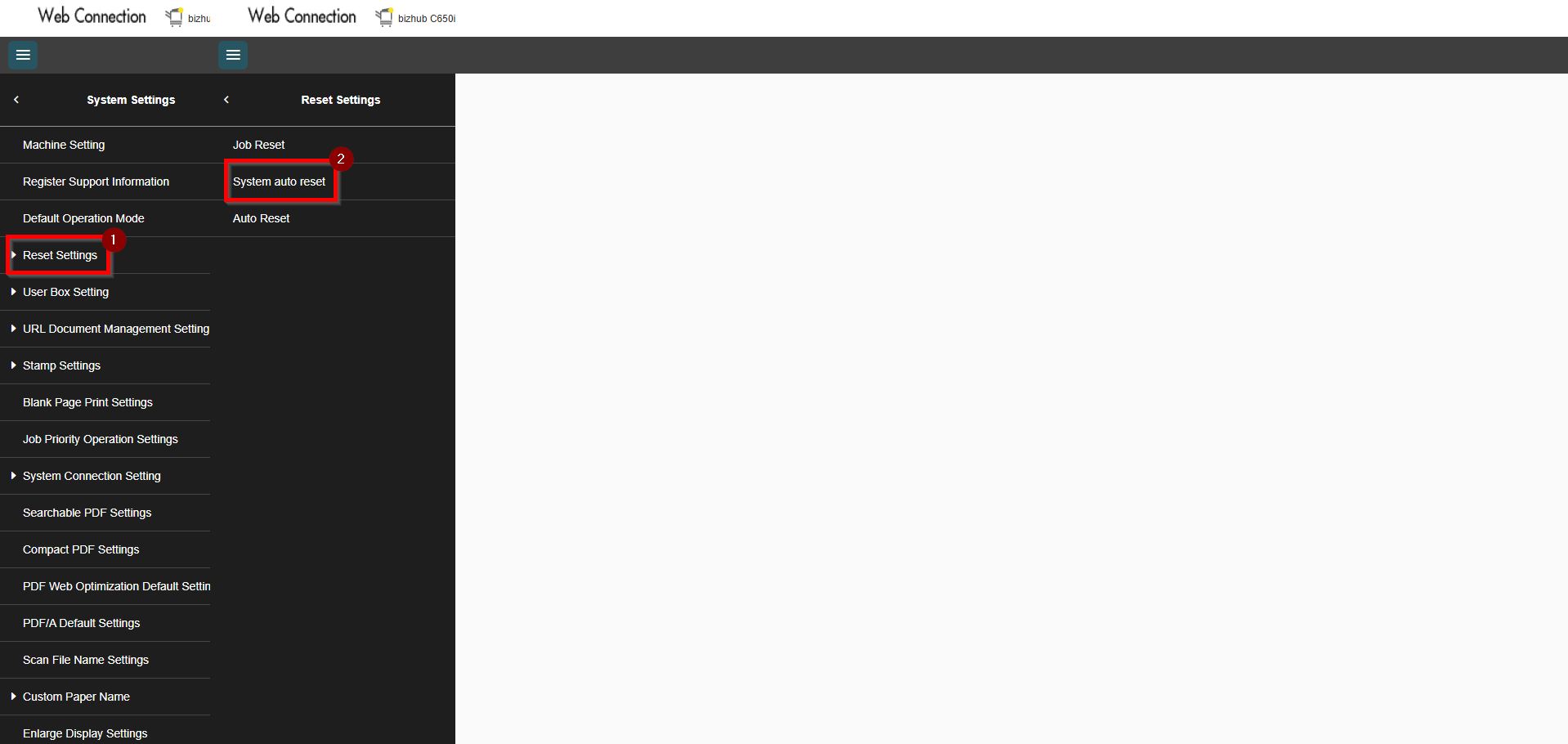
STEP 4 – Go to [System Settings].
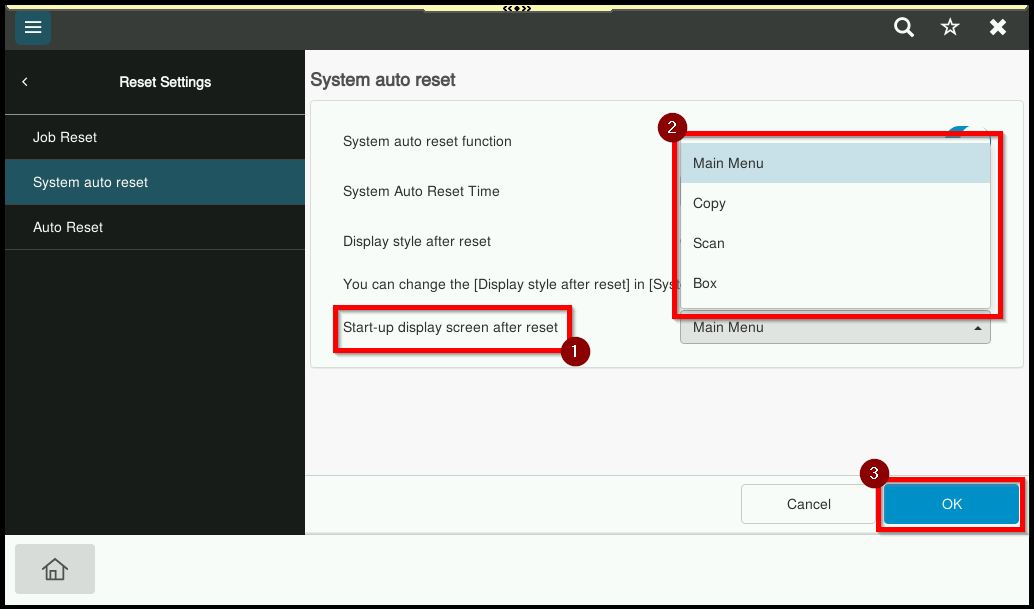
STEP 5 – Choose [Reset Settings] – [System Auto Reset].
STEP 6 – There have several default menus that can be display in main control panel home page under [Priority Mode]. May choose from Main Menu, Copy, Scan/Fax, User Box or Web Browser. Click [OK] to save the setting once the default priority mode has been set.