
Guide on send a Fax from the Printer.
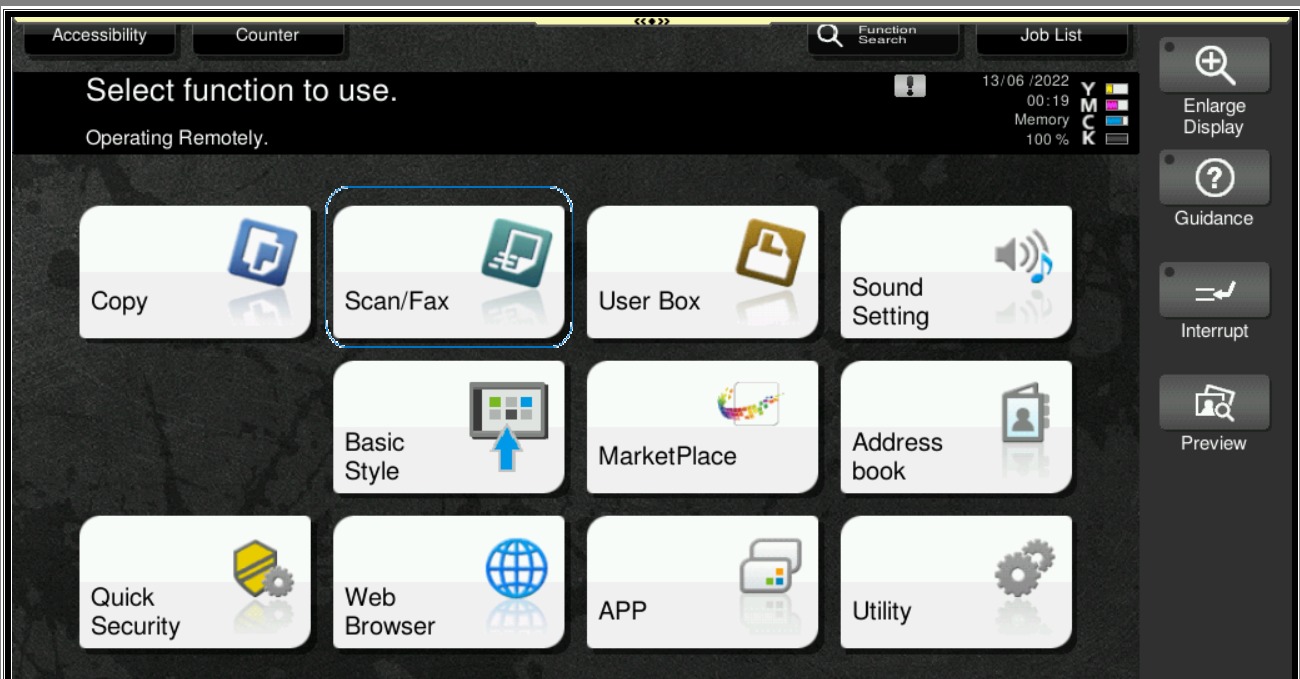
STEP 1 – Press on [Menu] button, Select [Scan/Fax].
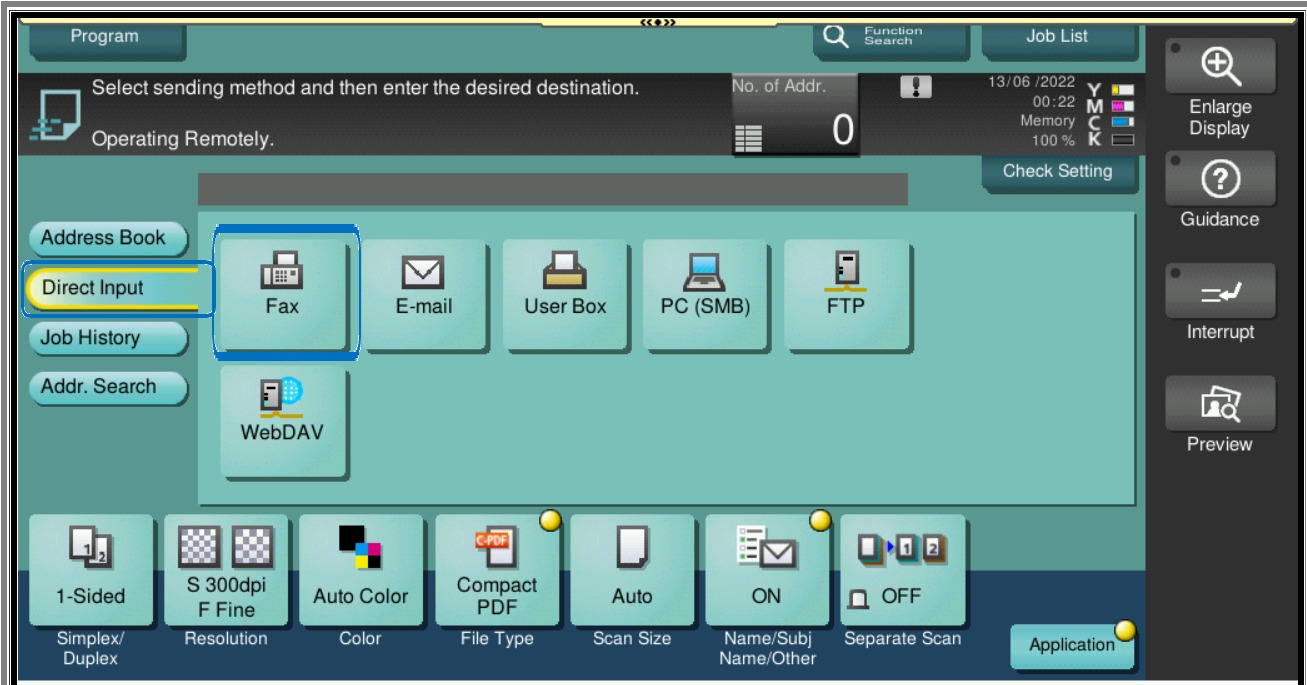
STEP 2 – Select Direct Input then select [Fax].
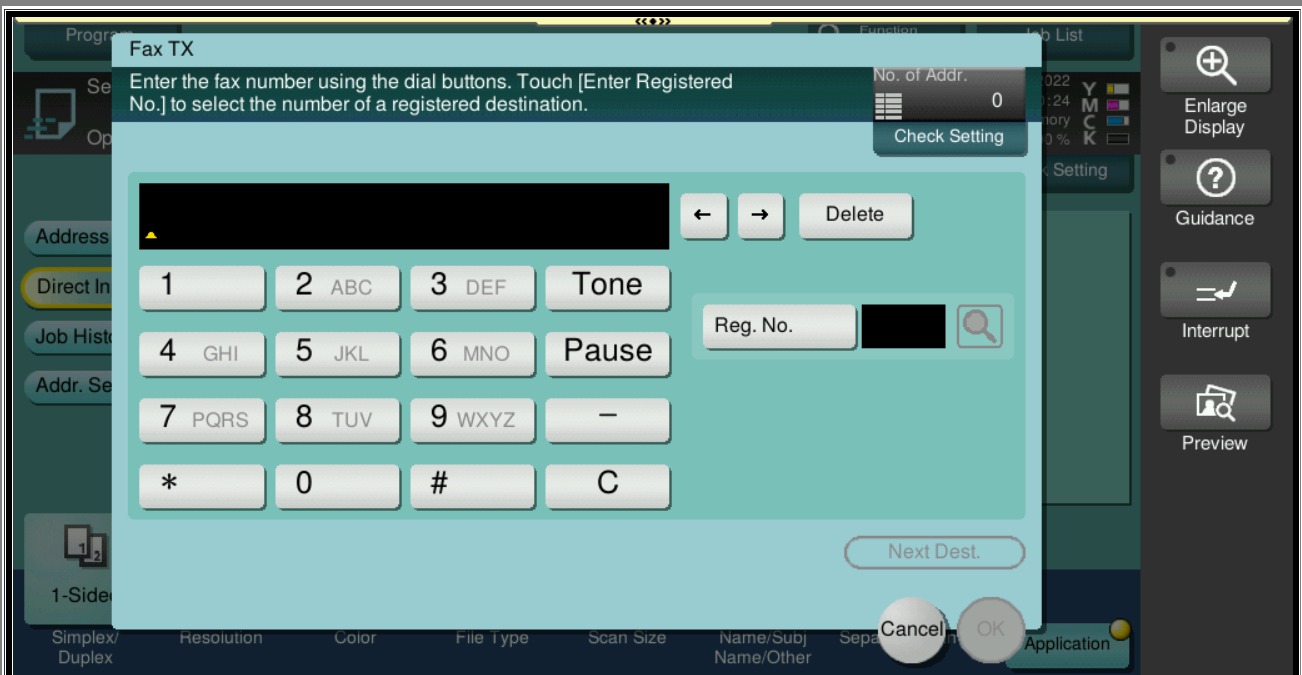
STEP 3 – Dial-up any fax number to be send to recipient.
Note:
When sending FAX overseas, you need to change the “+” sign with “00” number. Example: +6568958555 change to 006568958555. No need to dial the country access code if sending locally.