Guide on Fix Unable To Print From External Memory Or USB Thumbdrive
Print from External Memory option is missing after plugging-in the Thumb Drive on the machine. In this case, the function is not enable on the machine, kindly follow the guide below on how to enable the option.
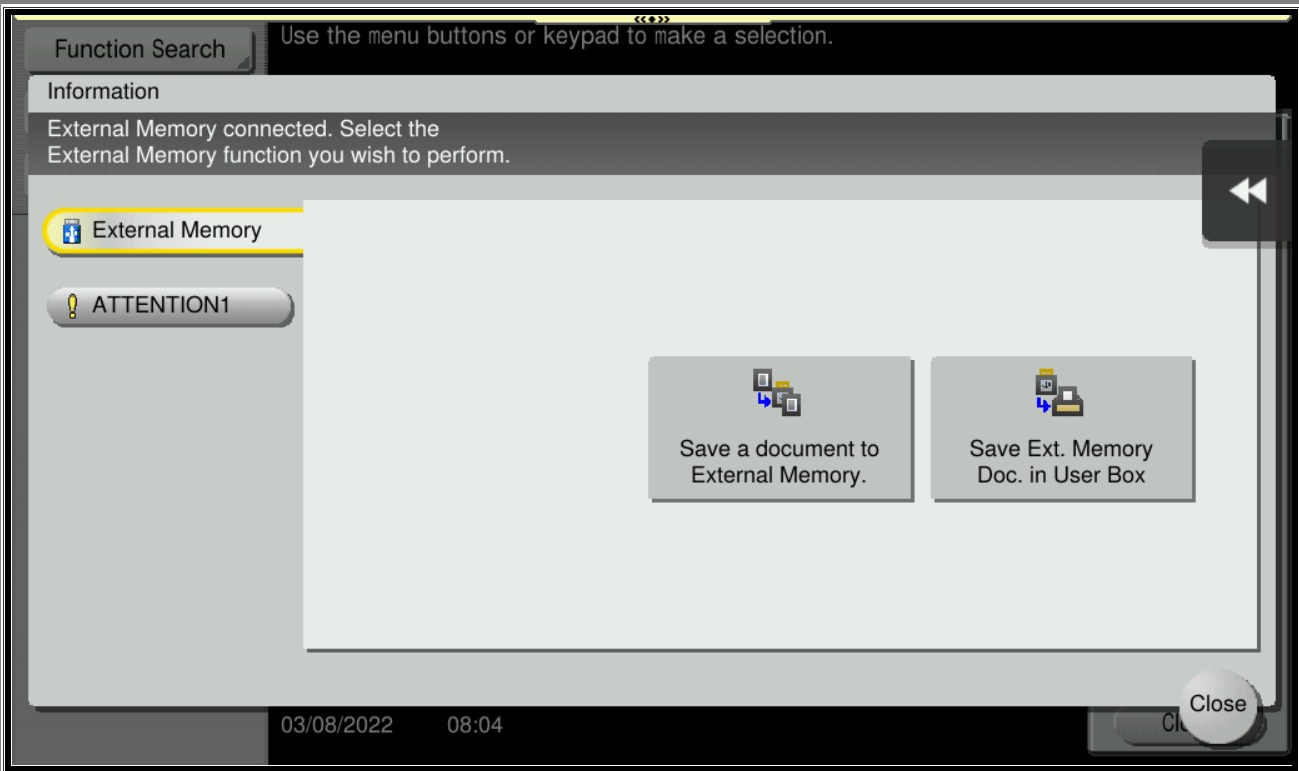
For the Older Machine series / Non I-Series Machine
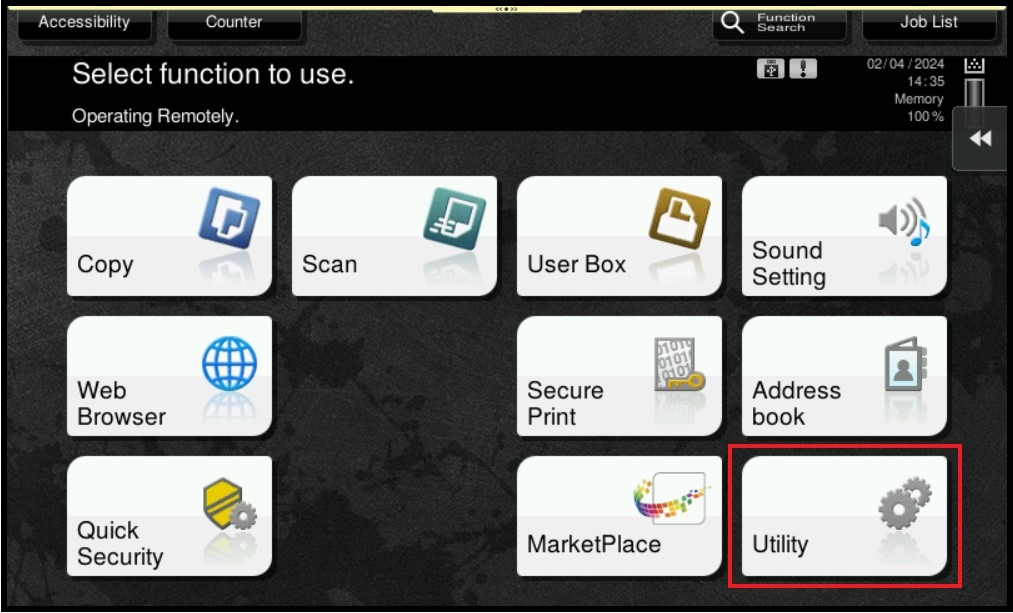
STEP 1 – Select [Utility].
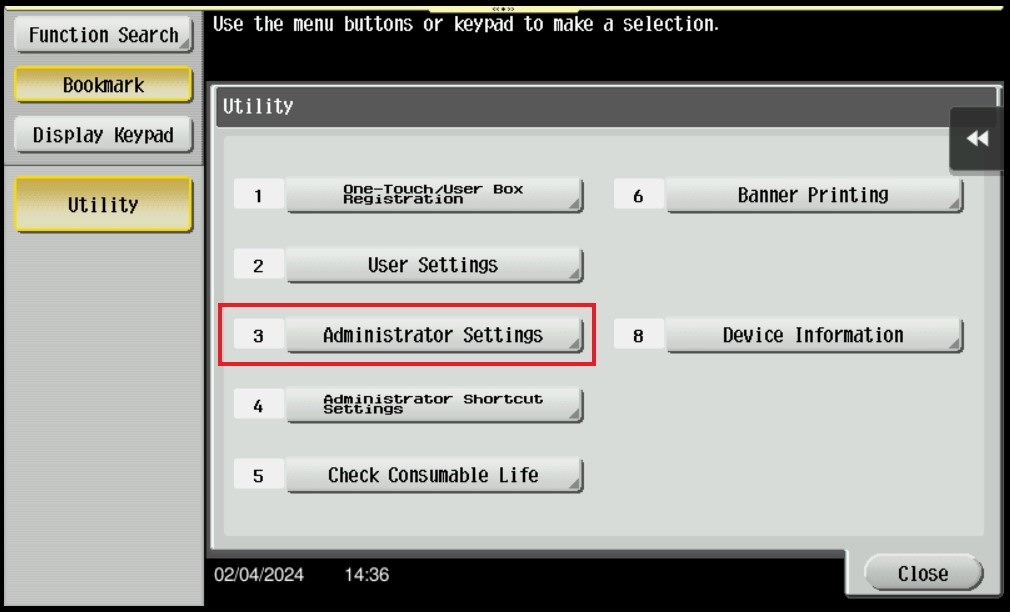
STEP 2 – Select [Administrator Settings].
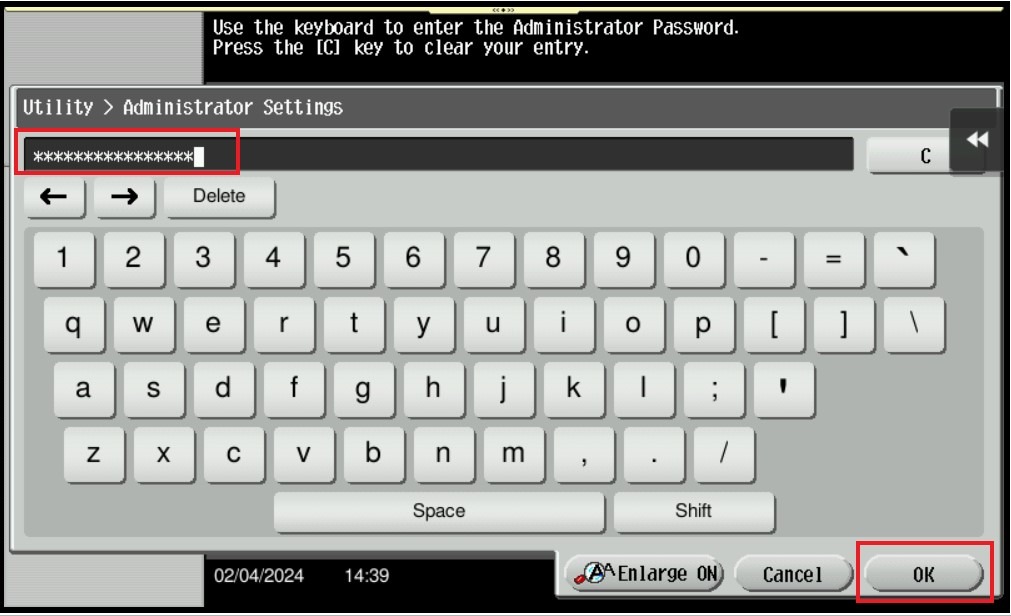
STEP 3 – Enter the administrator password for the machine and click OK to login.
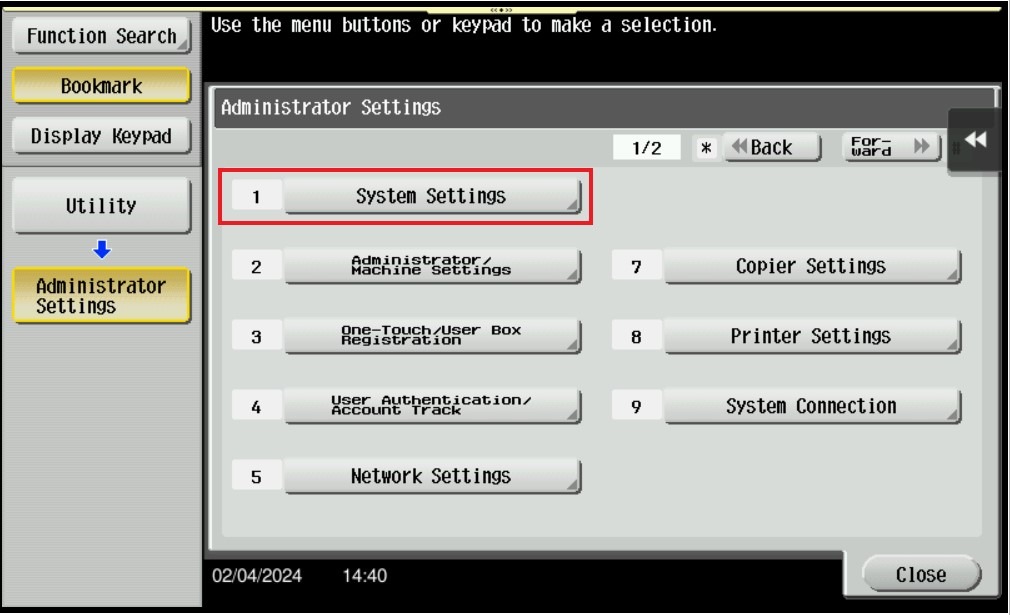
STEP 4 – Select [System Settings].
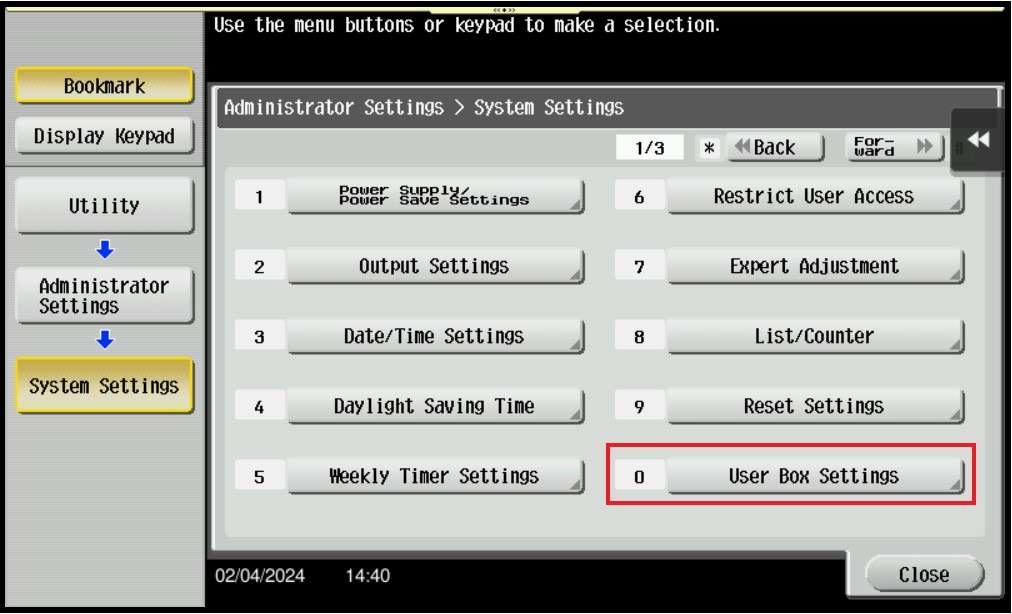
STEP 5 – Select [User Box Settings].
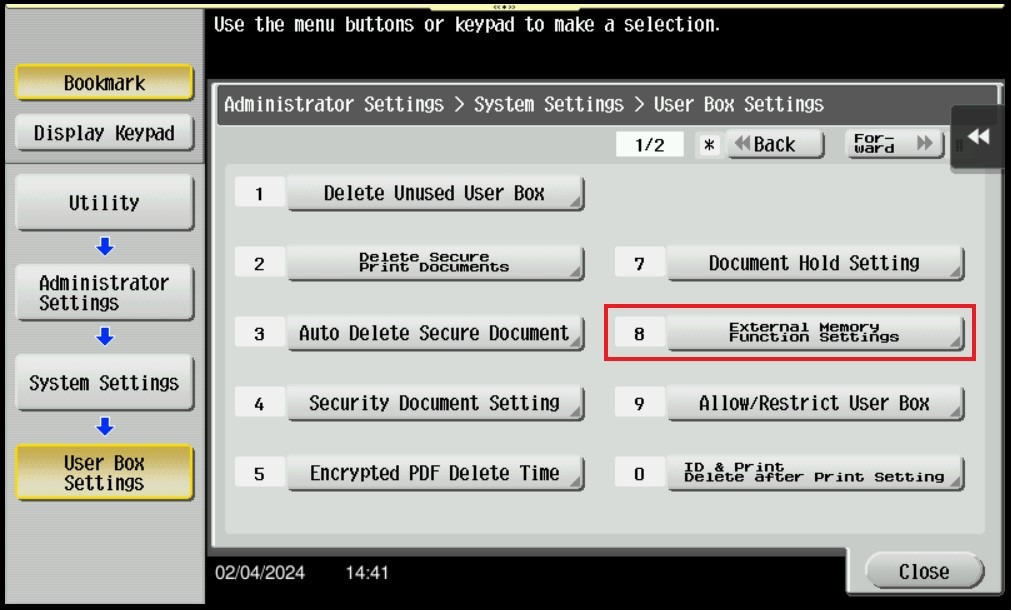
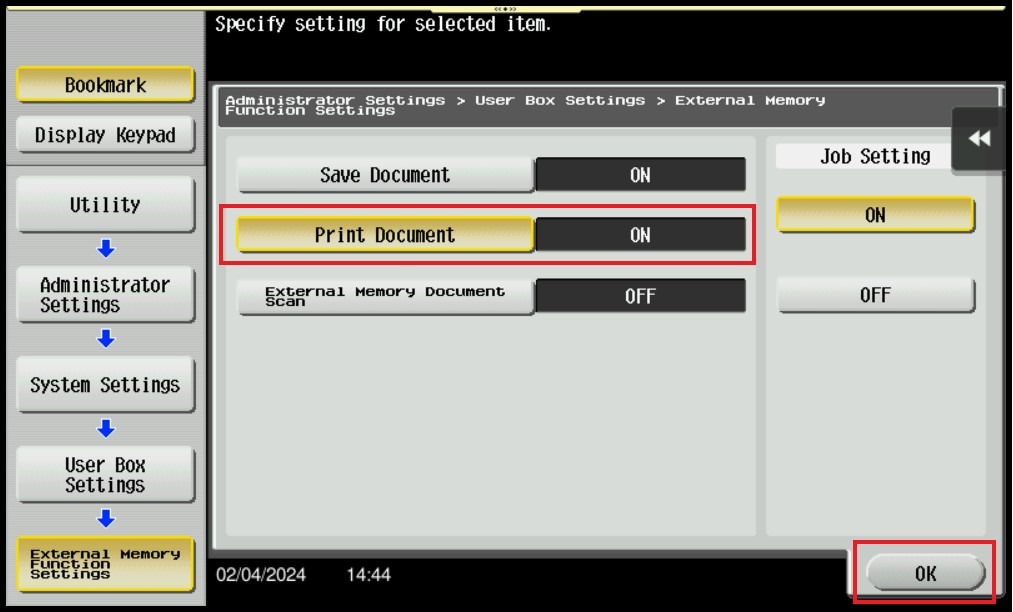
STEP 6 – Select [External Memory Function Settings].
STEP 7 – Make sure that the Print Document is ON then click OK to save it, once ON the Print from External Memory will appear on the screen after the thumb drive has been plugged in.
For the Newer Machine series / I-Series Machine
STEP 1 – Select [Home] – [Utility].
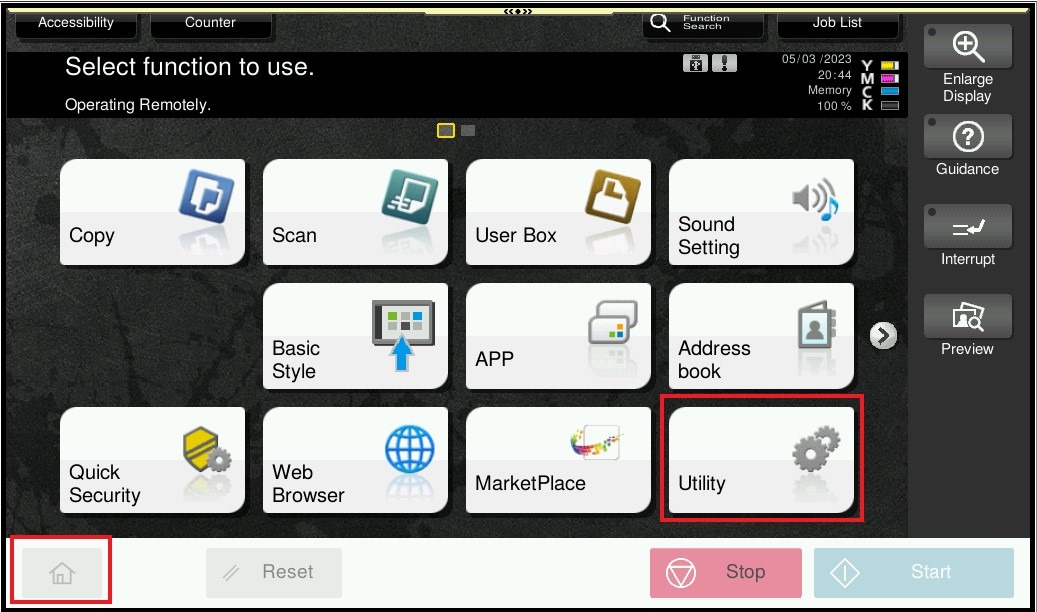
STEP 2 – Select [Administrator].
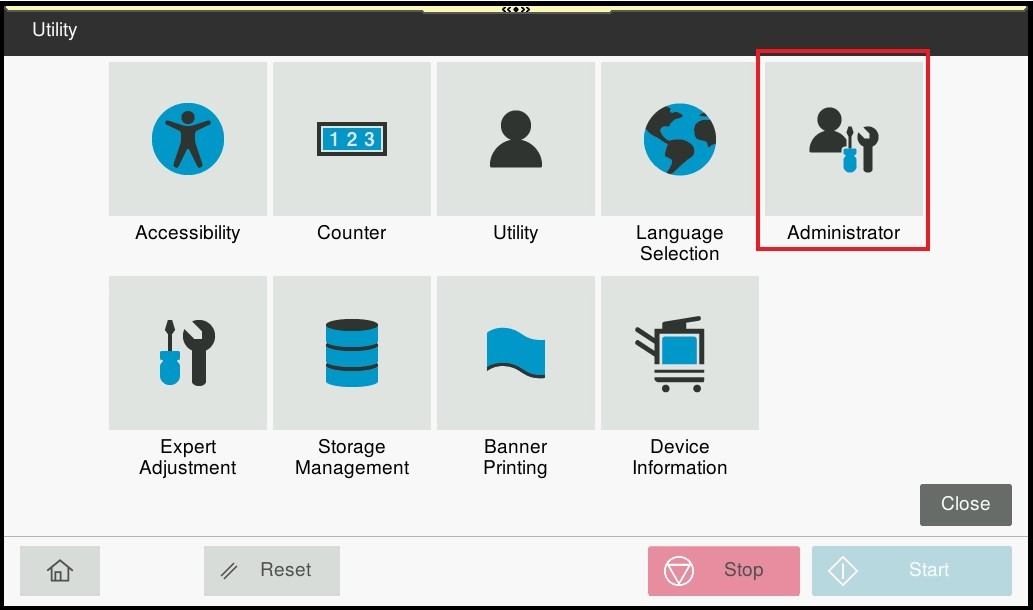
STEP 3 – Enter the administrator password for the machine and click OK to login.
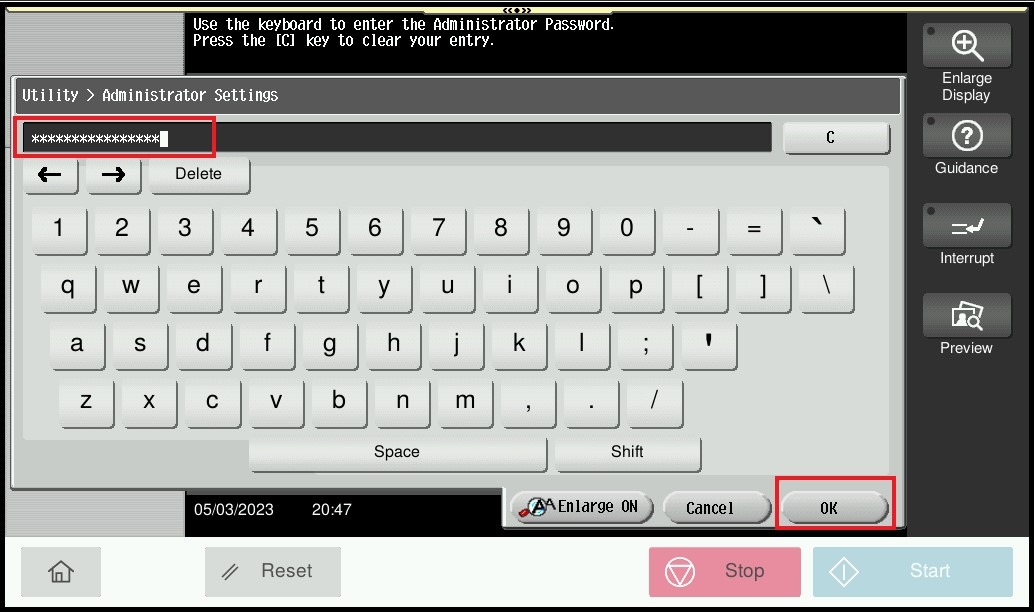
STEP 4 – Select [System Settings].
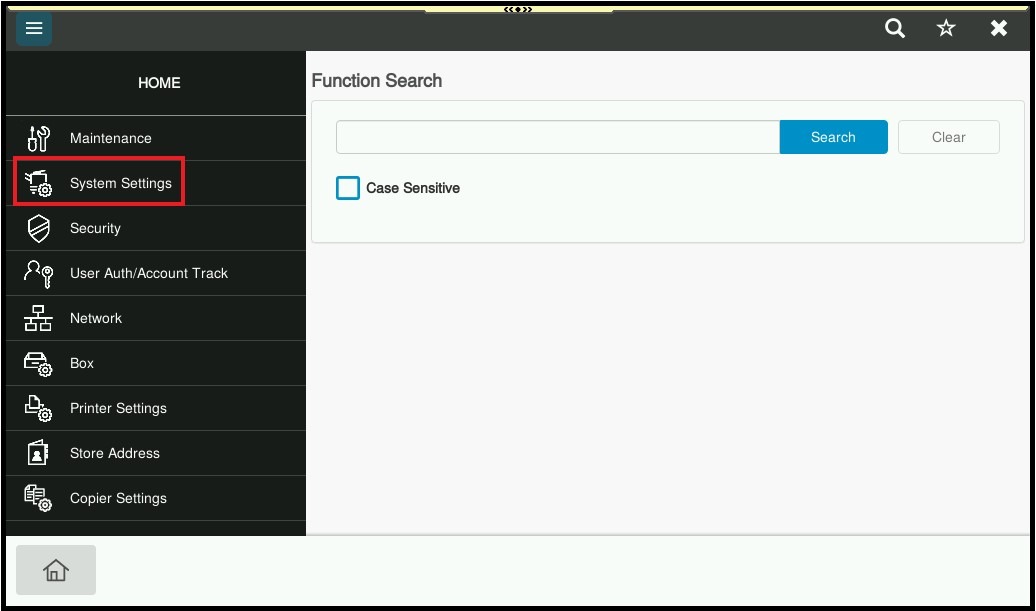
STEP 5 – Select [User Box Setting].
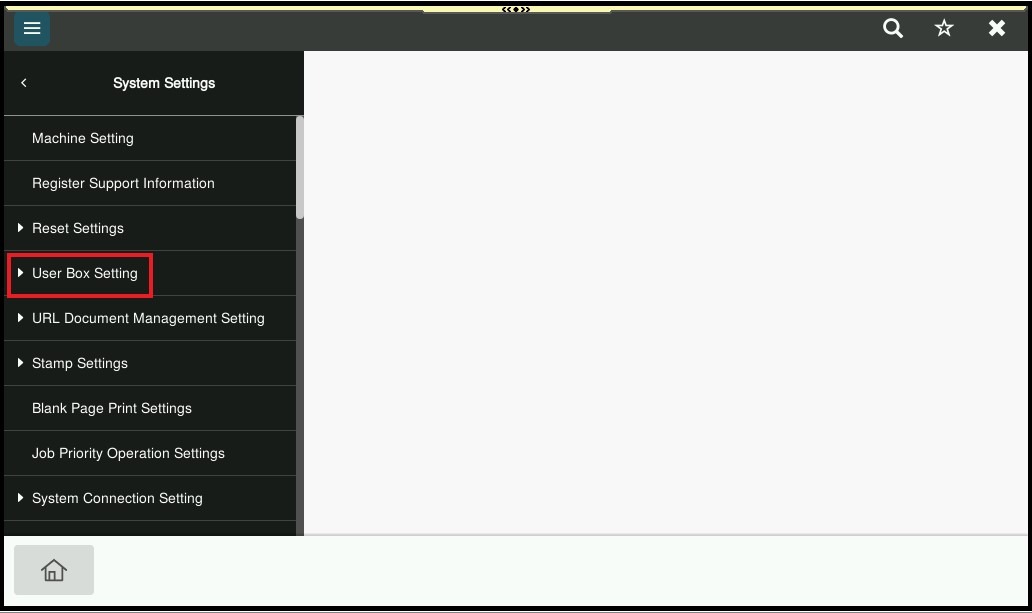
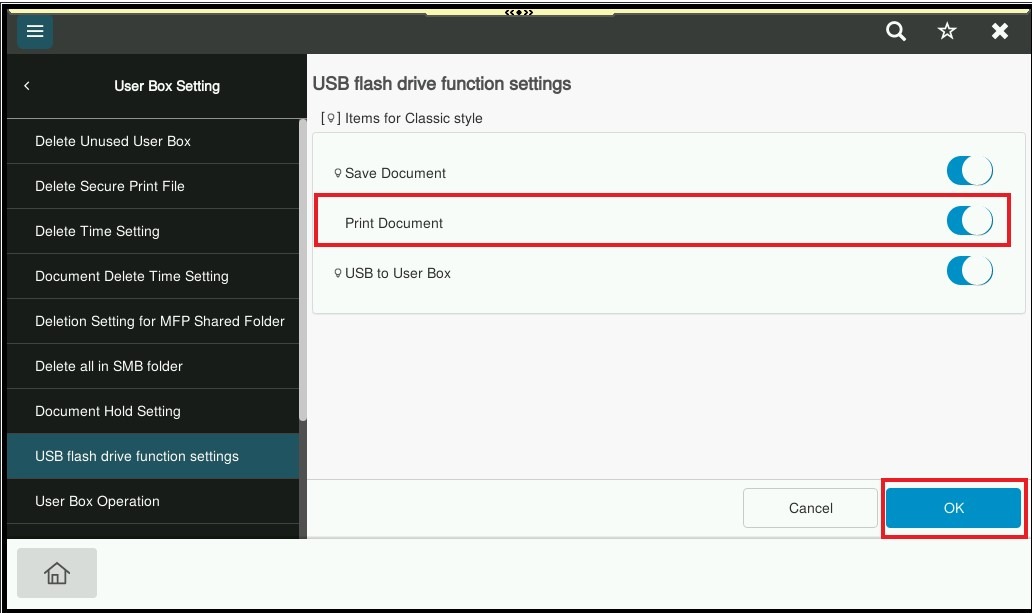
STEP 6 – Select [USB flash drive function settings].
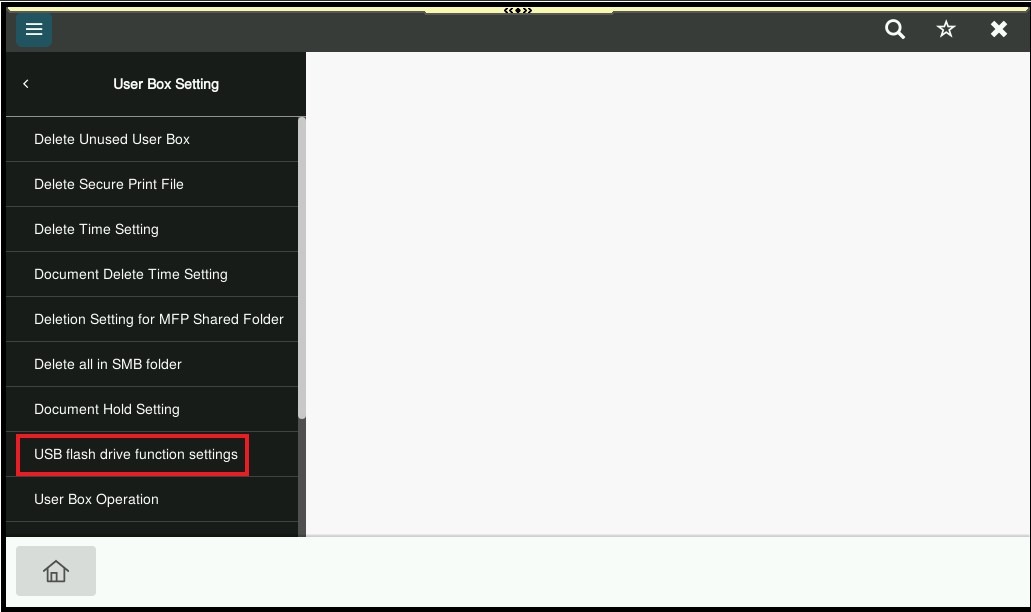
STEP 7 – Make sure that the Print Document is ON then click OK to save it, once ON the Print from External Memory will appear on the screen after the thumb drive has been plugged in.